
















“Workflows has been really useful for automating how we handle replies and managing follow-ups after meetings. It’s saving us a lot of time on the stuff we used to do manually after every reply.”

Adam Guerra
Founding BDR

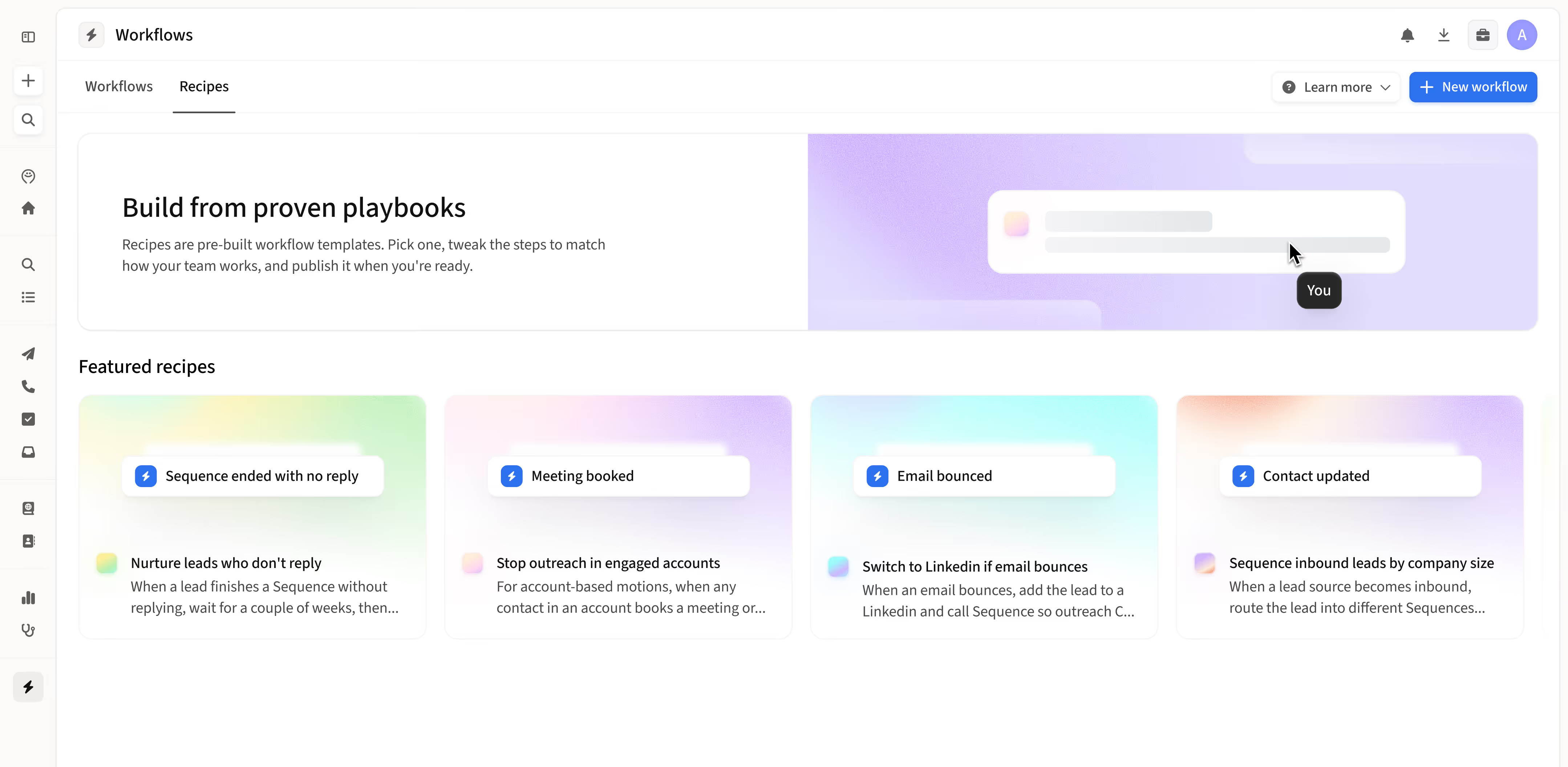
Never miss the next sales step
Lead routing
Get every lead into the right motion, fast.
Keep leads warm
Catch every signal and keep conversations moving.
Account plays
Work the whole account, not just one contact.
CRM hygiene
Keep your CRM matching reality, automatically.
Pipeline protection
Catch the small mistakes before they cost deals.


Frequently asked questions
1
Which workflow recipe should I start with?
Most teams start with Nurture non-responders. It catches every lead who finishes a sequence without replying and adds them to a lighter nurture motion after a delay, so warm leads stay warm without any manual follow-up. Once that's running, layer in lead routing, CRM hygiene, and account-level plays.
2
Can I customize a workflow recipe to match my CRM fields and sequences?
Yes, every workflow recipe in Amplemarket is fully customizable. You can map triggers to your own CRM fields, set filters to match your team's values, and pick the exact sequences you want each branch to run. Recipes give you a working starting point, and every step is editable to fit how your team actually operates.
3
Do workflow recipes work with Salesforce and HubSpot?
Yes, Amplemarket workflow recipes work with Salesforce and HubSpot. Triggers and filters read directly from your CRM fields, and recipe actions can update CRM records in real time. Once your CRM is connected to Amplemarket, every field mapped in your integration is available inside the workflow builder.
4
How long does it take to set up a workflow recipe?
Most workflow recipes take just a few minutes to set up. The trigger, paths, and actions are pre-built. You only need to point each block at the right CRM field, sequence, or value for your team, then hit Launch. Recipes built from scratch take slightly longer but still launch in under thirty minutes for most use cases.
5
Can I edit, pause, or delete a workflow after it's launched?
Yes, you can edit, pause, or delete a workflow recipe at any time after it's launched. Open the workflow in the editor, make your change, and republish. Pausing stops new contacts from entering while keeping the workflow available for later, and deleting removes it permanently.

.jpg)