






















“What sets it apart is the built-in deliverability suite; our sequences actually hit the primary inbox, not the spam folder.”

Marcus Kirchhofer
Account Executive
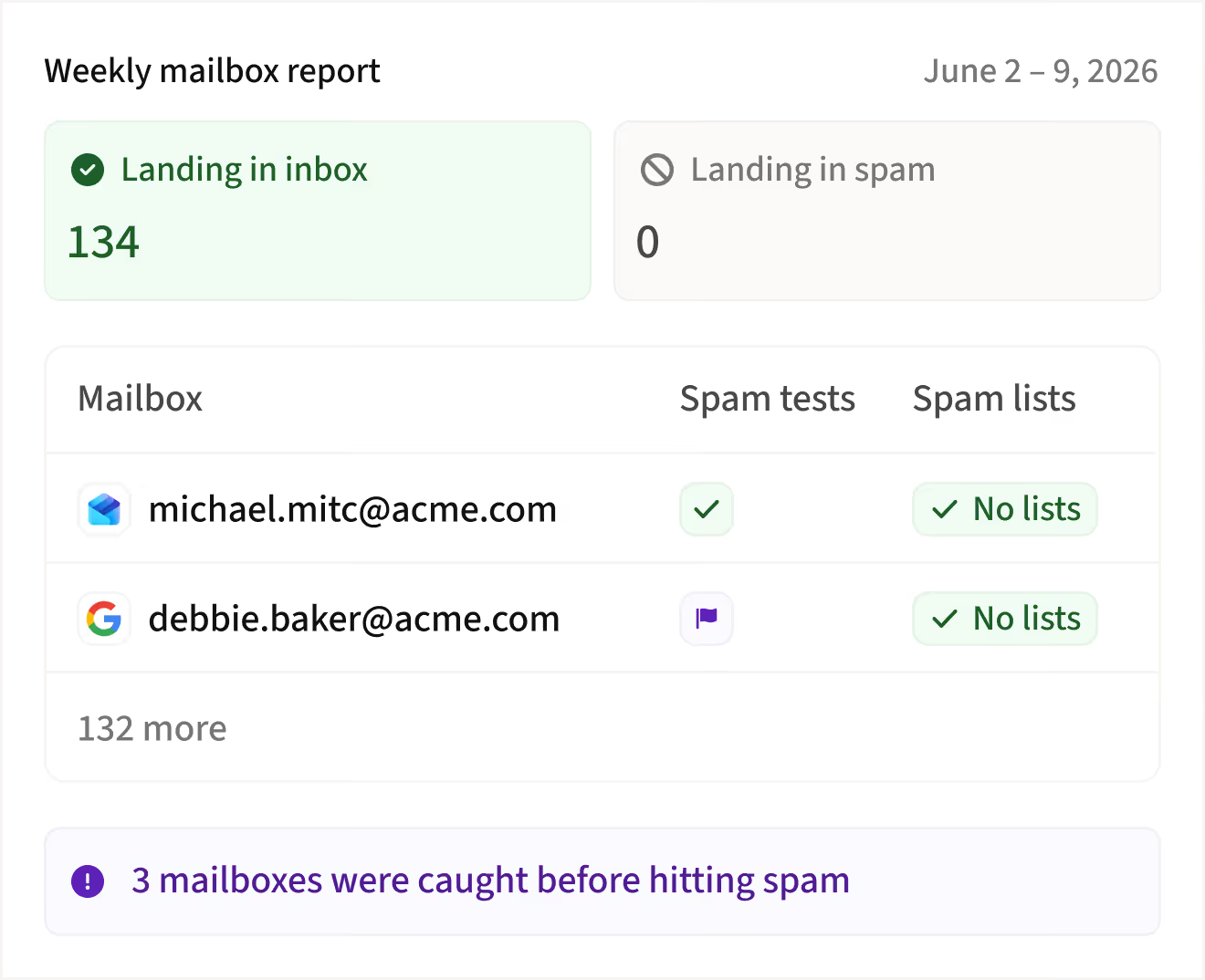
Inbox placement testing
Automated tests that catch spam issues before your prospects do

Every mailbox tested, every week
Automated test emails check whether each mailbox lands in inbox or spam. No manual setup required.

Unhealthy mailboxes flagged instantly
If a mailbox fails, it gets flagged in your Domain Health Center and during sequence prep so you never send from it by accident.

Rest, recover, and send again
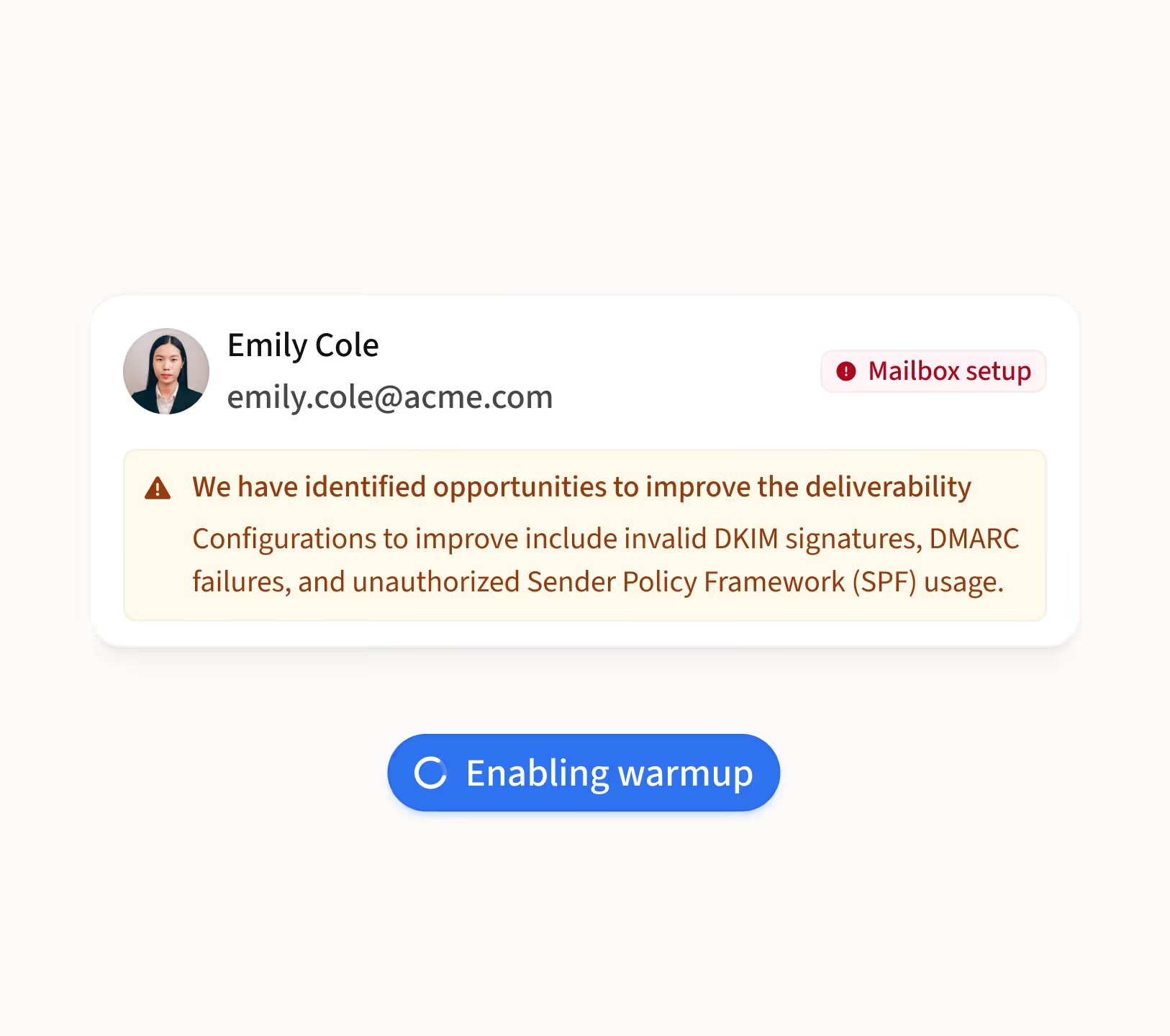
Flagged mailboxes recover faster with the Deliverability Booster enabled. Amplemarket unflags them once they pass the next test.
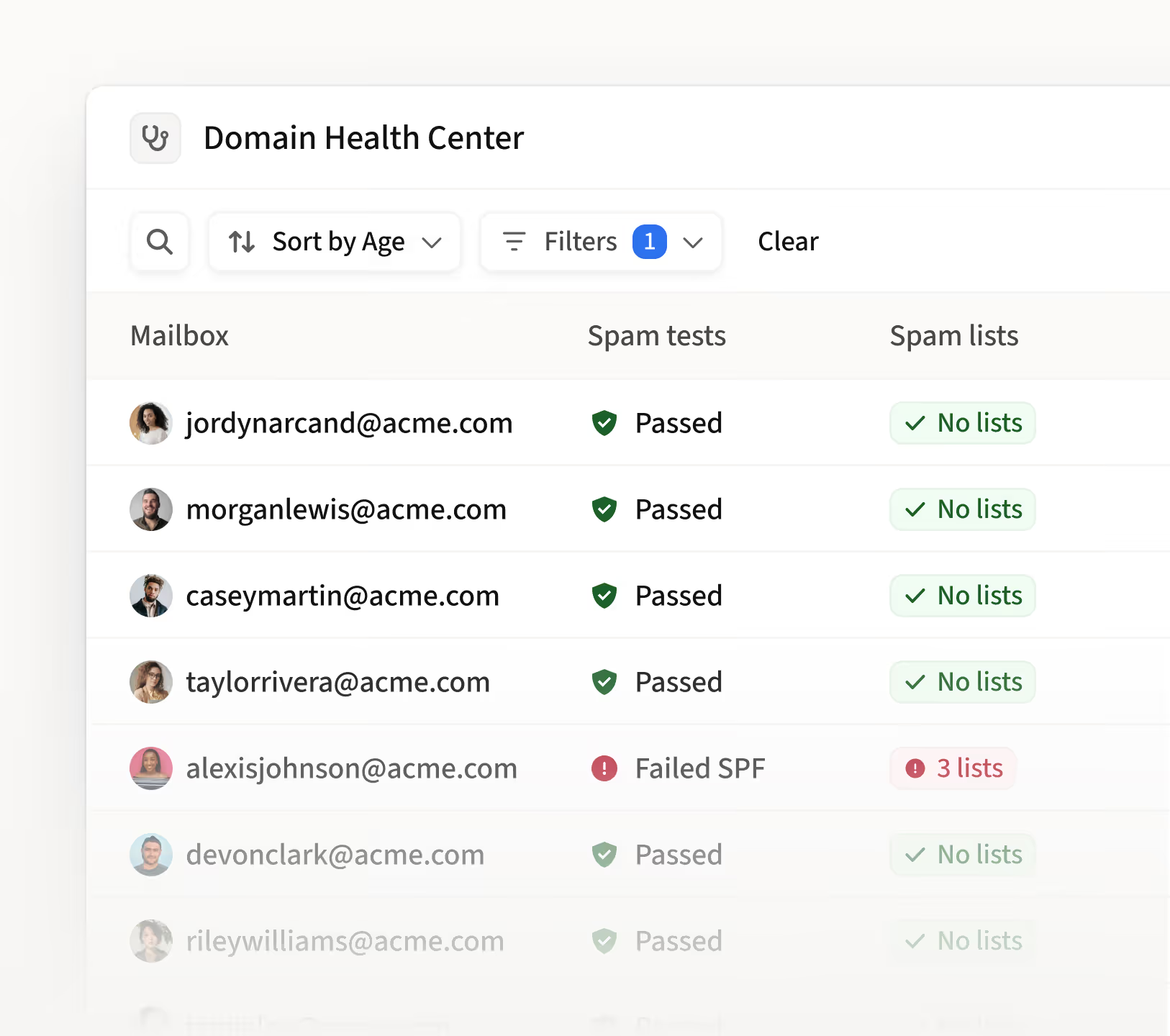

Automated weekly tests
Every connected mailbox is tested automatically with no manual effort.

Healthy or unhealthy
Clear status indicators so you know exactly which mailboxes are safe to use.

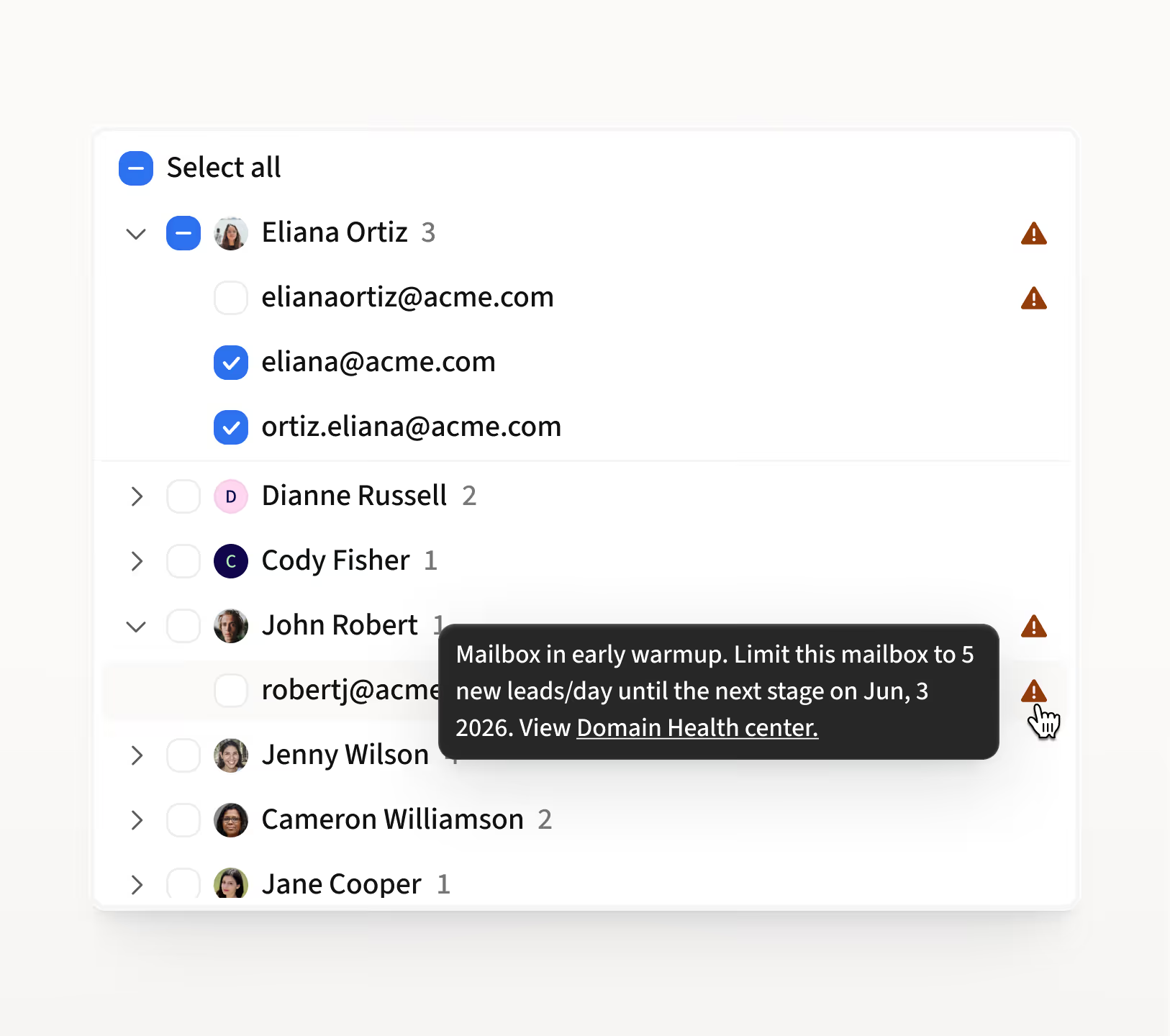
Sequence prep alerts
Flagged mailboxes are surfaced when you're selecting mailboxes for a new sequence.

Domain Health Center
All placement test results visible alongside your other deliverability metrics.
.avif)

“Amplemarket cuts down on the amount of manual work when sending emails and increases deliverability.”

Noah Wolf
Global GTM


How sales teams use the Email Spam Checker
0:00
0:00
“How do I check if my mailboxes are landing in spam?”
You shouldn't have to guess where your emails end up. Here's how to check.
1
Open the Domain Health Center from your sidebar
2
Review the Spam Assessment section to see which mailboxes passed or failed
3
Flagged mailboxes are marked as unhealthy with a clear indicator
“How do I avoid sending from unhealthy mailboxes?”
Sending from a flagged mailbox makes things worse. Here's how Amplemarket prevents that.
1
Open the sequence prep flow when launching a new sequence
2
Flagged mailboxes are clearly marked so you can deselect them
3
Choose healthy mailboxes to protect your deliverability
Frequently asked questions
1
What are Email Placement Tests?
Email Placement Tests are automated weekly checks that Amplemarket runs on every connected mailbox. Test emails are sent to fresh mailboxes to evaluate whether your emails land in the inbox or spam folder. If a mailbox is flagged as unhealthy, Amplemarket warns you before you use it for outreach.
2
How often are placement tests run?
Tests run automatically every week across all connected mailboxes. You don't need to trigger them manually. Results are updated in the Domain Health Center and reflected in the sequence prep flow.
3
What should I do if a mailbox is flagged as unhealthy?
Rest the flagged mailbox by pausing outreach and enabling the Deliverability Booster to help restore reputation. Avoid adding new volume to flagged mailboxes. Amplemarket will automatically unflag the mailbox once it passes the next weekly test.
4
Will I see test emails in my mailbox?
You may notice automated test emails in your connected mailboxes. These are part of the weekly placement test cycle and are normal. They are sent to controlled test mailboxes, not to real prospects.
5
How do placement test results connect to Mailbox Recommendation?
Placement test results feed directly into Amplemarket's Mailbox Recommendation. When selecting mailboxes for a sequence, unhealthy mailboxes are flagged so you only send from addresses with strong inbox placement.
.jpg)
.png)