
















“Workflows lets us scale high-touch outreach without losing the personal feel. For example, auto-nurturing cold C-suite leads through leadership-sent sequences has been a game-changer for replies.”

Aline Louzada
Growth

One canvas, endless automations
Create, visualize, and manage your sales workflows in one place

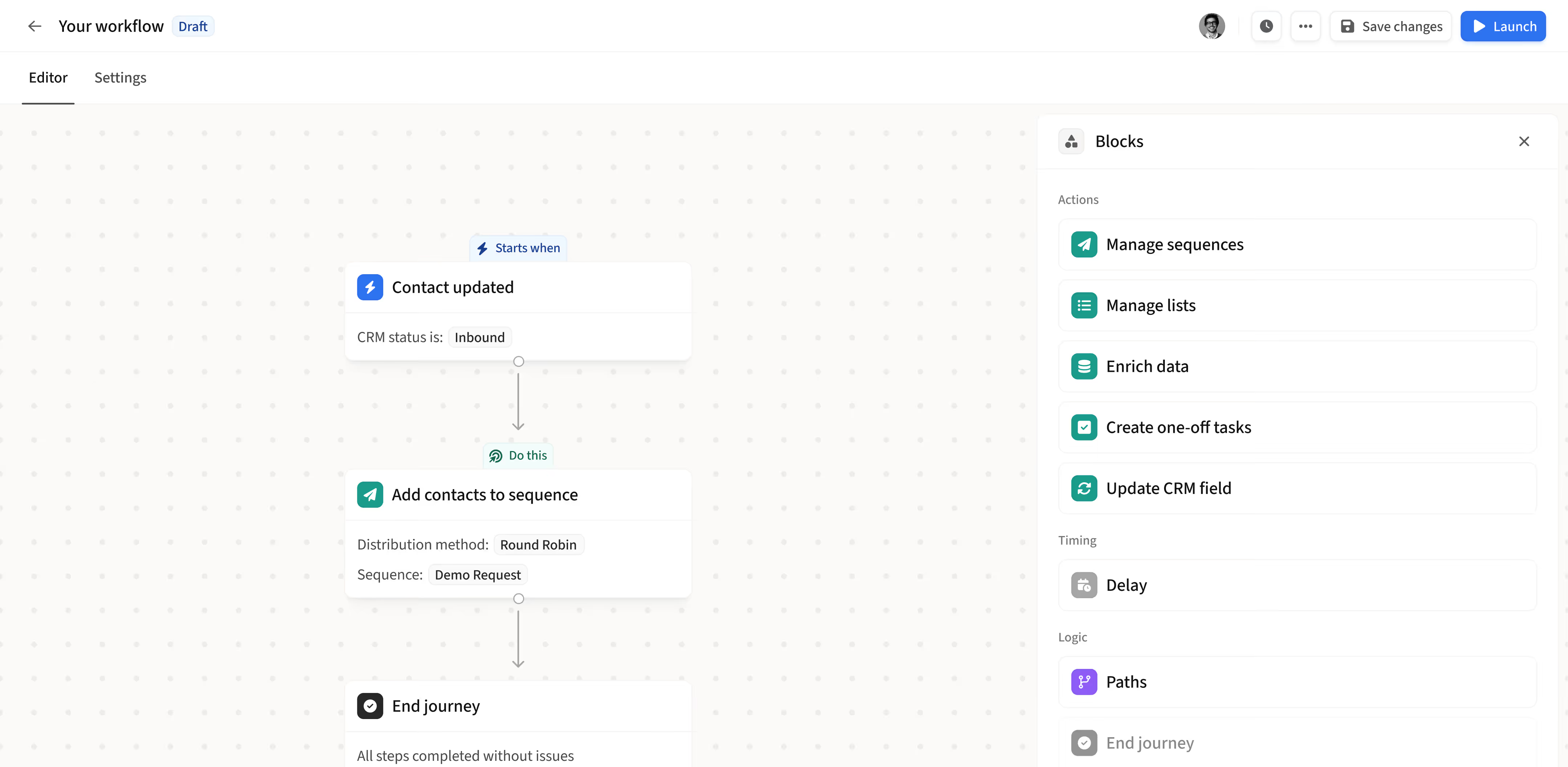
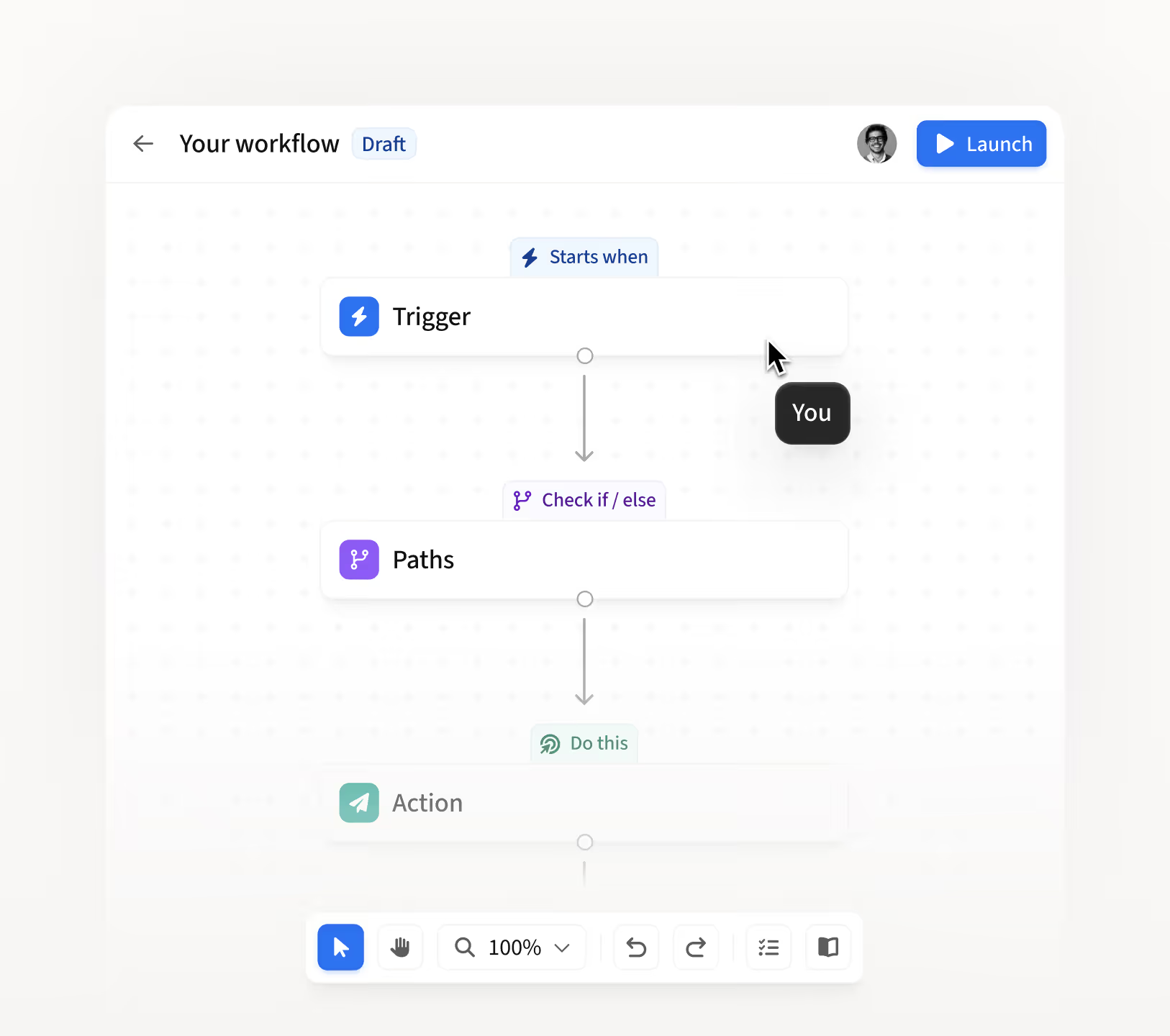
Design on a visual canvas
Build workflows on a visual canvas where every trigger, condition, and action is mapped out clearly. Know exactly what's running and why.

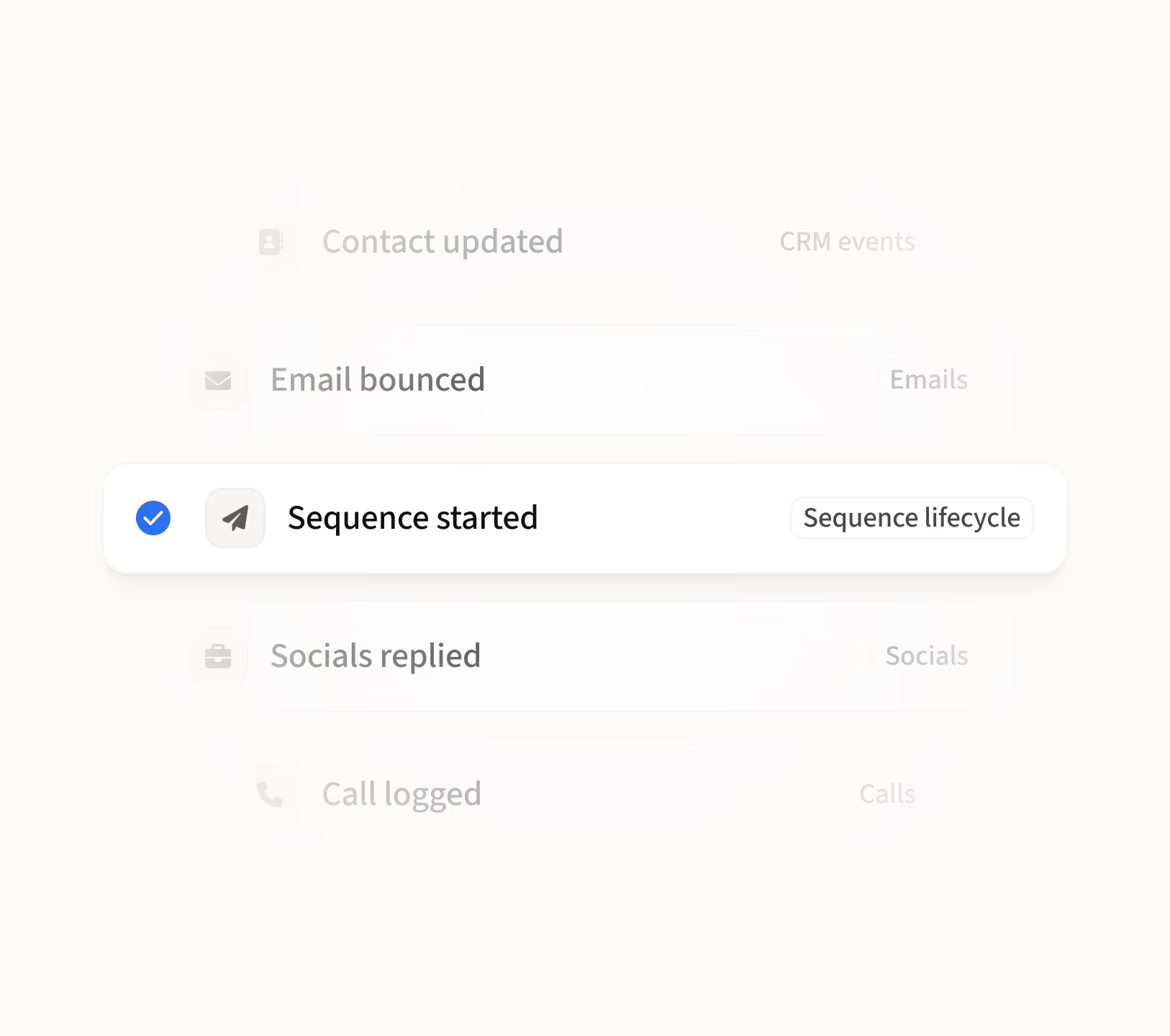
Trigger on the sales events that matter
Start workflows from real sales events like sequence completions, email bounces, CRM updates, and more.

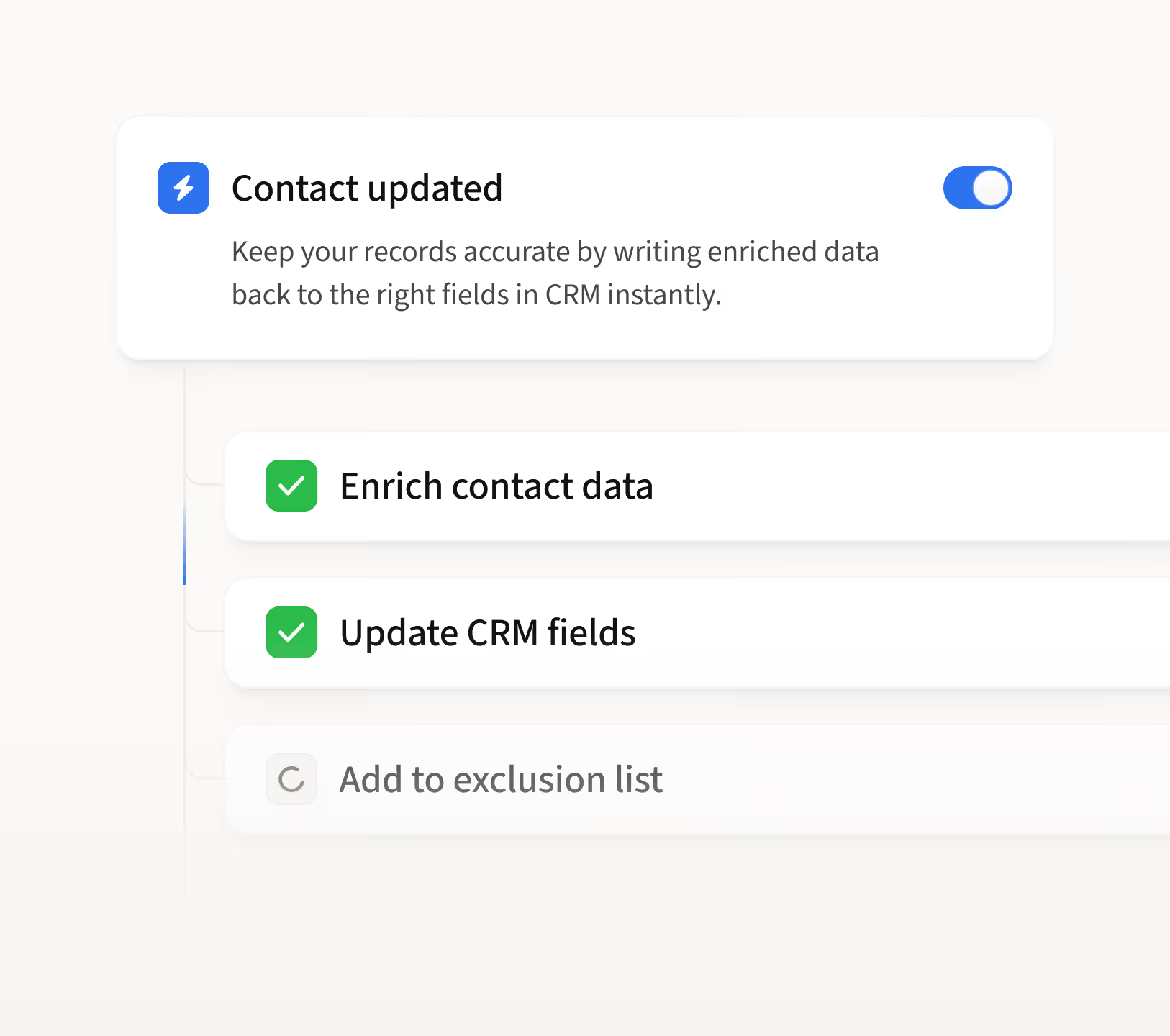
Chain actions that run on their own
String multiple actions together, from enriching data and updating CRM fields to managing exclusion lists and more, so one trigger can set an entire process in motion.

Trigger filters
Only run workflows for leads that match specific criteria.

Paths
Send leads down different routes based on the conditions they match.

Delays
Control the timing between steps so outreach never feels rushed.

Recipes
Pick from pre-built templates, customize, and launch in seconds.
.avif)

“Workflows has been really useful for automating how we handle replies and managing follow-ups after meetings. It's saving us a lot of time on the stuff we used to do manually after every reply.”

Adam Guerra
Founding BDR


Start automating with proven workflow recipes
See all workflow recipesNurture leads who don't reply
Wait, then re-engage with lighter outreach to stay top of mind.
Nurture warm leads who didn't book
Follow up after a few days with warm leads who replied but haven’t booked.
Switch channels when email bounces
Move to a call or social sequence when an email can't be delivered.
Route inbound leads by company size
Sort leads by headcount, assign the right sequence, and update the CRM.
Connect with leads before a meeting
Start a warm-up sequence as soon as a meeting is booked.
Update CRM when a sequence starts
Update contact status automatically when an MQL enters a sequence.

How sales teams automate workflows
0:00
0:00
0:00
0:00
"Can I build a workflow to connect with leads before a meeting?"
When a meeting is booked, automatically start a connection sequence so the lead recognizes your name before you talk.
1
Set the trigger to Meeting booked
2
Add an action to enroll the lead into a pre-meeting connection sequence
3
Publish and every new booking triggers it automatically
"Can I build a workflow to nurture leads that didn't reply?"
When a sequence ends with no reply, automatically nurture them back with lighter outreach after a waiting period.
1
Start with a pre-built recipe and customize from there
2
The trigger and delay are already set, so you're ready to go
3
Choose your nurture sequence and configure how leads get enrolled
"Can I build a workflow to target decision makers at high-fit accounts?"
When an account matches high-fit CRM criteria, route by seniority. Decision makers get a call task, everyone else goes into a low-touch sequence.
1
Start with a pre-built recipe and configure your CRM trigger filters
2
Set up the routing: decision makers go one way, everyone else goes another
3
Assign a call task for decision makers and a sequence for the rest
"Is there a workflow to stop outreach when a meeting is booked?"
When one contact books a meeting, automatically pull back outreach on everyone else in that account.
1
Start with a pre-built recipe and customize from there
2
Review the multiple triggers already set up, like meeting booked and interested replies
3
Configure the CRM update to reflect the account's new status

“Amplemarket makes outbound much easier, faster, and more consistent, allowing me to limit my manual tasks.”

Malik Williams
Sales Development Representative
Frequently asked questions
1
What are Workflows in Amplemarket?
Workflows are an automation layer inside Amplemarket's AI sales platform that lets you define what should happen when specific sales events occur. You set a trigger, add conditions, and choose actions like enrolling leads in sequences, updating CRM fields, or creating tasks. Amplemarket runs it automatically from there.
2
What are examples of sales workflow automations?
Common examples include nurturing leads that don't reply to a sequence, routing inbound leads into different sequences by company size, stopping outreach across an account when a meeting is booked, and syncing call dispositions to CRM fields.
3
What is CRM workflow automation?
CRM workflow automation connects your sales activity to your CRM automatically. In Amplemarket, workflows can update CRM fields, sync contact statuses, and log lifecycle changes whenever a sales event happens, without manual data entry.
4
Can you automate lead follow-ups in a sales tool?
Yes. With workflow triggers like sequence completed with no reply or email bounced, you can automatically enroll leads into new sequences, add delays between steps, and control the timing of follow-ups without relying on reps to do it manually.
5
What should I look for in a sales workflow automation tool?
Key capabilities include trigger-based automation from real sales events, conditional branching to route leads down different paths, multiple actions per workflow, CRM integration, and pre-built templates to get started quickly.

.jpg)