Published
Most of a calling block is not talking: it is listening to ringing, hanging up on voicemail, and dialing the next number.
A parallel dialer removes most of that waiting.
This guide explains what one is, how Amplemarket's Parallel Dialer works, and when to drop to power dialing or click-to-call instead.
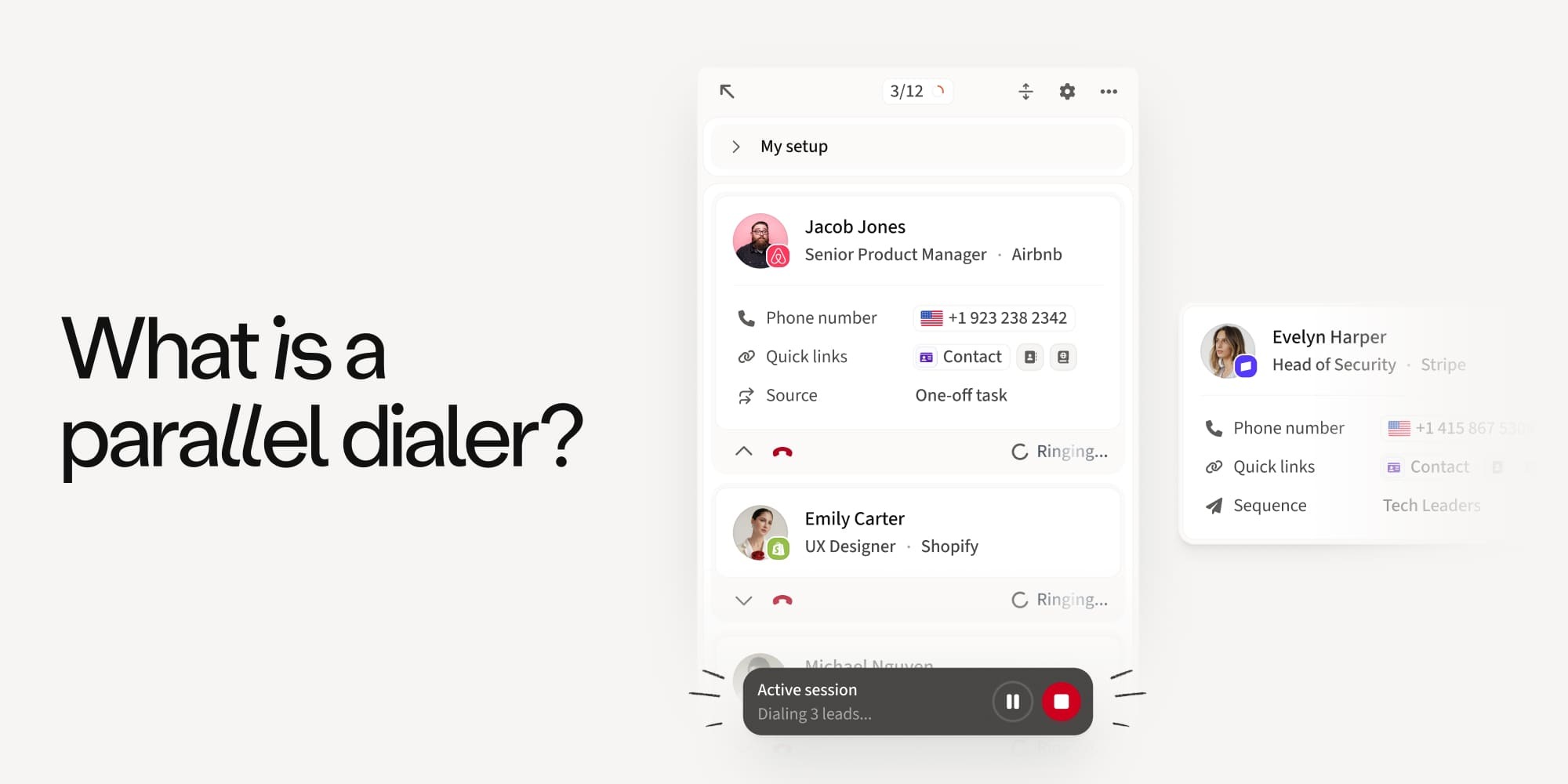
What is a parallel dialer?
A parallel dialer is calling software that dials several prospects at the same time and connects the rep to the first person who answers. The other calls in that round are dropped automatically, so the rep only ever handles one live conversation.
Its purpose is to cut the time reps spend waiting on ringing, voicemail, and busy signals, and to raise the number of live conversations per hour of calling.
What is a power dialer?
A power dialer is calling software that works through a contact list automatically, one number at a time, and moves to the next contact as soon as a call ends. The rep is on every call from the first ring.
It is slower than parallel dialing, but the rep has time to read the contact record before each conversation, and there is no chance of two prospects answering at once.
Parallel dialer vs power dialer vs click-to-call: which one should you use?
Click-to-call is the manual option: the rep opens the record, reads it, and clicks the number.
The three approaches trade speed for preparation, so the right choice depends on the list you are calling and how much context you want before each conversation.
Quick answer: parallel dialing is designed to increase live conversations per hour, especially on longer, lower-connect lists. Power dialing calls prospects one at a time and can work well for callbacks, warmer prospects, or lists where reps want more time to prepare. Click-to-call gives reps the most control and preparation time before each call.
A common objection to parallel dialing is that reps may not have enough context when someone answers. That can be a limitation of standalone dialers, and it’s one Amplemarket is built to remove.
More on that below.
Amplemarket now has a Parallel Dialer
Amplemarket's Parallel Dialer is built into the platform. It runs from your existing call tasks and uses the same calling experience, phone numbers, dispositions, sequences, and call analytics you already use.
The difference is what happens between conversations. Amplemarket handles the dialing, waiting, and sorting, then connects you to the live person.
One setting controls the whole thing: the number of simultaneous lines.
- Select 2 to 5 lines, and you are parallel dialing.
- Select 1 line, and the same feature runs as power dialing.
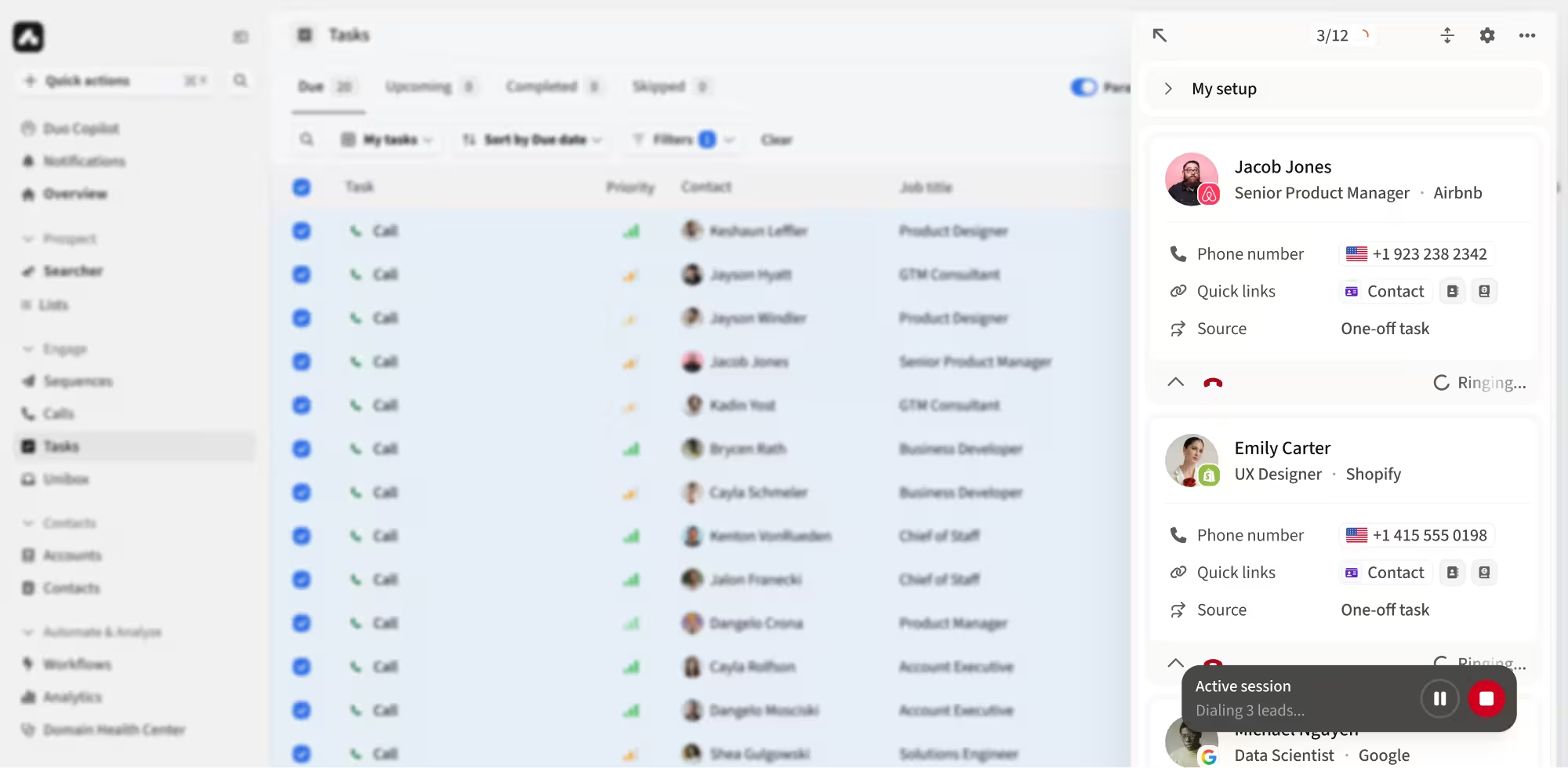
How Amplemarket's Parallel Dialer works, step by step
1. You start a dialing session from your call tasks. Amplemarket takes the eligible call tasks in your queue and starts calling multiple prospects at the same time, based on the number of lines you selected.
2. Amplemarket monitors every line. For each call, it works out whether the line is still ringing, has reached voicemail or an answering machine, is busy, has failed, or has reached a real person. You do not manage these calls yourself.
3. A real person answers and becomes your active call. You hear the connection and go straight into the conversation, with the prospect and company context you normally see in Amplemarket.
4. The other calls are dropped. As soon as one prospect becomes the live conversation, every other call still in progress is stopped automatically. You are never asked to handle two conversations at once.
5. You log the outcome and keep going. After the call, you log the disposition and notes as usual. Your existing task and sequence behavior still applies, and you move into the next round.
In one line: call tasks → multiple calls → live person detected → connect rep → stop remaining calls → conversation → disposition → continue dialing.
What changes in the numbers
Early data from Amplemarket customers using the Parallel Dialer shows that teams make up to 5× more calls in the same time, have around 2–3× more meaningful conversations, and spend around 75% less time dialing.
How many lines should you run?
We recommend starting with 2 to 3 parallel lines. More lines do not always mean better results, and dialing too aggressively can affect caller-ID reputation and the prospect experience.
Which phone number does it call from?
The Parallel Dialer works with your existing Amplemarket calling numbers and Smart Rotation. When several caller IDs are available, Amplemarket picks the most appropriate one for each prospect based on factors such as location and number availability.
When it dials several prospects at once, it can also spread those calls across different eligible caller IDs rather than sending every call from the same number. That distributes calling activity and protects the health of your phone numbers.
Select one line in the Parallel Dialer for Power dialing
Maximum parallelism is the right setting for some lists, but it may not be ideal for callbacks or moments when you want a few seconds of preparation before the prospect picks up.
That is what the single-line mode is for.
Set simultaneous lines to 1, and the Parallel Dialer runs as a power dialer: one active call at a time and automatic progression to the next call.
You keep the automation, and Amplemarket still queues the prospects, dials them, detects voicemail and no-answers, logs the outcome, and moves you to the next task.
What changes is that for each call you have more time to open the prospect's profile and prepare while the line rings.
When to switch to power dialing
Use one line for callbacks, short high-pickup lists, and blocks where you want to prepare between calls.
Use multiple lines when the list is long and you don't need extra preparation. That is where waiting on ringing costs the most, and where parallel dialing earns its keep.
Switching between the two is one number in one setting. Change the line count in the task execution window for the block in front of you, or set a new default in Calls settings, and Amplemarket handles the rest.
And when a lead is hot enough to deserve more research first, click-to-call is still there.
What you keep from your normal Amplemarket workflow
Everything.
The Parallel Dialer is designed to work with your existing call tasks, filters, phone numbers, dispositions, sequences, and call analytics.
You can still filter tasks before dialing, for example by sequence, local time, or account. Connected conversations follow the normal Amplemarket call workflow, so nothing about how calls are logged or how sequences progress has changed.
Parallel dialer in a sales engagement platform vs a standalone parallel dialer
Many parallel dialers are standalone tools that sit alongside the CRM, sales engagement platform, and data provider a rep already uses.
Amplemarket's Parallel Dialer is built into an all-in-one sales platform: the contact database, the multichannel sequences, the inbox, and the dialer are one product.
The difference shows up in four practical ways.
Why parallel dialing works for higher-intent lists in Amplemarket
Standalone parallel dialers can create a context gap when someone answers: the rep may not have the prospect's history, previous touches, or other relevant information in front of them.
That is one reason parallel dialing is often associated with colder, higher-volume lists.
In Amplemarket, the call is part of the same multichannel workflow.
- When the dialer connects a rep, the contact page opens with the prospect's history, signals, and sequence status, so the rep can see the context around the conversation.
- When the call ends, the disposition can move the prospect to the next step or into a different sequence.
Amplemarket customer data shows that calls made inside Amplemarket multichannel sequences see up to 3 times the meeting rate of calls made on their own.
This lets teams use parallel dialing on lists where context matters, while still switching to one-line power dialing when a call needs more preparation.
Do you need a separate parallel dialer if you use a sales engagement platform?
Not if your sales engagement platform already has a native one, as Amplemarket does. A standalone dialer adds another tool to manage and may require integrations or syncing with the systems you already use.
With a native parallel dialer, calling data, sequence data, and contact data can stay in the same workflow. In Amplemarket, a rep can run a parallel dialing block from their call tasks, then move a prospect into a nurture sequence after a call without switching tools.
For the tactical side, see the B2B cold calling playbook.
“With Amplemarket’s Parallel Dialer, I am spending less time dialing and reach far more people than I could with 1:1 calling.”- Niccolò Dupré, SDR at Fleet
Before your first session
A good setup starts with a few basics, so make sure the reps who will be dialing have Parallel Dialer seats and appropriate calling numbers for the countries they target.
Configure your calling and Do Not Call settings, check your microphone and audio devices, prepare the call tasks you want to work through, and start with 2 to 3 lines. If you are working a warm list, start with 1.
Getting started
Want to add the Parallel Dialer to your account? Contact your Amplemarket CSM or Account Manager. Seats are sold per user, so you can start with the reps who run high-volume calling blocks.
New to Amplemarket? Start a free trial or request a demo.
.jpg)
.png)