Published
July was about bringing things together.
Everything that needs your attention now lives in one place, more of the platform is reachable from your AI agent, and calling picked up a few of the shortcuts reps have been asking for.
Here's what's new:
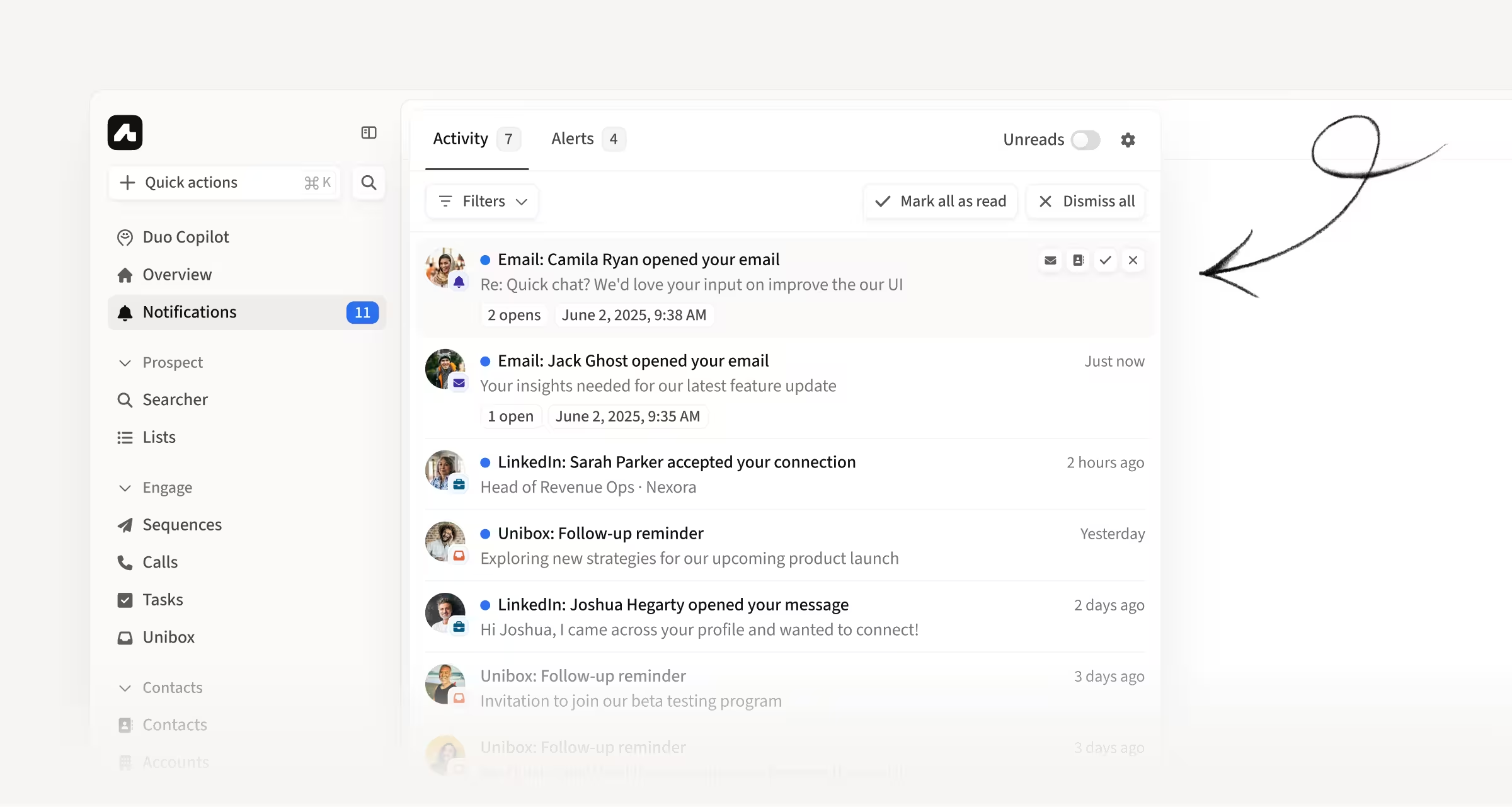
See everything that needs your attention in one place
The new Notification Center is a single drawer for everything happening on your leads and your mailboxes.
It brings email opens, social message opens, connections accepted, missed calls, Unibox reminders, and mailbox health alerts together, so you no longer have to check several places to find out what changed.
How this helps you:
- Catch engagement as it happens instead of checking each surface separately
- Keep your Unibox reminders in the same place as everything else
- Get alerted when a mailbox disconnects or goes at risk for you, your team, or your whole org
Leave a voicemail in one click and move on
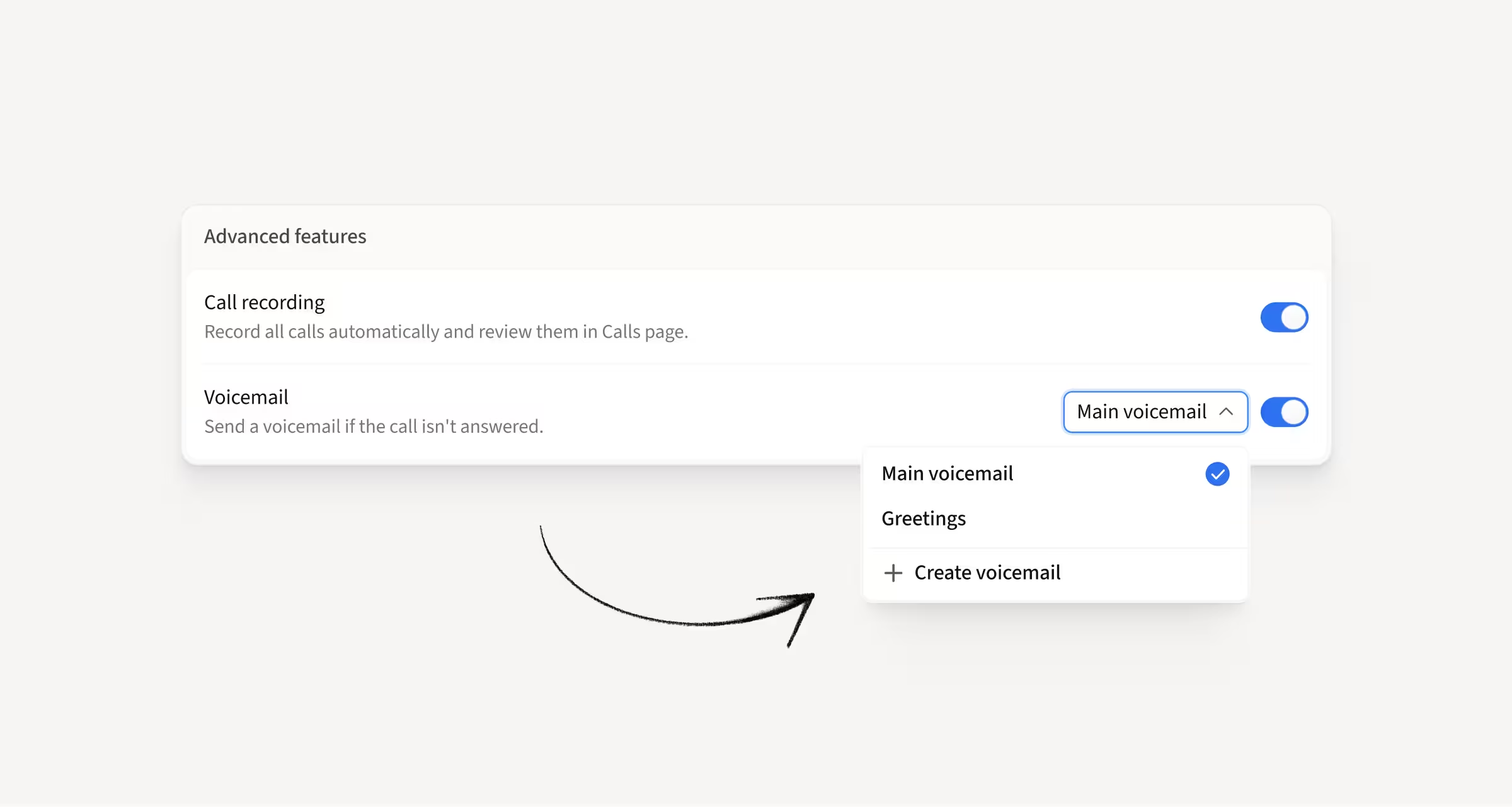
Voicemail Drops are now available in the dialer.
Record or upload a voicemail in Call Settings, set a default, and drop it during a live call when you reach a voicemail box. Amplemarket waits for the beep and plays the recording while you move on.
How this helps you:
- Stop waiting through greetings to leave the same message again and again
- Keep your voicemails consistent by recording them once and reusing them
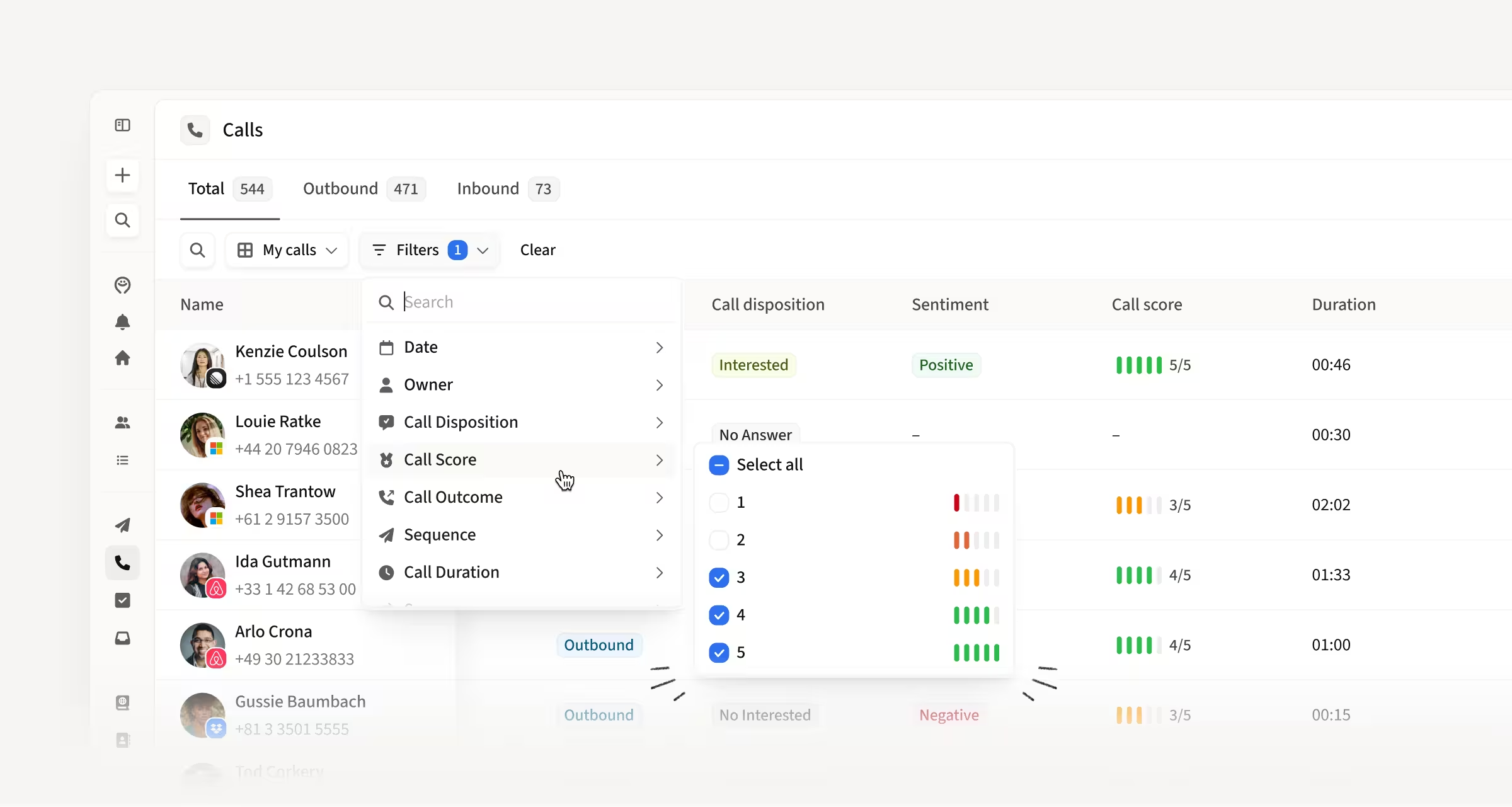
Filter and scan your calls by call score
The Calls page now has a Call Score filter and a Call Score column. Multi-select any scores from 1 to 5 to pull up the calls you want, and see the same scoring bars and breakdown tooltip from the call drawer without opening each call.
How this helps you:
- Find your best calls in seconds to share praise with the rep who made them
- Pull up low-scoring calls when you want to coach on something specific
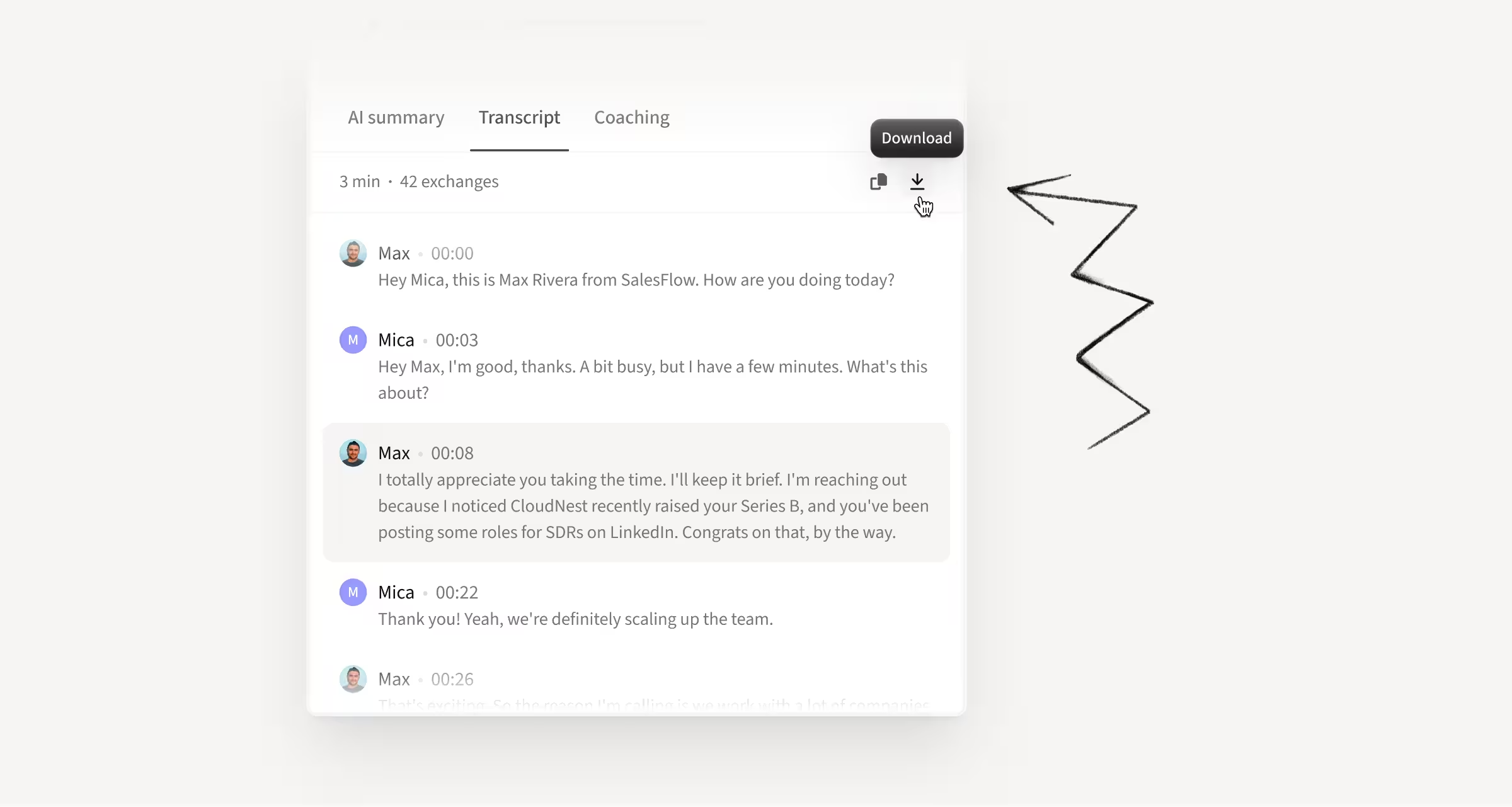
Copy or download any call transcript
The Transcript tab now has copy and download buttons. One click gets you the full transcript as clean plain text with timestamps and speaker names, either on your clipboard or as a .txt file.
How this helps you:
- Paste a transcript straight into an LLM for a summary or coaching feedback
- Pull quotes and context into a follow-up without retyping them
Bring ad-hoc and inbound dialer calls into Amplemarket
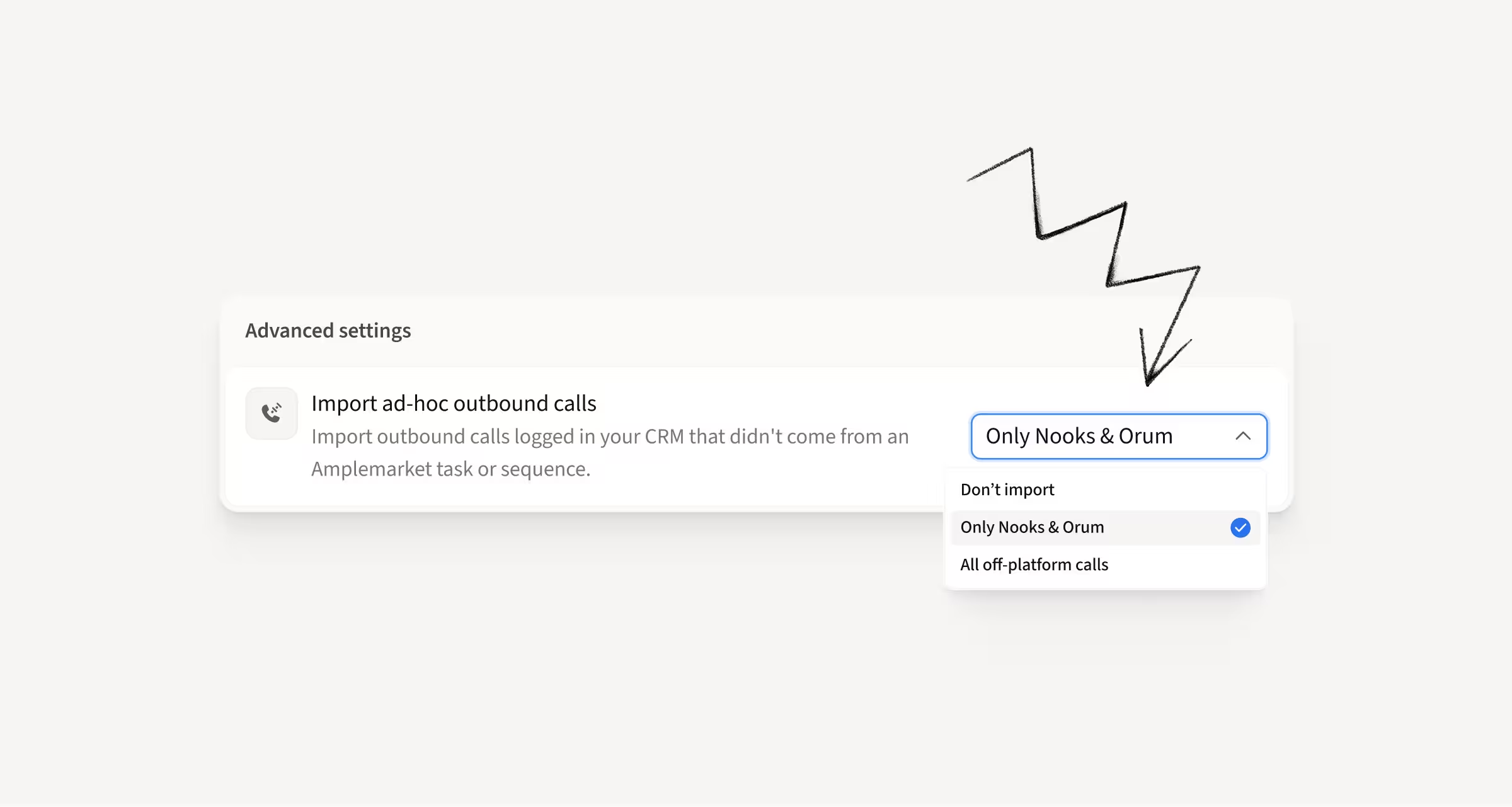
Ad-hoc and inbound calls placed in Nooks and Orum and logged to your CRM can now be imported into the Amplemarket Calls page. Out-of-sequence calls can also mark all sequences completed for a given contact.
How this helps you:
- See calls placed outside Amplemarket alongside everything else on the Calls page
- Complete a contact's sequences off the back of an inbound or ad-hoc conversation
- Keep your call records in one place regardless of where the call was dialed
MCP upgrades: Saved Searches, Duo leads, lead list management, and more
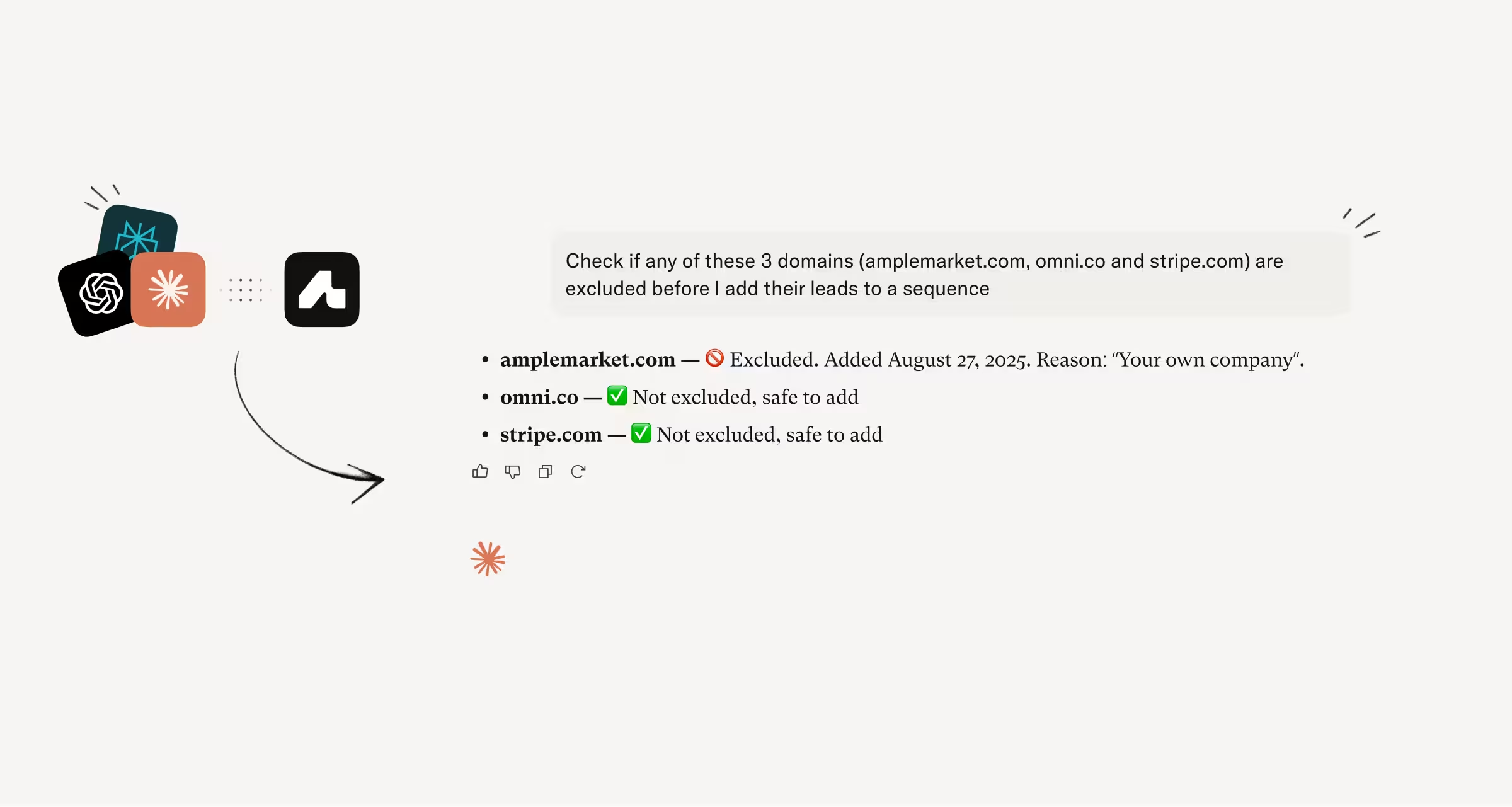
Through Amplemarket's MCP, your AI agent can now work from your Saved Searches, triage and action your Duo leads, fully manage your lead lists, log notes on contacts and accounts, and check your exclusion list.
Saved Searches
Create, list, and retrieve Saved Searches from your agent. They refresh daily, so ask for a morning digest of new leads, enroll everyone who is not yet in a sequence, or compare two searches, without anyone touching the criteria.
Duo leads
List and filter pending leads by signal, company, or rep, then accept, schedule, or dismiss with a reason so Duo learns. You can also regenerate the AI draft with instructions like "make it shorter", and admins can check pending counts per rep.
Lead lists
Beyond creating lists and adding leads, your agent can now add, rename, and remove columns, update individual lead data, and remove leads. Build, enrich, and maintain a list without switching to the platform.
Notes and exclusion checks
Log notes on any contact or account by telling your assistant, and check emails or domains against your exclusion list before acting, up to 100 lookups per request.
How this helps you:
- Run an automated prospecting pipeline off a search that refreshes itself daily
- Triage, accept, reschedule, and redraft Duo leads without opening the platform
- Keep lists current, context logged, and exclusions checked from your agent
Cover owned and unowned accounts with one signal
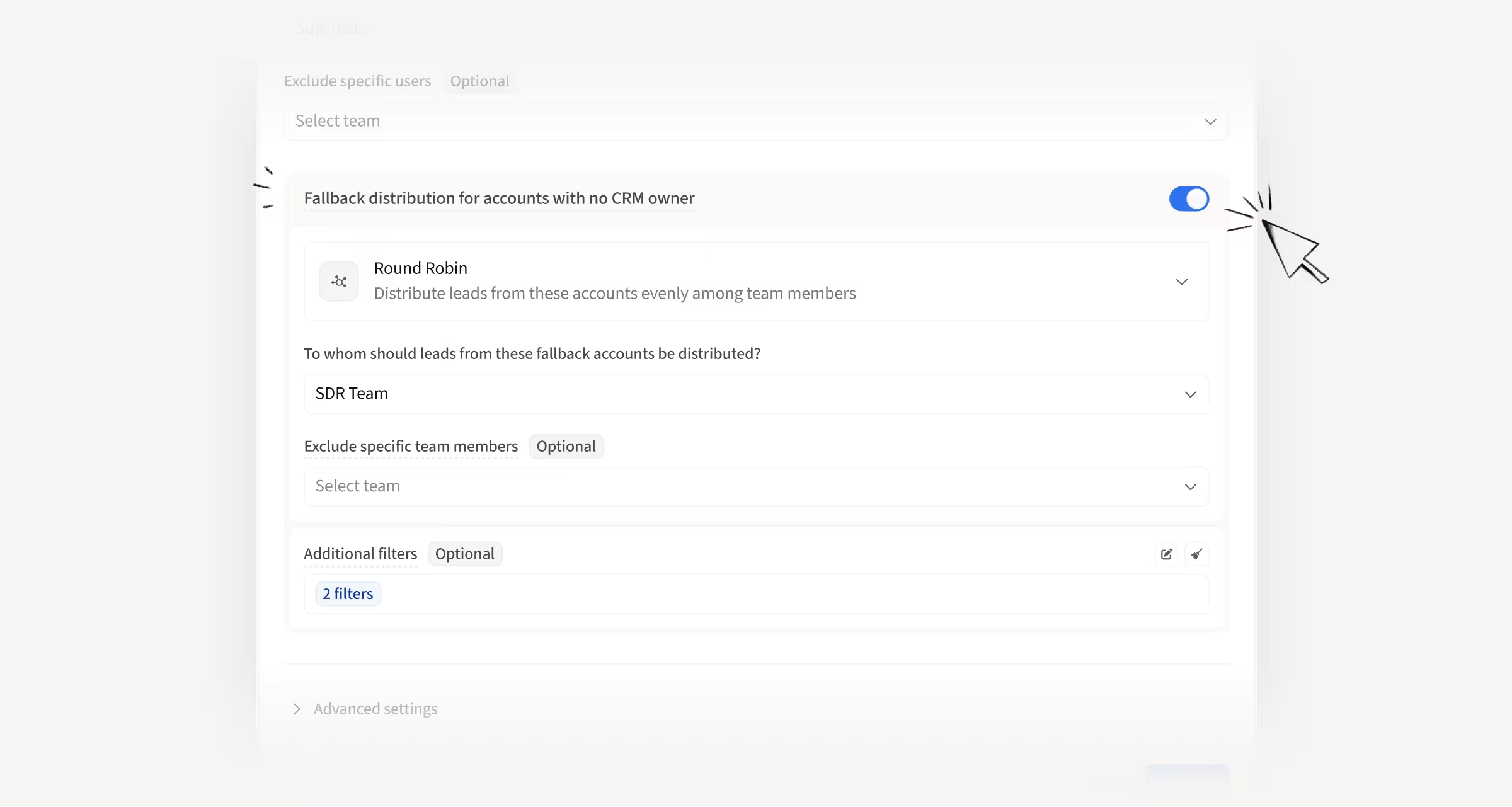
CRM owner signals now support an optional fallback distribution for accounts nobody in the recipient pool owns. That includes unassigned accounts, accounts owned by someone outside the pool, and companies that are not in your CRM at all.
How this helps you:
- Replace the two-signal workaround with a single signal you maintain once
- Route fallback leads by round robin, a specific user, or territories, to any team you choose
- Apply account filters to the fallback path only, leaving your CRM owner path untouched
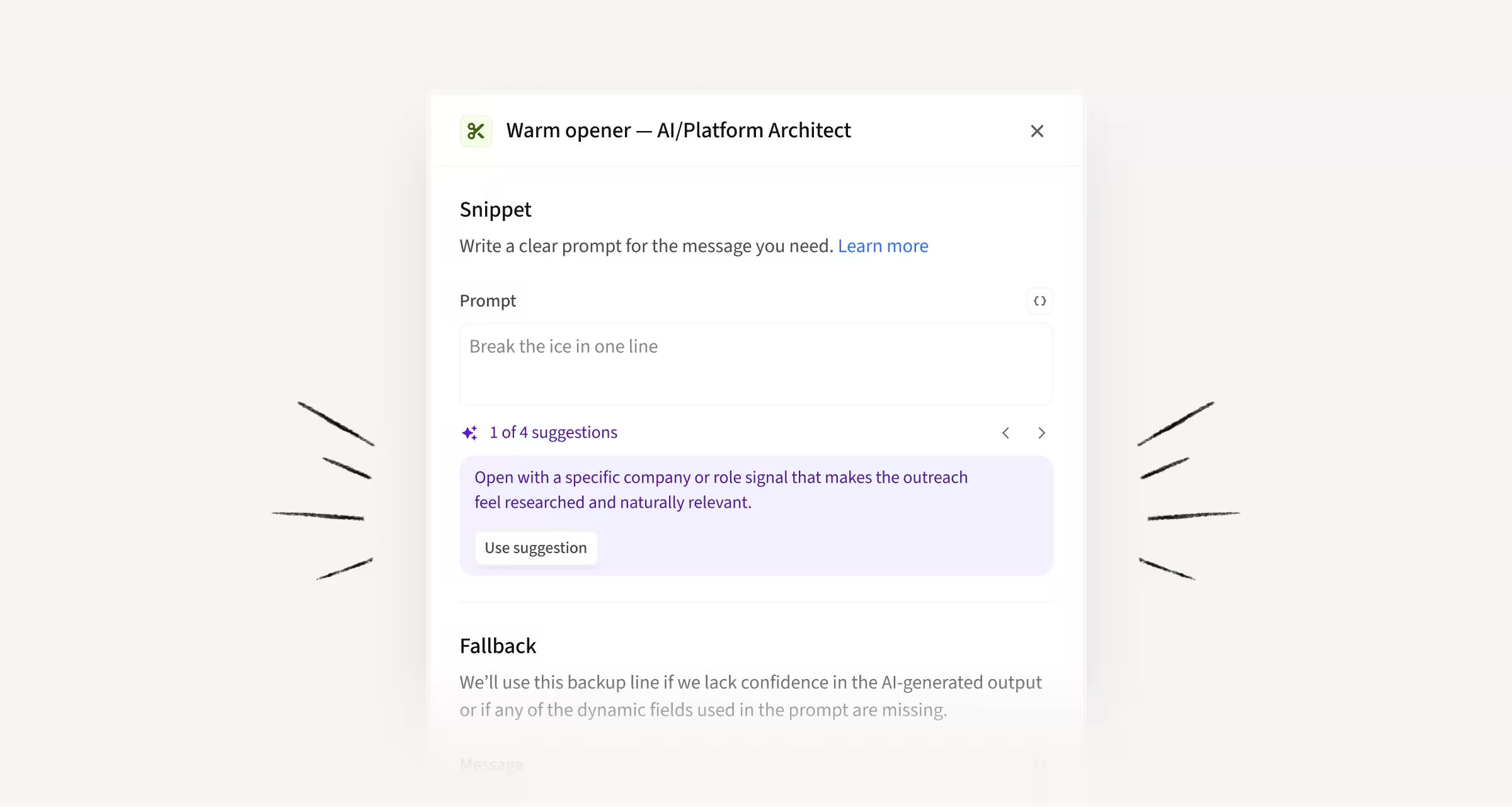
Get prompt suggestions when writing AI Snippets
AI Snippets now come with prompt suggestions that use the context of the sequence you are building. Suggestions read the current stage plus the stages before and after it, and they update as you add or edit stages.
How this helps you:
- Start from a relevant prompt instead of a blank text box
- Get suggestions that match your actual sequence, not a generic template
- Fill both the prompt and the fallback message in one click
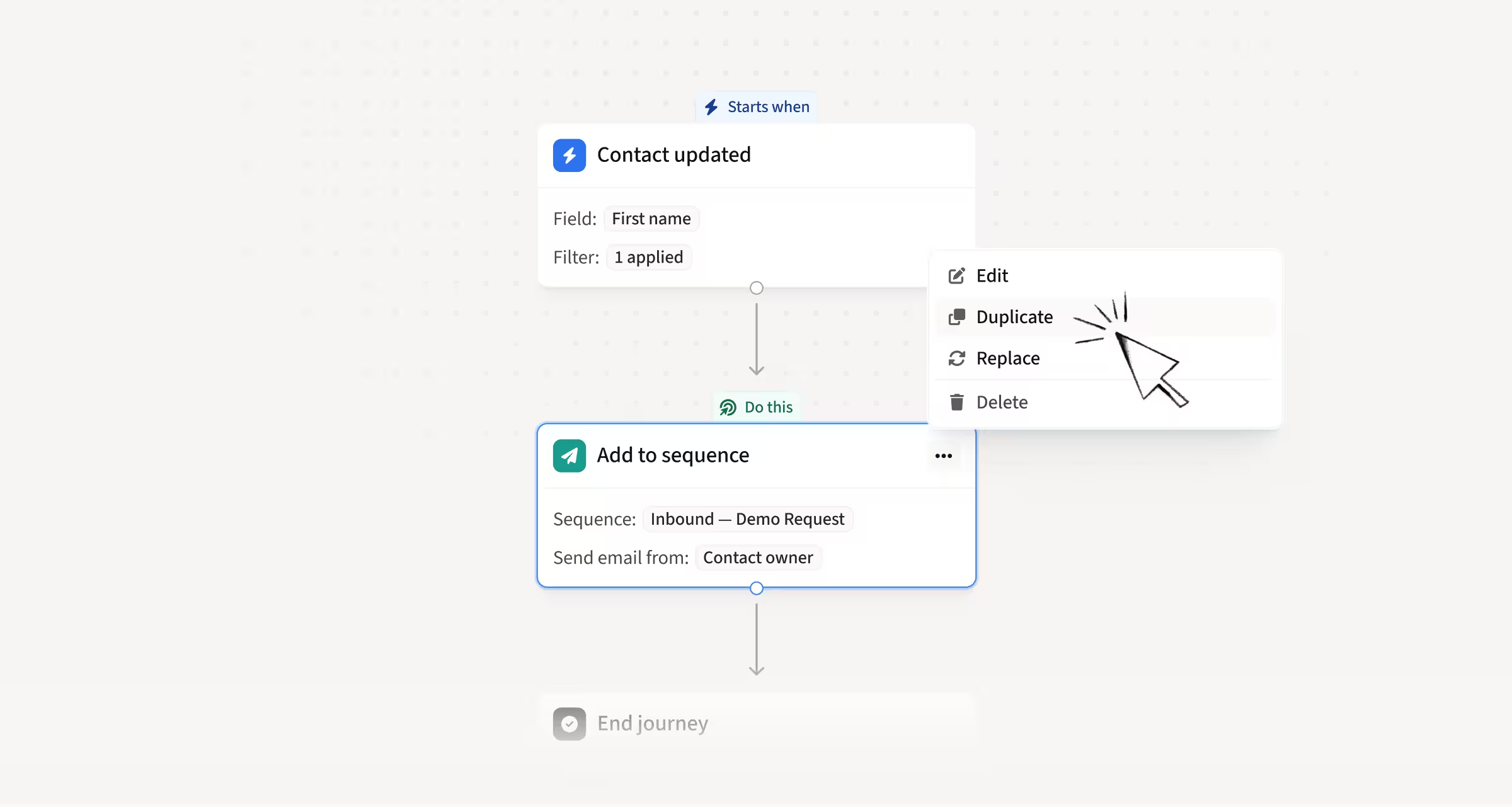
Clone a workflow action with its full setup
You can now select Clone from any workflow action's menu. The copy keeps the original configuration and is inserted immediately below, ready to edit independently.
How this helps you:
- Recreate a complex action without configuring it from scratch
- Avoid the mistakes that come with rebuilding a setup by hand
- Move faster on workflows where several actions share similar settings
Hope these updates make your experience with Amplemarket even better!
Have feedback? Submit it here.
Questions? You can always reach out to support@amplemarket.com