

Published
May brought pre-meeting intelligence into your calendar, sequence creation into your AI agent, and a refresh of the surfaces reps use every day.
Here's what's new:
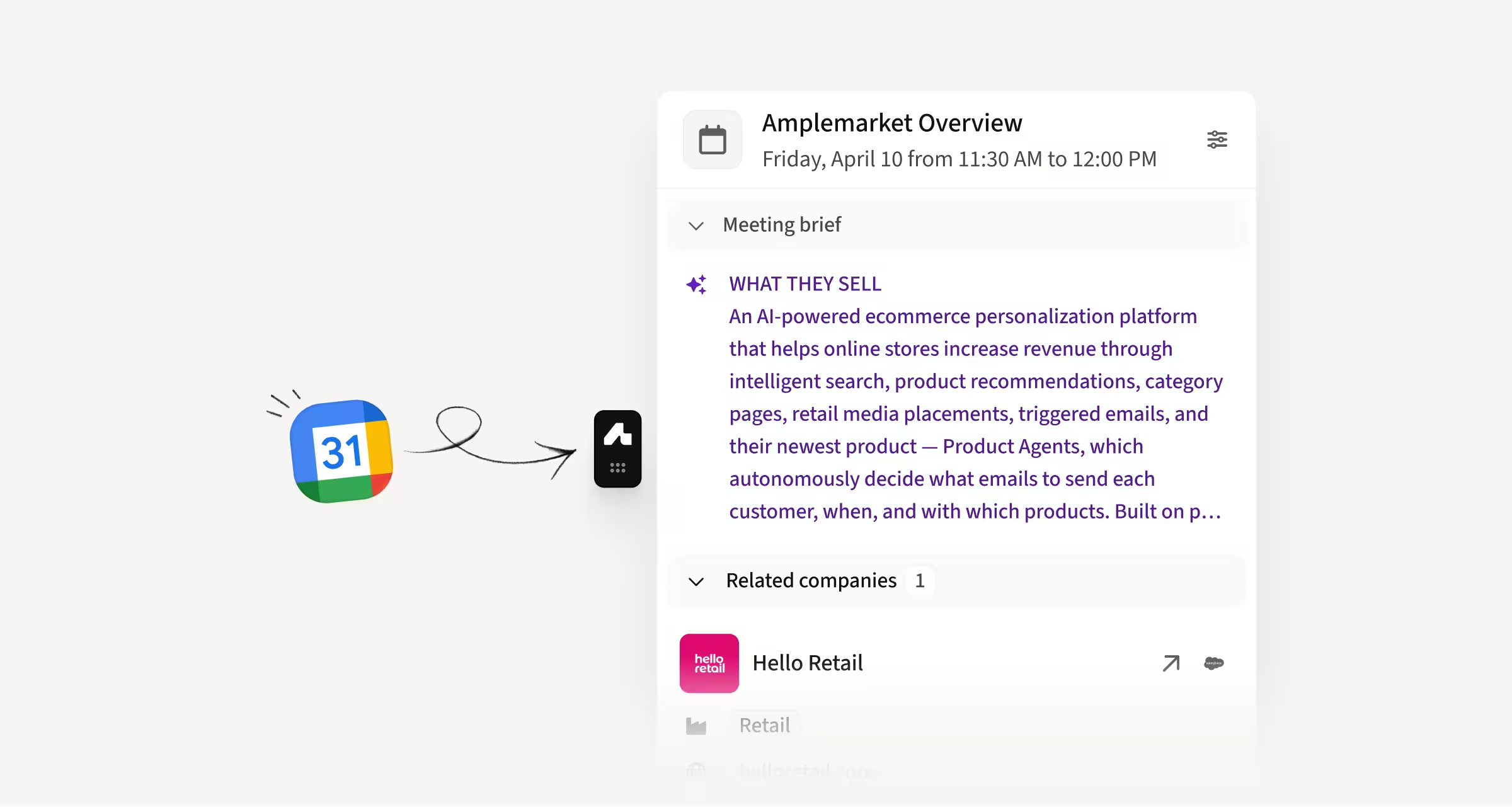
Get pre-meeting intelligence directly in your calendar
Amplemarket now brings full pre-meeting context into Google Calendar, where reps already go to join their meetings. Open any meeting to see an AI-generated brief on the account, attendee context, and related companies, with one-click access to the full extension profile.
How this helps you:
- Prep for calls in seconds with an AI brief covering ICP, recent signals, and activity history
- Know who's on the other side of the call before you join with attendee context
- Drill into any attendee or related company without leaving your calendar
Create entire sequences via MCP
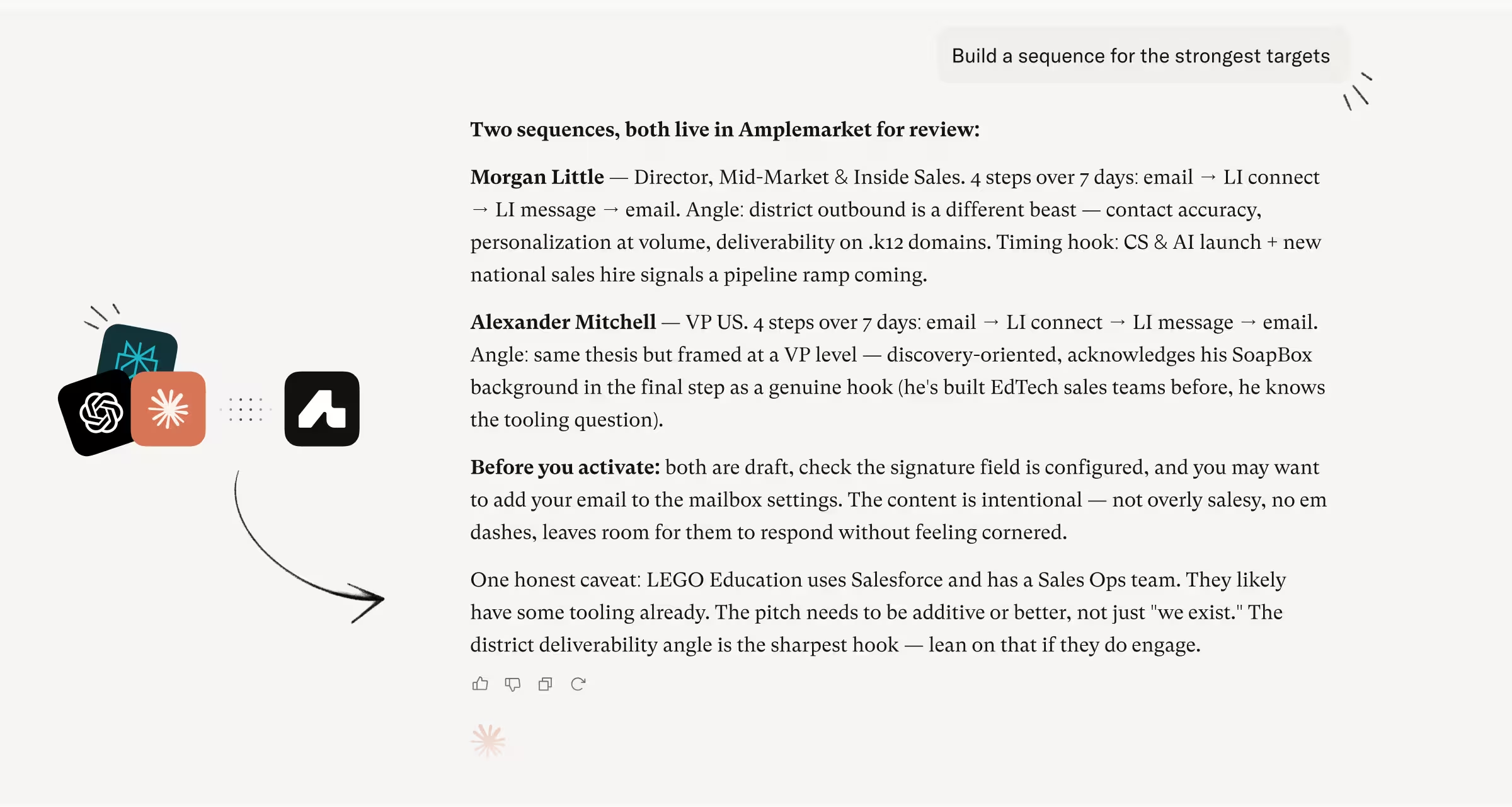
You can now build full sequences via MCP directly from your AI agent. Describe the sequence you want, and the agent handles the stages, leads, and personalization.
How this helps you:
- Build sequences with email, call, and LinkedIn stages without leaving your AI agent
- Choose between template personalization or unique hyper-personalized copy per lead
- Review everything on Amplemarket and activate when ready
A redesigned Dialer built for speed and clarity
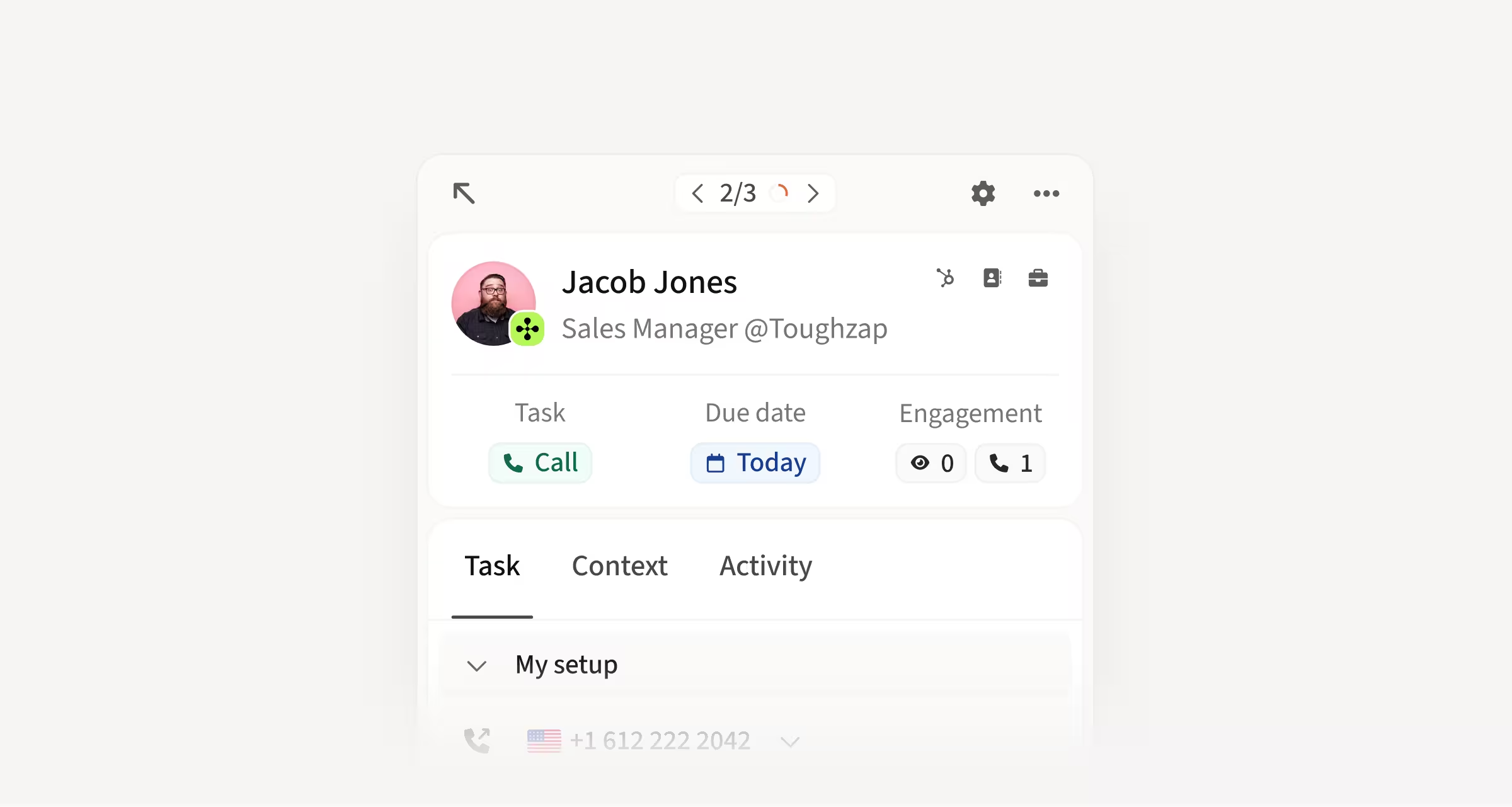
The Dialer has been rebuilt with a cleaner layout, a sticky action bar, and richer context at every step. Performance is faster, the task is now the center of the experience, and complex task types include clearer step-by-step guidance.
How this helps you:
- Move through tasks faster with improved performance and a sticky action bar for key actions
- See lead, account, and task context upfront without digging through dense layouts
- Get clearer guidance on complex task types like LinkedIn voice messages with new step-by-step prompts
A faster, more focused Contact details page
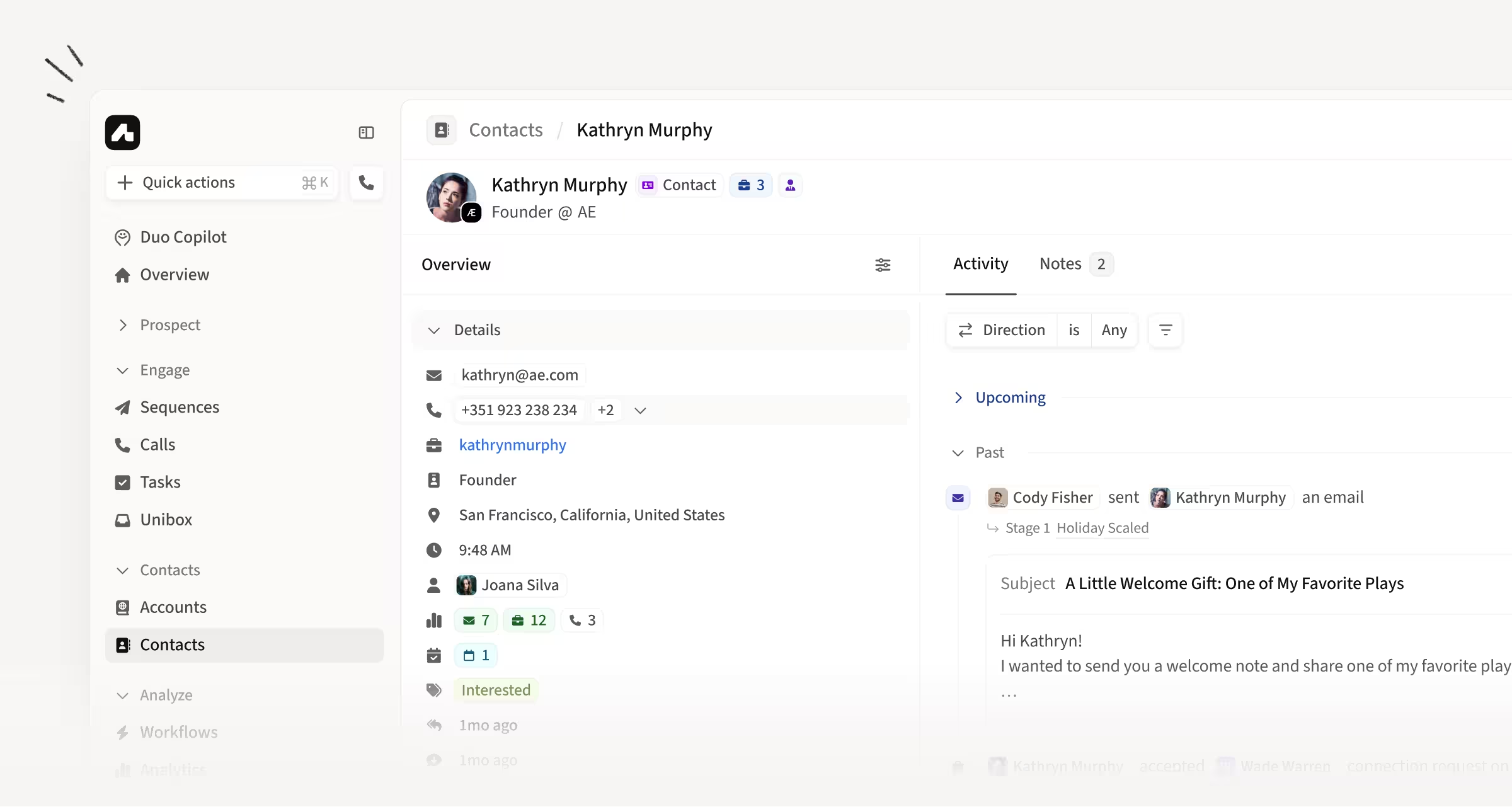
The Contact details page has been rebuilt with a cleaner layout, quick actions front and center, and a richer sidebar that surfaces CRM fields and account context in one place.
How this helps you:
- Take action faster with one-click access to sequences, ad-hoc emails, calls, tasks, and notes
- See activity in context with a redesigned feed including inline call playback and open tracking
- Make the page your own by reordering fields, toggling labels, and re-enabling split view
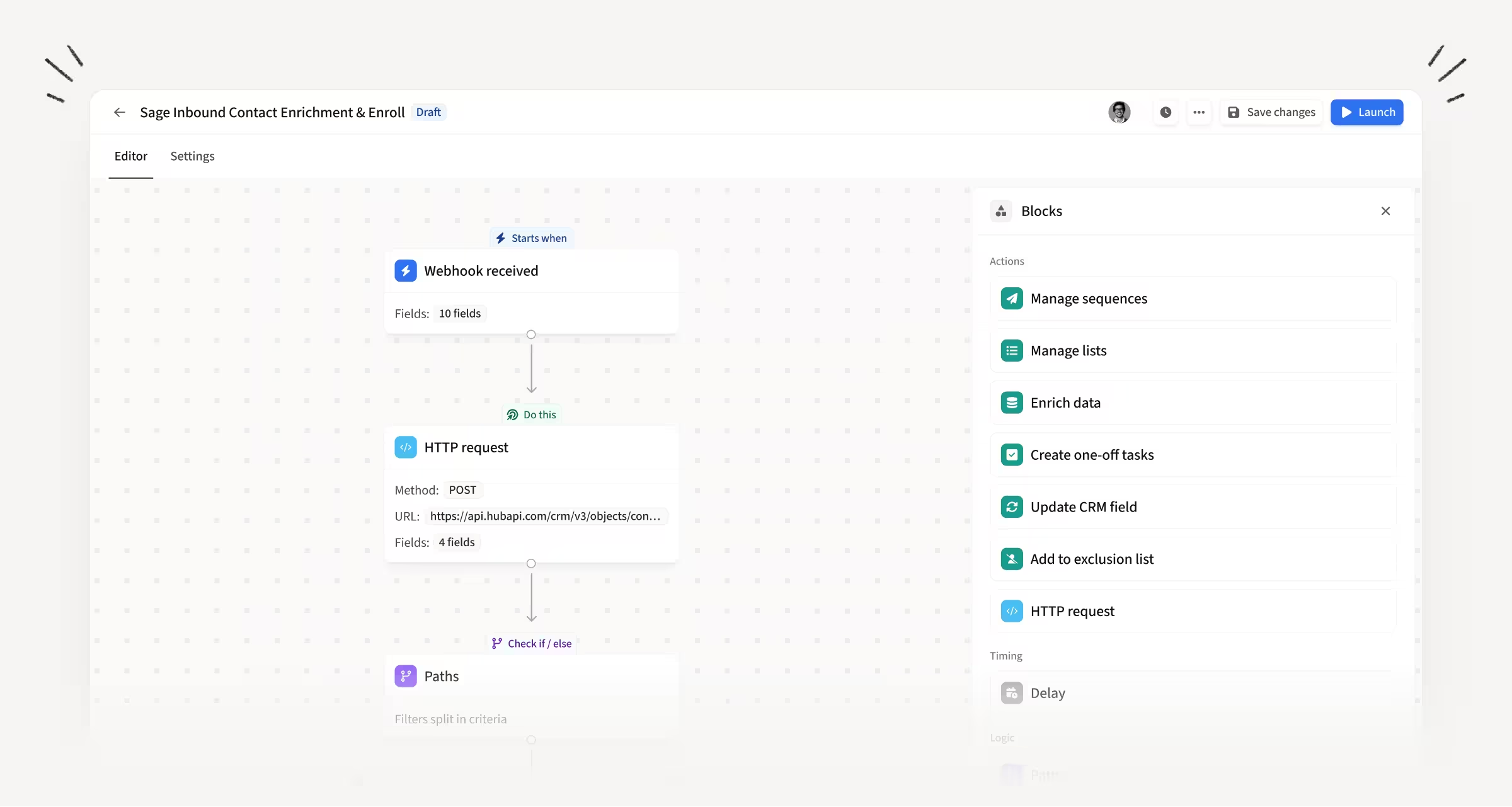
Connect Workflows to any external tool with Webhooks and HTTP Requests
Workflows now support Webhook Triggers and HTTP Request Actions. External tools can trigger a Workflow via webhook, and Amplemarket can send or receive data from any system mid-Workflow.
How this helps you:
- Trigger Workflows from data warehouses, signup forms, scoring APIs, Zapier, Clay, and more
- Send or receive data from external systems mid-Workflow without manual workarounds
- Reference captured fields in later steps to branch, filter, or personalize
Route contacts by CRM ownership in Workflows
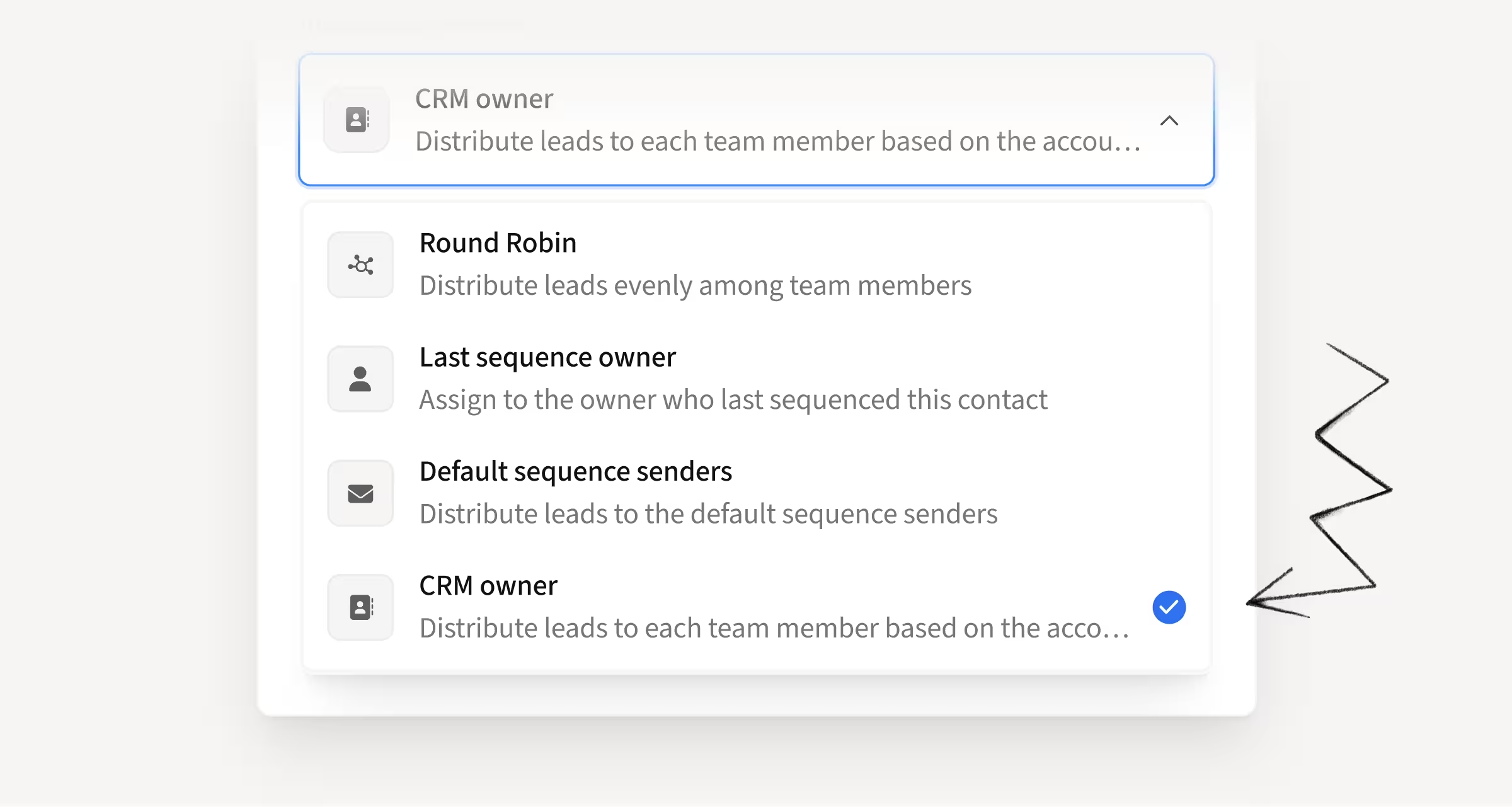
Workflows can now route contacts to the Amplemarket user who already owns them in your CRM. The "Add to Sequence" action detects the CRM owner from the Contact or Account and enrolls the contact using that user's mailbox.
How this helps you:
- Keep routing logic centralized in Workflows instead of recreating CRM ownership rules
- Auto-enroll inbound leads and replied contacts to the right SDR or AE
- Control scope by routing to everyone, specific teams, or specific users
Choose how Amplemarket captures out-of-sequence activity for CRM contacts
Out-of-sequence Activity Capture now supports three modes. Track all CRM contacts, track only contacts with Amplemarket activity (the default), or disable tracking entirely. Off-platform emails and meetings are now captured for contacts imported directly from your CRM.
How this helps you:
- Capture off-platform emails and meetings from contacts imported directly from your CRM
- Stay safe by default with tracking limited to contacts already touched by Amplemarket
- Opt into full coverage when you want activity tracked across your entire CRM book

Filter Accounts by custom CRM ownership fields
You can now filter Accounts using custom CRM ownership fields by the actual owner value, just like the default CRM owner field. No more digging up opaque CRM IDs to find who owns what.
How this helps you:
- Run ABM workflows that respect custom ownership logic in Salesforce or HubSpot
- Filter accounts by owner without needing to know raw CRM IDs
- Keep your existing CRM ownership setup without rebuilding it in Amplemarket
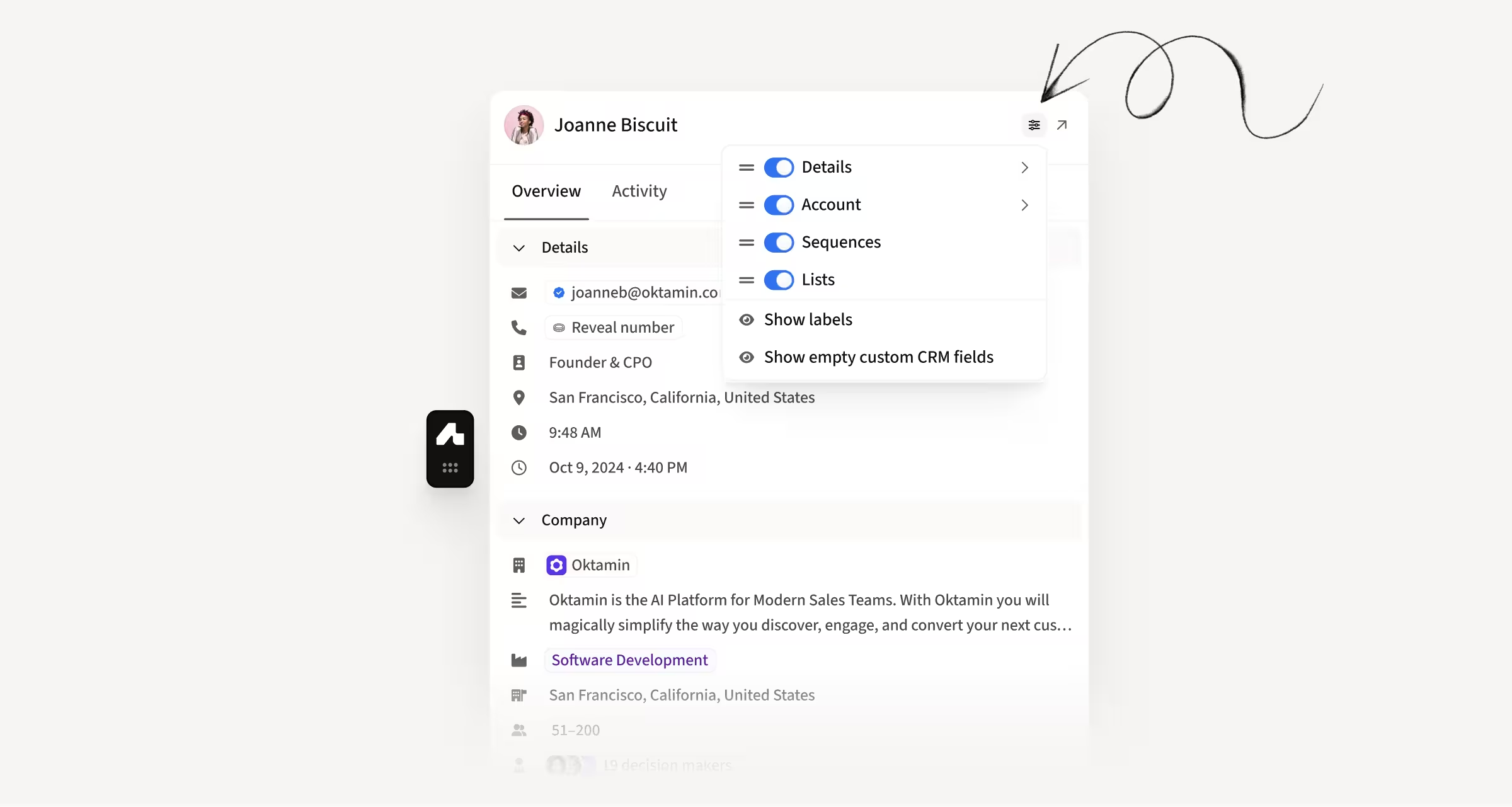
Personalize what the extension shows and in what order
You can now fully customize what the extension shows and in what order. Show or hide entire sections, reorder fields by dragging, and set different defaults for LinkedIn, CRM, Gmail, and other surfaces.
How this helps you:
- See the data you care about first by reordering sections and fields
- Hide what you don't need to cut visual clutter
- Set surface-specific defaults so the extension adapts to where you're working
Filter contacts by Duo Copilot signal and action date
The Contacts page now includes a more granular Duo Copilot filter. Filter by specific Duo Copilot signals or by contacts actioned on specific dates, so you can drill into the signal behind each contact instead of just knowing it came from Duo.
How this helps you:
- Inspect signal performance by filtering contacts tied to a specific Duo Copilot signal
- Review contacts actioned in a specific date range for follow-up workflows
- Build more precise follow-up workflows around real signal activity
Quick Actions now adapt to where you are in the platform
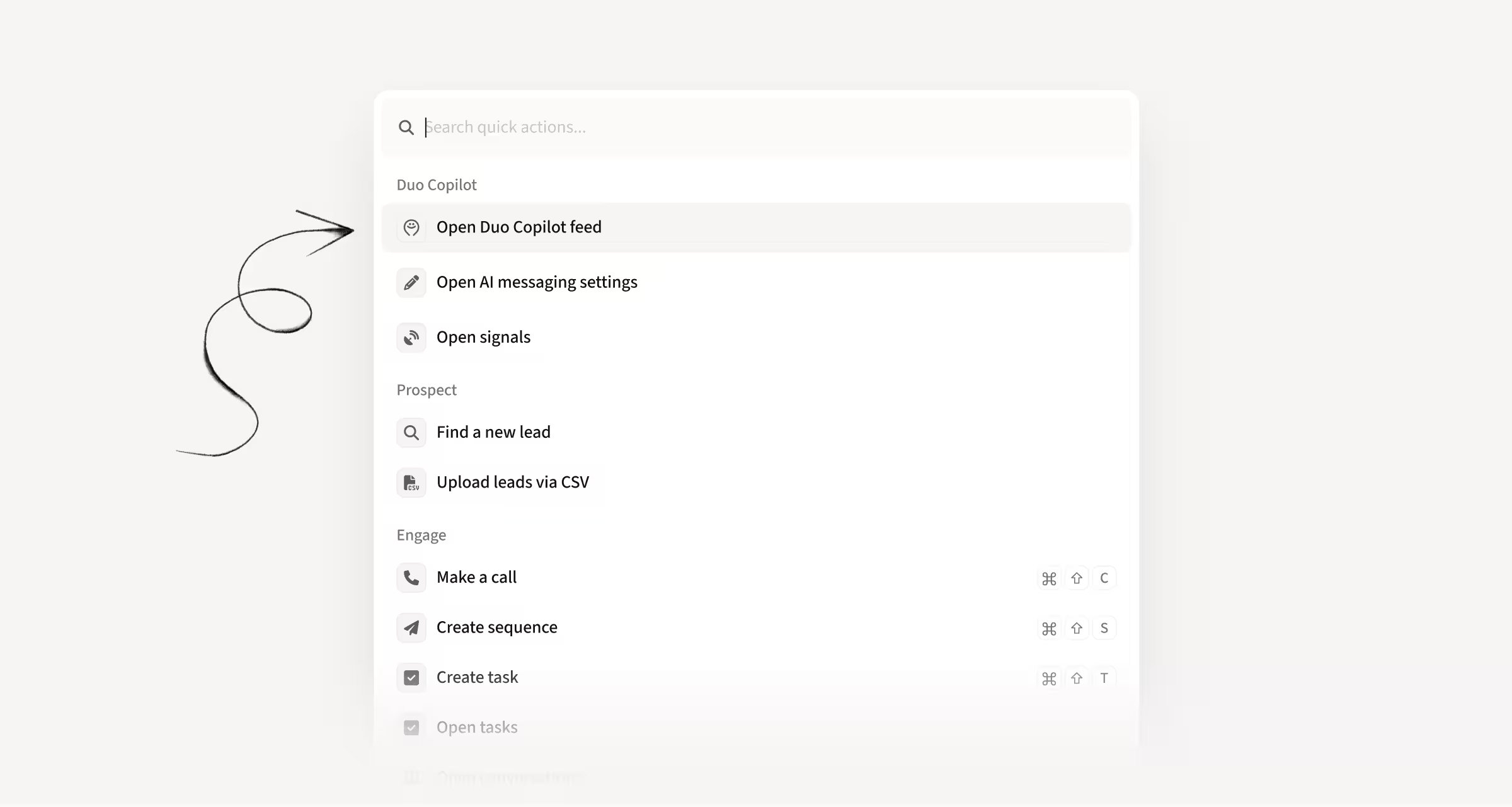
Quick Actions now include more actions across every category and reorder based on where you are in the app, so the most relevant ones always show up first. Admin and role-restricted actions are hidden for users without permissions.
How this helps you:
- Find the right action faster with context-aware ordering across the platform
- Access more actions across prospect, engage, contacts, analytics, and settings
- Trigger Quick Actions from Settings with the CMD/Ctrl+K shortcut
Hope these updates make your experience with Amplemarket even better!
Have feedback? Submit it here
Questions? You can always reach out to support@amplemarket.com