
Published
April was about removing friction from daily execution, faster tables, fewer tool switches, and more control over how you prospect and follow up.
Here's what's new:
Execute faster with a revamped Tasks table
The Tasks table has been rebuilt for speed, clarity, and focus. It loads larger datasets smoothly, surfaces richer context, and ships with smart default views out of the box.
How this helps you:
- Prioritize the right work with powerful filters for priority, sequence tags, and more
- Stay in flow with faster load times, expanded sorting, and improved bulk actions
- Skip the manual setup with smart default views available out of the box

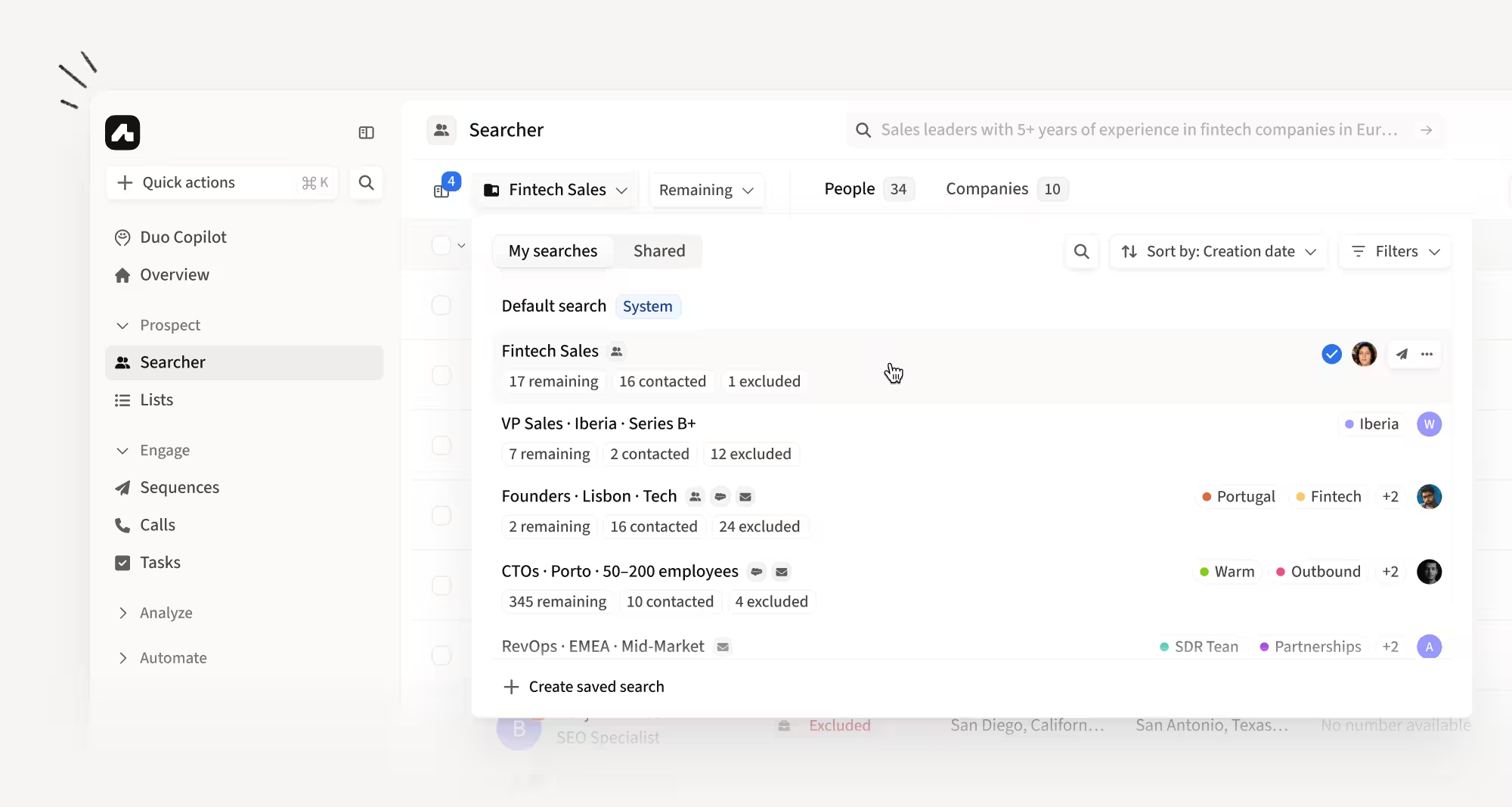
A new Saved Searches experience inside Searcher
Saved Searches now live directly inside Searcher and behave like saved views, so you can save a search and come back to it without switching surfaces. The new experience includes a searchable table, inline editing, and more flexible status filtering.
How this helps you:
- Edit an existing Saved Search instead of duplicating or recreating it
- Filter by Remaining, Contacted, and Excluded together or separately
- Find the right Saved Search faster with search, sorting, and filtering in the table
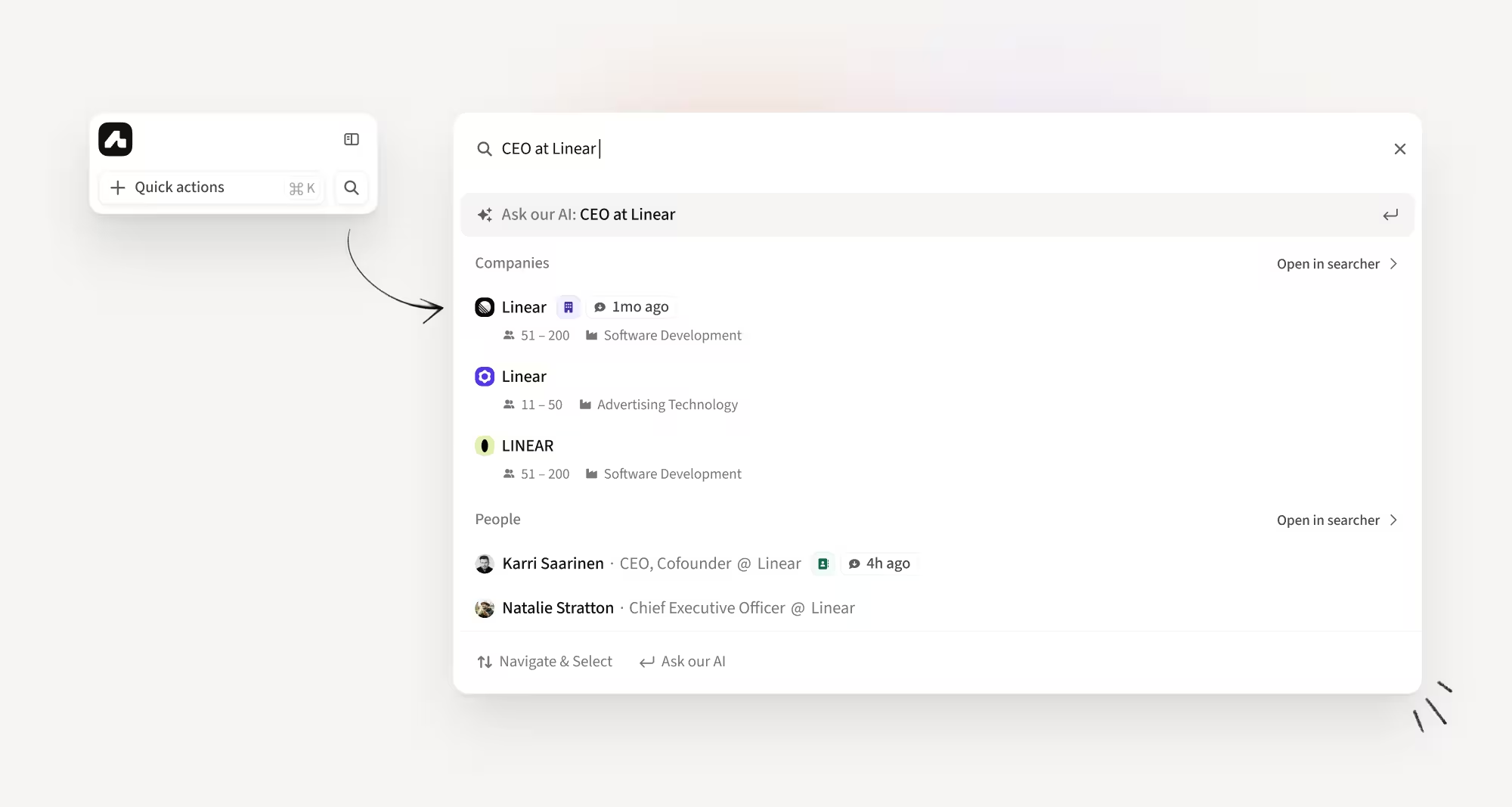
Prospect from anywhere with Omnisearch
Omnisearch lets you search people and companies in one place, with results in under a second. Access it from the sidebar to prospect from anywhere in Amplemarket, using names, domains, or Social URLs.
How this helps you:
- Find people and companies in one unified search instead of switching tools
- Get instant results without waiting on slow natural language queries
- Prospect from anywhere in the platform with sidebar access
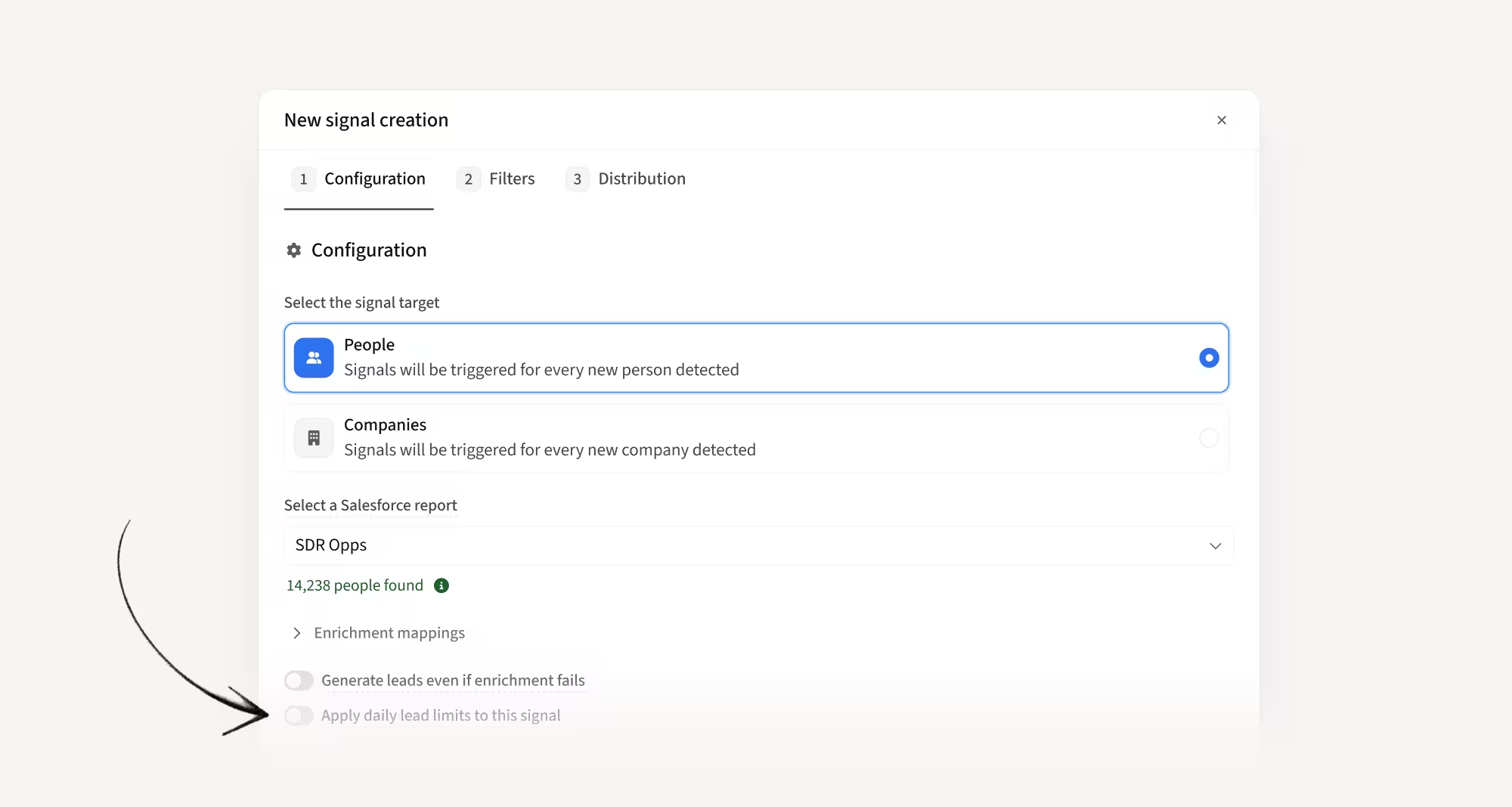
Duo custom signals are now uncapped and easily configurable
Custom CRM and API signals are now uncapped by default, so Duo no longer holds leads behind daily limits. You can still cap them at the configuration level if you want to control daily volume.
How this helps you:
- Prioritize first-party CRM and API signals without daily caps holding them back
- Keep control with optional caps when you need to manage daily volume per team
- Power Duo with your most time-sensitive, first-party data
Note: company-level signals like news, hiring, and funding are now grouped in the feed, with configurable lead limits per signal.
Map read-only and formula fields from your CRM
You can now map read-only and formula fields from Salesforce and HubSpot into Amplemarket. Data is pulled in but never pushed back, so you can use calculated segments, statuses, and other previously off-limits fields without risk of overwriting.
How this helps you:
- Use formula fields and calculated segments to power Amplemarket workflows
- Pull in critical CRM data that was previously blocked from syncing
- See sync direction clearly with updated UI indicators for read-only vs bi-directional mappings
Add leads to sequences directly from Tasks
You can now bulk-select leads from the Tasks page and add them to a sequence in one flow. No more exports or manual workarounds to move skipped or completed leads into the right follow-up path.
How this helps you:
- Recover skipped or completed leads by moving them into a new sequence in one go
- Adapt your follow-up path as context changes without leaving Tasks
- Skip the CSV exports and support requests for a workflow that should be native

Open multiple accounts in Searcher at once
You can now bulk-select accounts from your account listing and open them all in Searcher in one action. No more repeating the same flow account by account.
How this helps you:
- Move from list review to active prospecting faster with one bulk action
- Cut repetitive clicks when building target pipelines from account lists
- Keep momentum during high-volume prospecting workflows

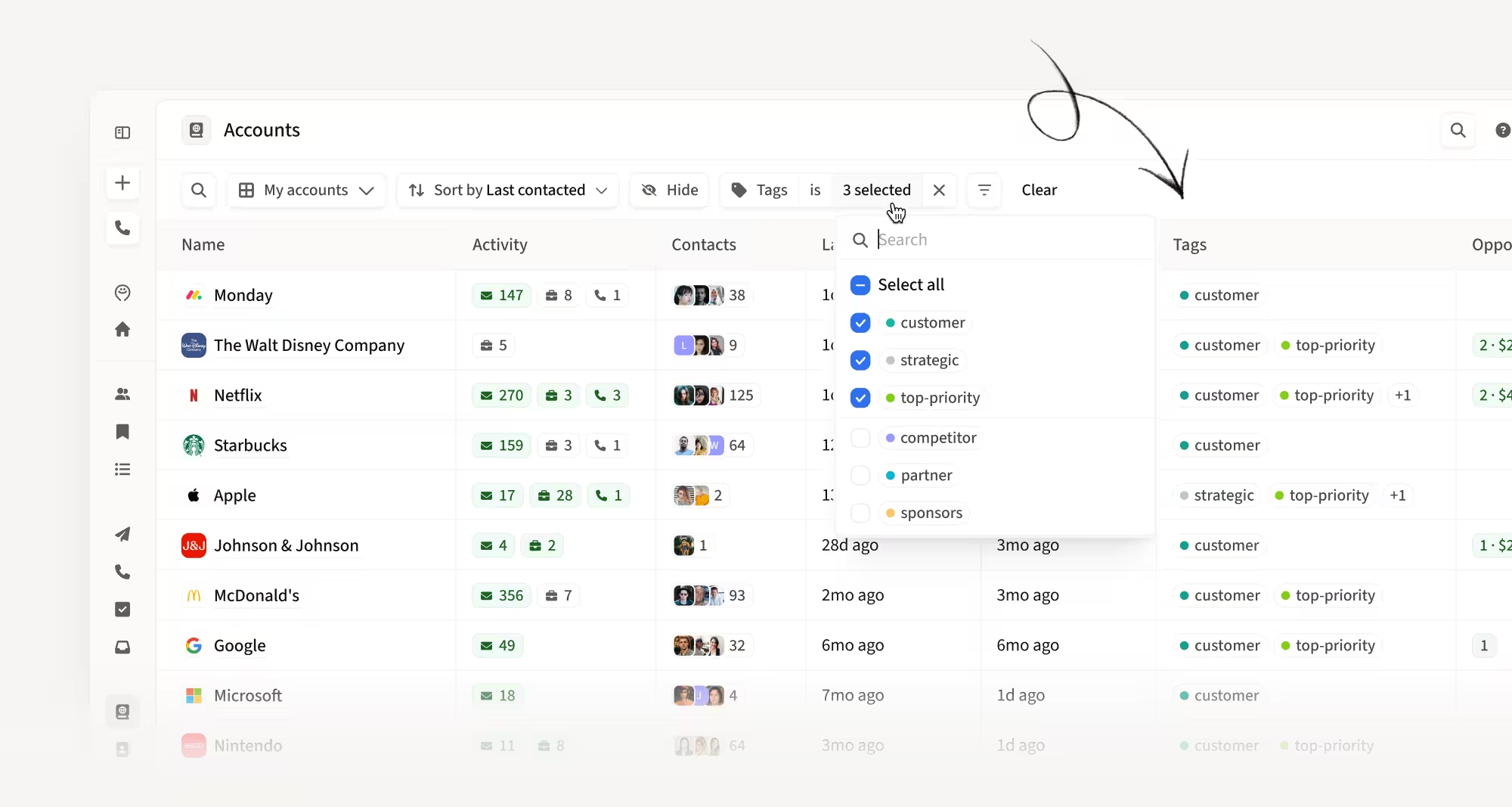
Tag, filter, and segment accounts directly from the listing
Account listing now supports tags, just like Contact listing. Add or edit tags inline, apply or remove them in bulk, and filter by them across both Account and Contact listings.
How this helps you:
- Tag accounts while reviewing lists instead of opening each one
- Segment large account sets with bulk tag add and remove
- Filter both Account and Contact listings by account tags for sharper targeting
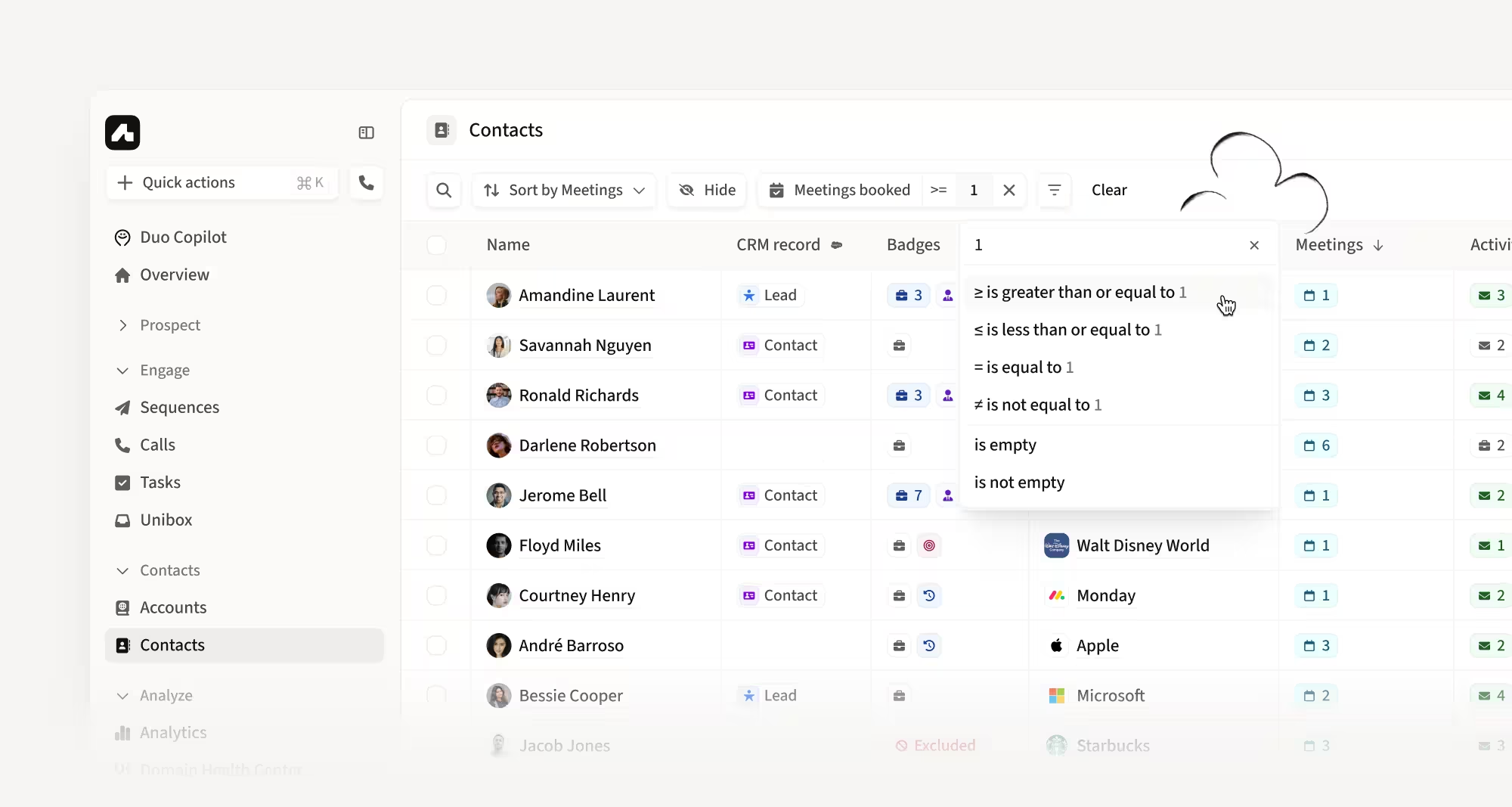
Filter contacts by Meetings Booked
You can now filter and sort contacts by Meetings Booked, just like you already can for accounts. Quickly find the people you've met with and prioritize follow-ups.
How this helps you:
- Surface contacts you've already met with in one filter
- Sort by meeting activity to prioritize your warmest follow-ups
- Keep prospecting and follow-up workflows organized at the contact level
Hope these updates make your experience with Amplemarket even better!
Have feedback? Submit it here
Questions? You can always reach out to support@amplemarket.com