Published
Most ABM outreach fails before the first email is written.
Not because the copy is wrong, but because the research takes too long, the personalization gets cut to save time, and what lands in the prospect's inbox is a template with a first name swap and a company mention that could have gone to anyone.
The tradeoff has always been the same: go deep on a handful of accounts and your pipeline starves, or go broad with generic sequences and your reply rates collapse.
This guide covers a specific workflow that breaks that tradeoff.
What role does Amplemarket MCP play in this Claude workflow?
Amplemarket MCP lets compatible AI clients call supported Amplemarket tools after an individual user authenticates. The data and actions available follow that user's Amplemarket account and permissions.
In this article, the available tools support prospect and account lookup, enrichment, lead-list and sequence operations, activity and CRM-linked context, exclusions, and enrollment within the user's available toolset.
The Amplemarket MCP owns the general protocol explanation, connection summary, capability map, credit behavior, and documented limits.
What can you do with Claude and the Amplemarket MCP for ABM?
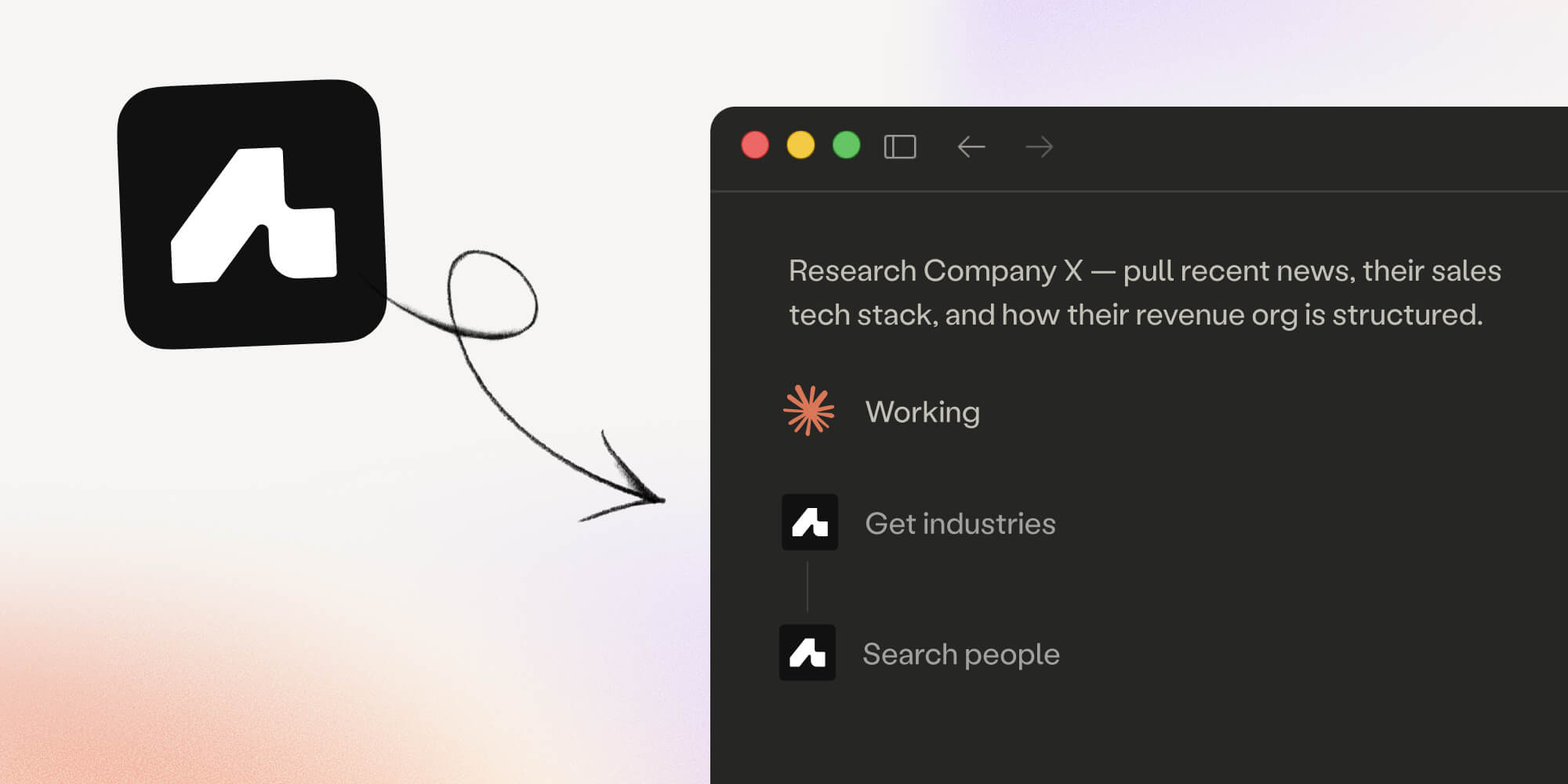
With Claude connected to Amplemarket via MCP, you can research a target account, identify the right contacts by role and seniority, and enroll each of them into a personalized sequence with unique copy for every stage and every lead, all in a single conversation thread.
The MCP can build the sequence itself, or read the structure of one you already have, then identify what data fields need to be filled, generates personalized copy per contact based on your research, and enrolls each lead with their personalized data attached.
How is this different from Amplemarket's native AI sequence builder?
Amplemarket's AI-assisted sequence builder generates sequences directly inside the platform.
The MCP workflow uses Claude as the coordinating interface. Claude can perform public-web research separately and call supported Amplemarket tools for account, contact, list, sequence, and enrollment work within the authenticated user's permissions.
This MCP workflow does not fit a sequence that requires unsupported branching or custom HTTP stages, a team without reliable ownership and exclusion rules, or a motion with no one assigned to review the pilot.
How is this different from Duo Copilot?
Amplemarket's Duo Copilot detects buying signals, researches prospects, and generates full multichannel sequences autonomously inside Amplemarket.
The MCP workflow uses Claude as an external interface to a sequence you control directly, whether Claude builds it or giving you more direct control over the research and personalization process.
Duo Copilot is signal-driven and fully automated, while the MCP workflow is better suited to high-value ABM accounts where you want to run deeper iterative research on a small number of targets before committing to enrollment.
Using Claude connected to Amplemarket via MCP, you can go from a blank account name to a fully enrolled, personalized sequence in a single conversation thread, with unique copy for every contact and every stage.
Where should you verify current Claude connection requirements?
The supported route is to connect from Amplemarket: Settings, then Integrations, then Claude, then Connect, which takes you to Claude's own authorization page.
You can also add https://mcp.amplemarket.com/mcp manually as a custom connector. Either way you authenticate as an individual Amplemarket user, and Claude requires a Pro, Max, Team or Enterprise plan for custom connectors.
Verify current Claude eligibility in the Amplemarket connection guide, and use the Amplemarket ChatGPT integration page for current ChatGPT setup details.
The workflow: from account research to enrolled sequence
Step 1: Build your template sequence in Amplemarket
Claude can now build the sequence for you through the MCP, stage by stage.
You can also still build the sequence manually in Amplemarket and point Claude at it, which is the better path when you are reusing a structure the team has already agreed on.
Launching the sequence and deleting a stage are the two actions that still happen in the Amplemarket dashboard. Then, for every stage where you want Claude to generate personalized copy, replace the static copy with a data field placeholder.
A four-stage ABM sequence might use these fields:
You do not need to make every stage dynamic.
For instance, a social connection request or a simple task reminder works well as fixed copy.
You can reserve data fields for the stages where personalization matters most, like the opening email and the call script. Just make sure to use descriptive field names.
The AI assistant reads field names to understand what content to generate. For instance, cold_call_script produces much better results than field_2.
Think of the field name as a brief instruction to Claude.
Step 2: Research your target account in Claude
Open a Claude thread with the Amplemarket MCP connected and research your target account.
Claude combines Amplemarket enrichment data with public web intelligence in the same thread, using Amplemarket MCP for the account data and its own web search for everything else.
A useful starting prompt:
I'm building an ABM sequence targeting [Company].

Map their go-to-market leadership and identify the two or three contacts most relevant to [your use case].

Pull their enriched profiles from Amplemarket and search the web for recent context on the company: funding, hires, news.
The research phase is where the quality of personalization is set, and the time spent here translates directly into more specific, more credible outreach.
Step 3: Ask Claude to enroll leads into the sequence
Before enrolling anyone, do a quick pass on the account and contacts: check who owns them in the CRM, whether there's an open opportunity, and whether any of them are on an exclusion list.
This takes a minute and prevents the two most common ABM mistakes: stepping on a colleague's deal, or reaching out to someone who shouldn't be contacted.
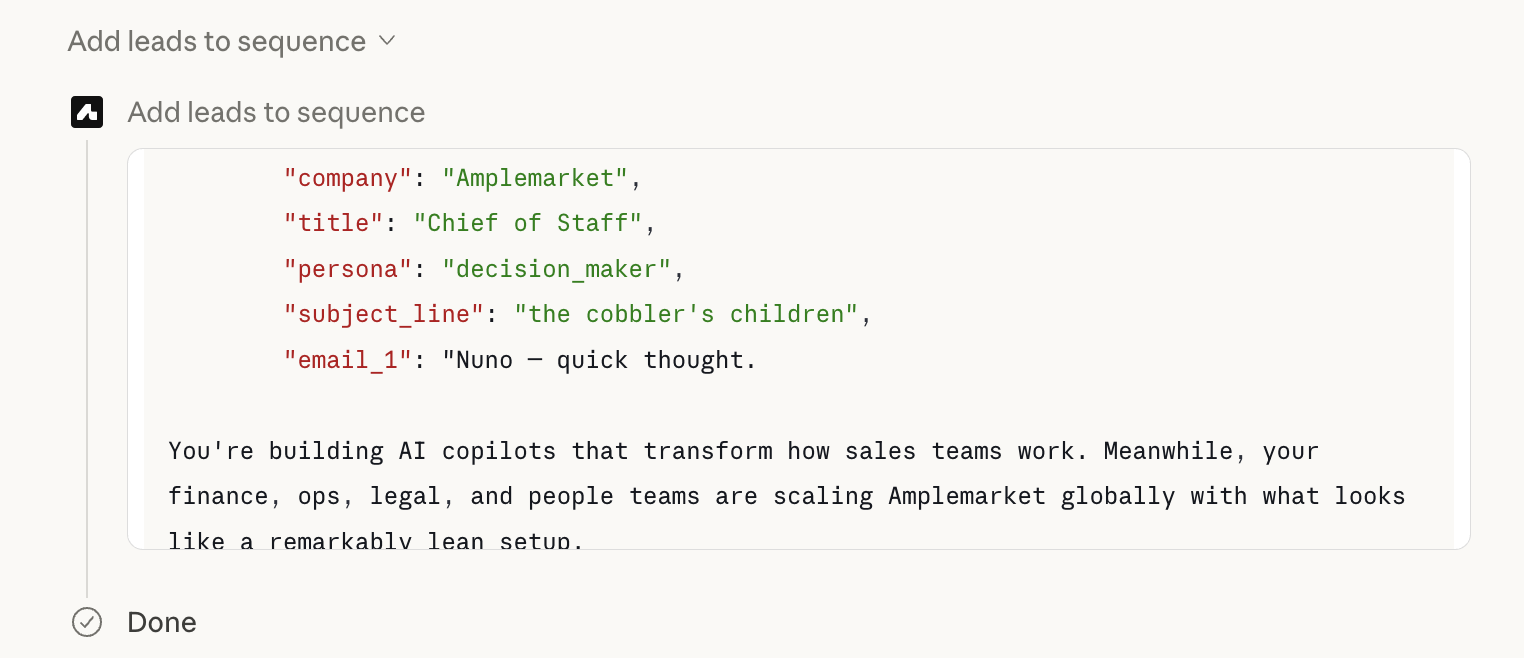
Once the targeting plan is locked, give Claude the name of the sequence you built in Step 1 and ask it to enroll the contacts.
You do not need to list the data fields manually. If the field names are self-explanatory, Claude will figure them out from the sequence structure.
If you do not specify them at all, the MCP will attempt enrollment, Amplemarket will return validation errors listing the required fields, and Claude will retry automatically with the correct data.
Here is an example enrollment prompt:
I have a sequence called "ABM targets via MCP" in Amplemarket with these data fields: subject_line, email_1, cold_call_script, email_2.

Research the following leads, then add them to the sequence with personalized copy for each stage:
- Nuno Placido, Chief of Staff at Amplemarket
- Joana Correia, Head of Finance at Amplemarket

Keep emails under 150 words and use a casual tone.
Show me a draft here first before enrolling.
What happens behind the scenes:
- The MCP lists your sequences and finds the one you named
- It reads the sequence structure and identifies which data fields need to be filled
- It researches each lead using Amplemarket enrichment and web search
- It generates personalized copy for every field, for every lead
- It enrolls each lead with their personalized data attached
All leads land in the same master sequence, but every lead gets completely different copy for each stage: tailored to their role, their company context, and the angles Claude identified during the research phase.
Step 4: Review in Amplemarket before the sequence fires
Keep the sequence paused or in draft until you have reviewed the first batch of enrollments.
Check two places:
Contact view → Open a contact that was just enrolled and review the copy attached to each stage.
This shows exactly what will be sent.
Outbox → Check the outbox for pending emails. This is the faster way to review 10+ leads at once, since you can scan multiple upcoming sends without opening each contact individually.
Once you are happy with how the first batch looks, you're good to activate the sequence.
As you build confidence in the output quality, you can move to enrolling directly into active sequences without the draft review step.
What the result looks like
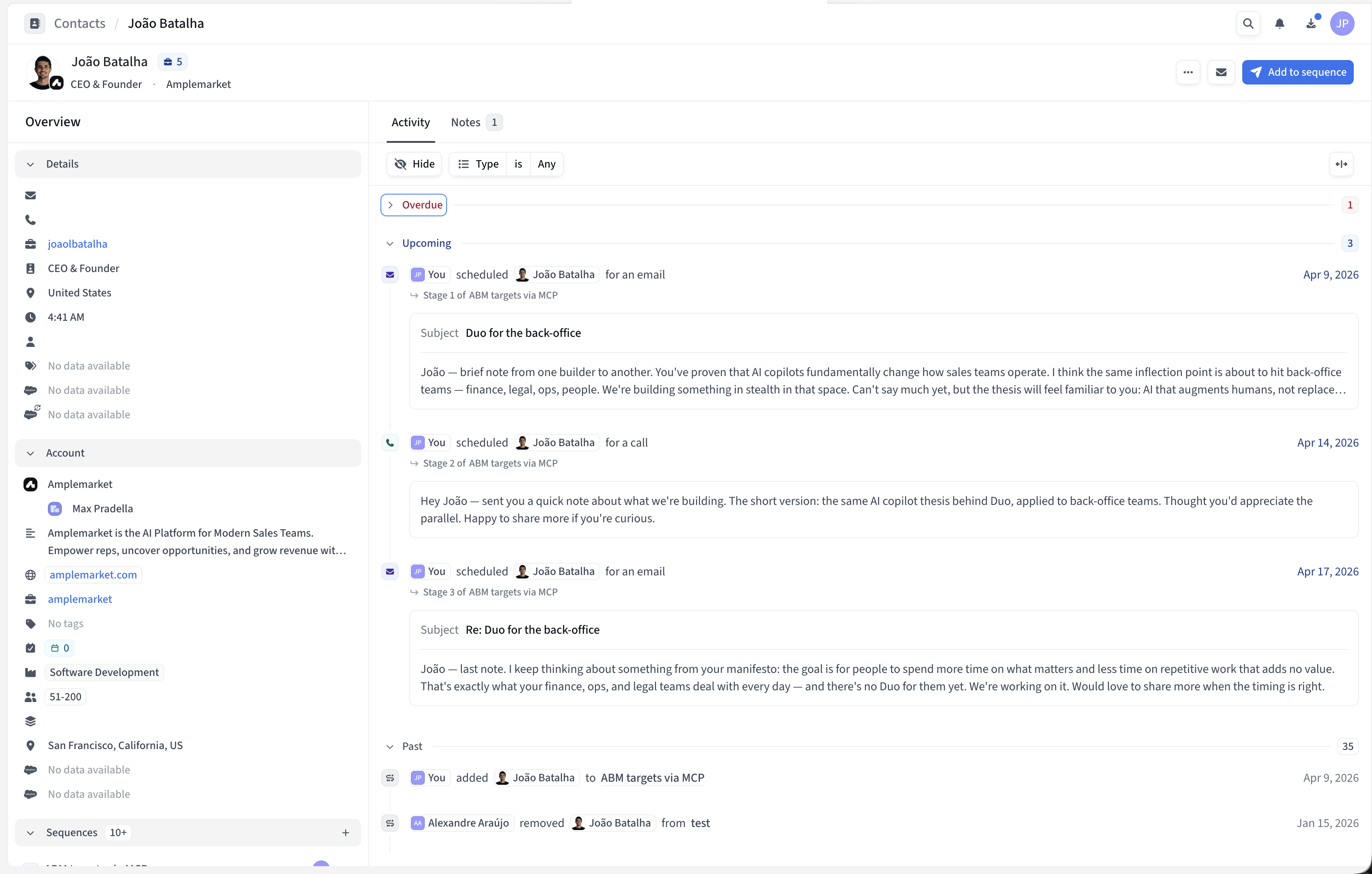
Each lead is enrolled in the same sequence, but every lead gets completely different, personalized copy.
When you check a contact's activity in Amplemarket, you will see the personalized emails generated specifically for them.
A Chief of Staff and a Head of Finance at the same company both land in "ABM targets via MCP," but each receives a completely different set of touches.
Same sequence structure, but different everything else.
Tips for the best output
- Use descriptive field names
follow_up_email_2 produces better copy than field_3.
The field name is Claude's instruction for what to write.
- Configure sequence settings before enrolling
Sending windows, stage timing, and inbox rotation are inherited from whatever is set on the sequence.
Set them up before any leads are added.
- Start with a small batch
Review the first three or four enrollments in the outbox before running at full volume.
This catches any formatting or tone issues before they reach a prospect's inbox.
- Mix static and dynamic stages
Not every step needs AI-generated copy.
Social connection requests and simple task reminders work well as fixed templates.
- The research phase determines personalization quality
Do not rush it. Iterating on account context and contact angles with Claude before enrollment is where the quality gap opens between this workflow and a generic template.
Start here, then go deeper
If you want to go deeper on what else the MCP can do, the Amplemarket MCP overview covers the full range of use cases across prospecting, enrichment, and list management.
For ready-made prompt templates you can use with Claude or ChatGPT today, the AI sales prospecting prompts guide has five workflows you can run immediately. And if you want to see how to automate lead sourcing entirely, this guide walks through building a full AI lead sourcing agent with Claude and the Amplemarket MCP.