Published
Edited
Account-based programs often break when account research, ownership, stakeholder coverage, and outreach live in different systems. Reps inherit fragmented context, while leaders struggle to see whether the team is coordinating around the same buying group.
That is what this guide is for.
Account-based selling is a B2B sales strategy that focuses on coordinating outreach across multiple stakeholders within high-value target accounts, using buying signals and contextual data to engage the right people at the right time. Unlike traditional lead-based prospecting, it treats the entire account as the unit of action rather than individual contacts.
The game of sales has changed, and modern sales teams don't win by just sending more emails or automating every task.
They win by connecting the dots between catching real buying moments, orchestrating the engagement on the account, and closing the loop.
The biggest gap in enterprise sales
Enterprise sales isn't just about sending more emails or automating tasks. It's about catching the right moment, knowing who to engage, and managing dozens of conversations at once, all without missing a beat.
The real challenge? Today reps are expected to handle complex deals, coordinate with multiple stakeholders, and navigate a buying process that's anything but linear.
Most teams run into these two critical problems daily:
1. Tool overload
Instead of selling, reps spend their time stitching tools together. You're jumping between platforms for signals (Common Room, UserGems), account orchestration (Salesforce, HubSpot, Outreach.io, Salesloft), and communication (email, social DMs, endless tab-switching).
2. Missed moments and scattered focus
Buying signals slip through the cracks, priorities get blurred, and conversations become fragmented. You miss the opportunity window to resurface previous deals, not because the intent wasn't there, but because you simply didn't know those accounts were ready to engage again.
In Amplemarket, a team can bring CRM and product events into Custom Signals, inspect the affected account and prior activity, add missing stakeholders, enroll approved contacts in a sequence, and manage email and social replies in Unibox. The workflow depends on correctly mapped source data and explicit ownership and exclusion rules.
Meet Amplemarket for Account-based Selling
Three Amplemarket capabilities support the workflow described in this article:
Custom Signals
Why chase the same noisy alerts as everyone else? We’ve added Custom CRM and product data to our library of intent signals.
With Custom Signals, an administrator maps a defined CRM or product event into Amplemarket.
Examples include a reopened opportunity, a product-usage threshold, or a content conversion.
When the configured condition is met, the event can appear as context in Duo and support a subsequent account workflow. A signal is evidence to review, not proof that an account is ready to buy.
Learn more about Custom Signals in this post.
Account workflows
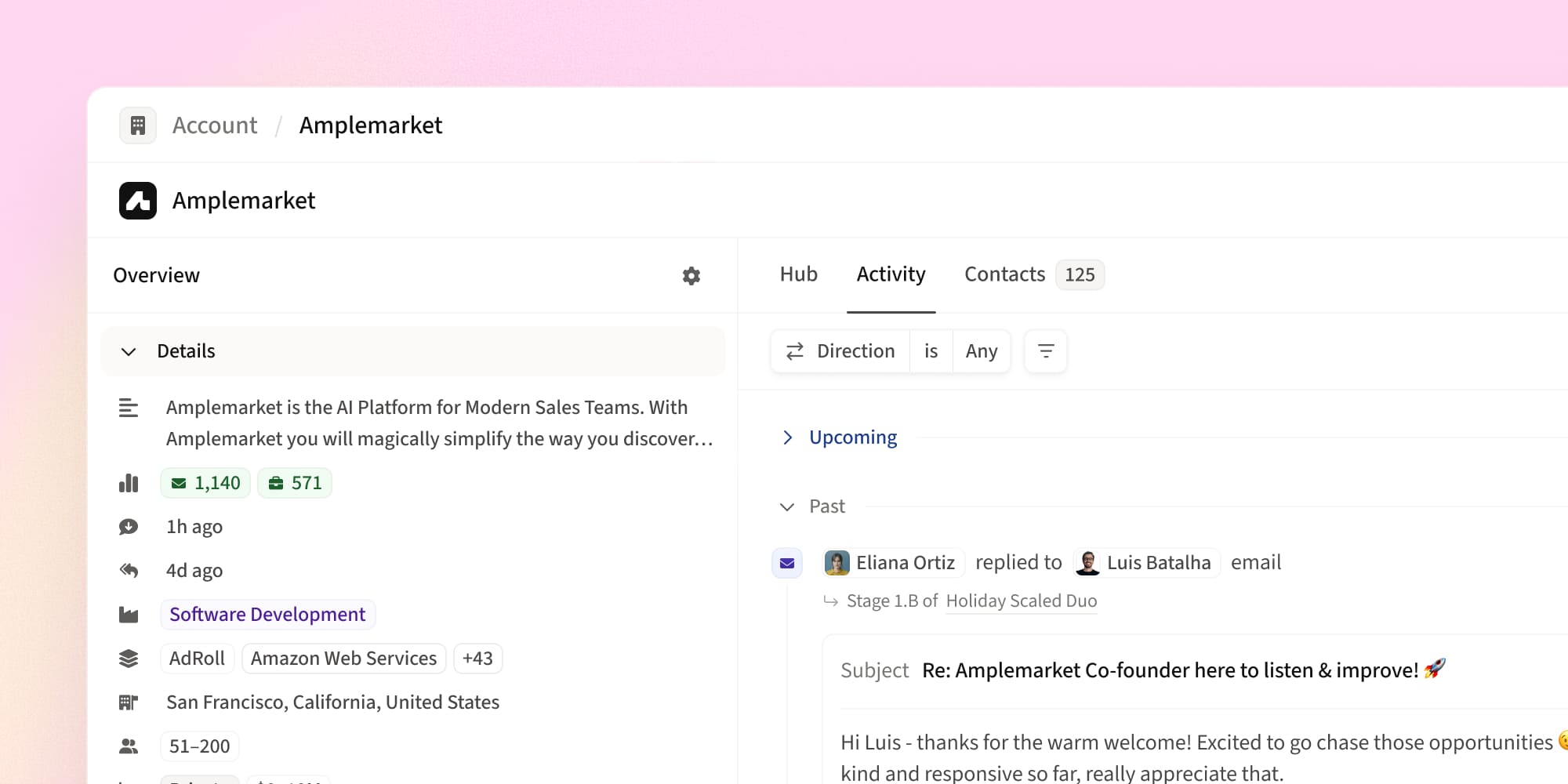
The Accounts view brings account-level signals, contacts, engagement history, CRM-linked fields, and available actions into one view.
Sellers can use it to prioritize accounts, inspect stakeholder coverage, select additional contacts, and start an approved play without rebuilding the account in a spreadsheet.
In the walkthrough below, Artem, a Product Manager at Amplemarket, demonstrates how a seller can filter and prioritize accounts, inspect stakeholder coverage, and select an available action from the Accounts view:
Unibox
Unibox displays supported email and social conversations in one inbox. A seller can review replies across those channels, preserve the account context attached to each contact, and decide the next action.
It does not replace the need for opportunity notes, stakeholder judgment, or CRM governance.
Christian Persico, SDR at Deel, shares:
“Unibox lets me stay in flow — handling social, email, and replies all in one place, without tab-hopping or missing key signals. It’s become a core part of my daily workflow at Deel, especially during high-volume prospecting.”
You can read more about the Unibox here.
Account-based Selling Plays
Here are some ways teams are already putting Amplemarket for Account-based Selling into action:
Play #1: Instantly launch multi-thread on a PDF lead magnet downloads (or any custom CRM intent signal)
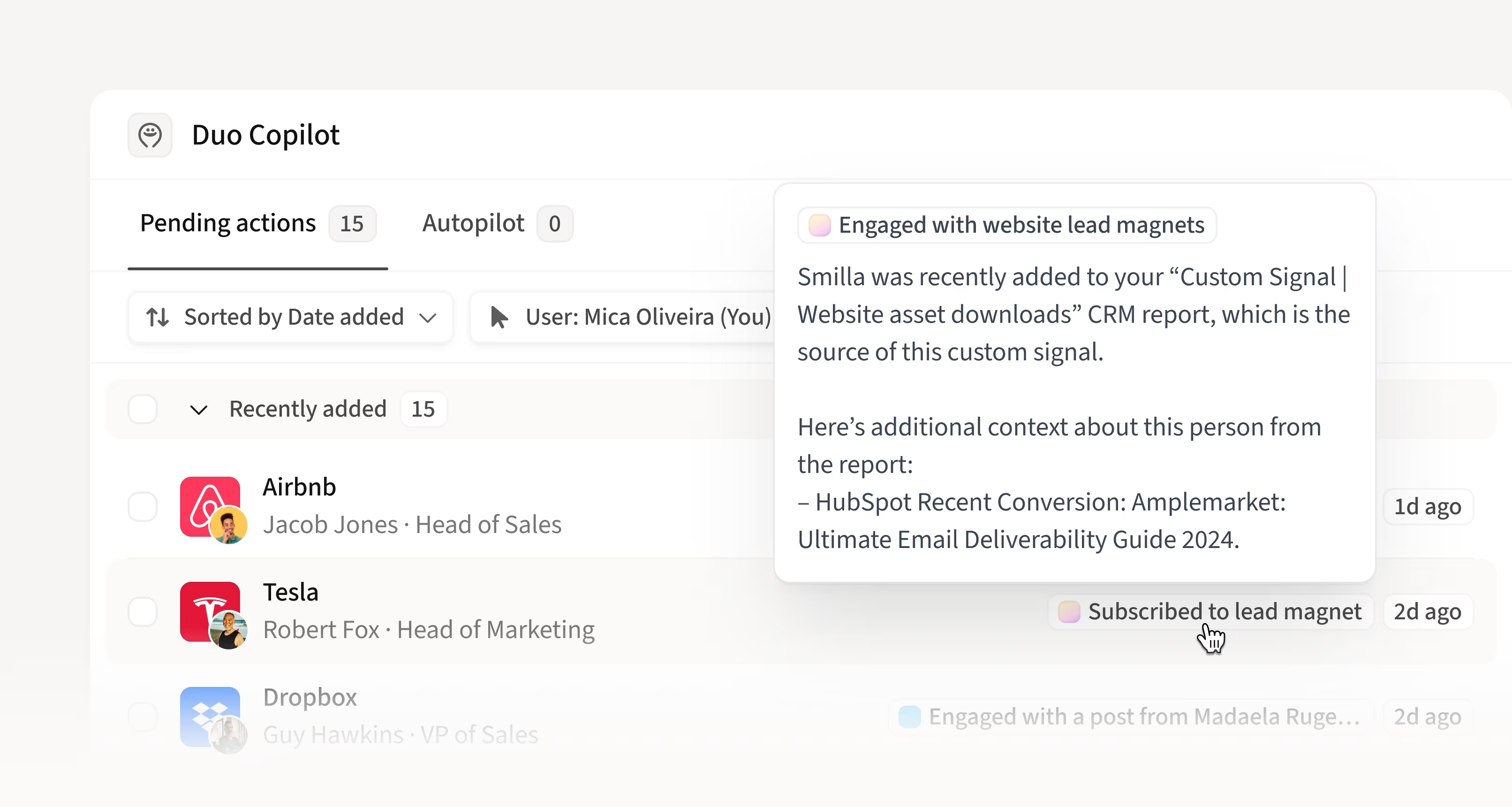
This play uses a defined first-party event to identify an account for review, retrieve its history, add relevant stakeholders, and coordinate follow-up while the event is recent.
How to Play:
- Configure a Custom CRM Signal for "PDF Lead Magnet Download" by mapping the relevant Salesforce or HubSpot event into Amplemarket Duo. Confirm the field, event definition, account association, and owner before activating it. (see Amplemarket’s CRM integration)
- When a lead downloads the PDF, their activity triggers a real-time signal in Duo Inbox so you never miss high-intent prospects.
- After the event appears, confirm the contact's eligibility, account ownership, exclusions, and message context before adding the contact to an approved Amplemarket sequence.
- Visit the Account detail page to see the triggered lead, plus all context and historical activity.
- Identify and add additional stakeholders via the Accounts detail page to run parallel outreach - maximizing your chances to book a meeting.
- Manage all prospect replies and engagement in one place using Unibox, across email and social DMs.
Play #2: Prioritize Accounts with Recent Engagement but No Meetings
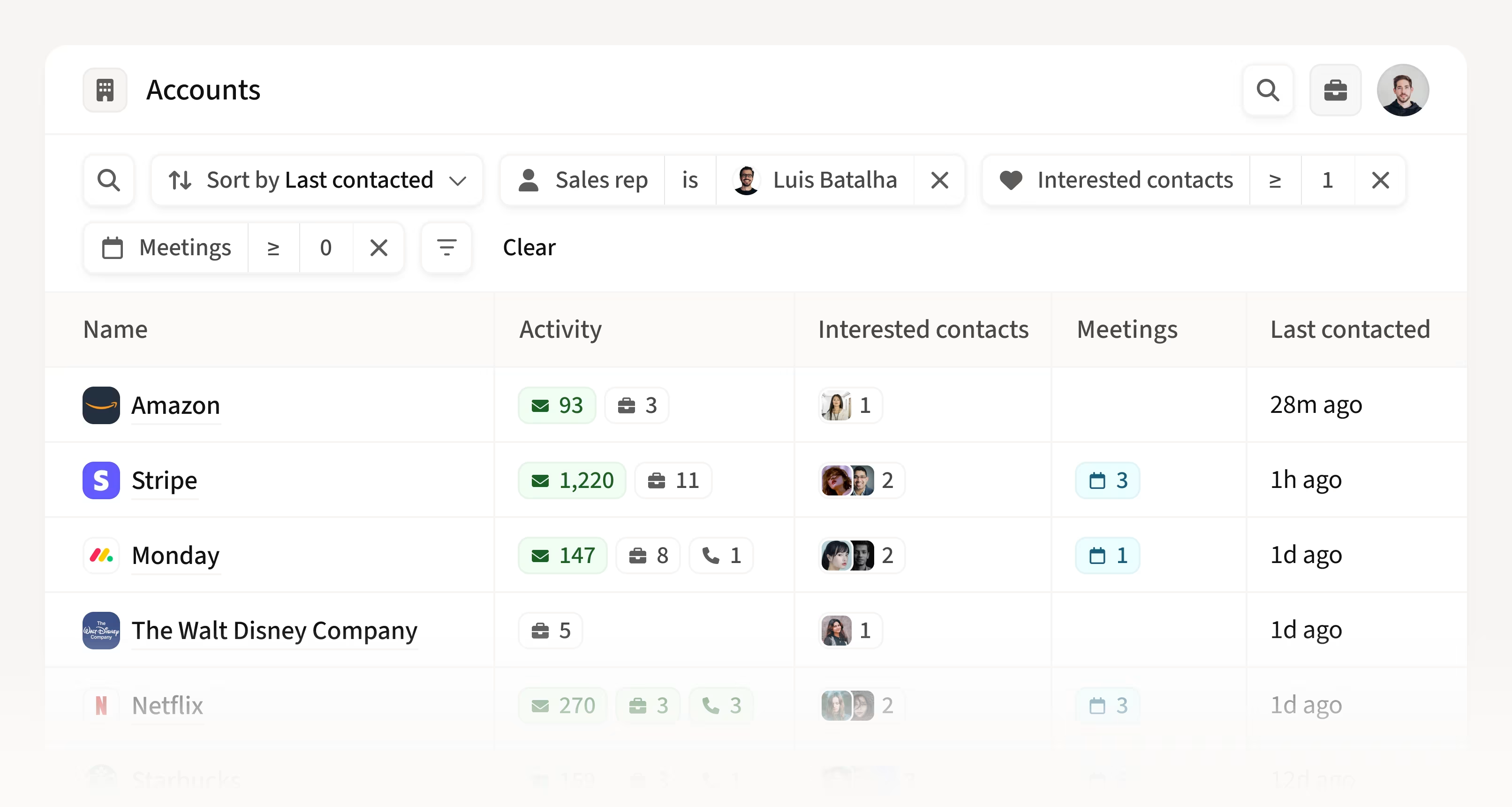
This play identifies accounts with recent engagement and no recorded meeting so a seller can review whether follow-up is appropriate. Recent engagement is not proof of purchase intent; confirm the contact, account owner, opportunity state, prior replies, exclusions, and reason for the next action.
How to Play:
- Filter for accounts that have recent Engagement Activity and at least one interested contact, but no meetings booked so far.
- Then, save the view and name “Recent Engagements but No Meetings Yet”
- Engage every account with Amplemarket’s coordinated, multichannel outreach system and manage all prospect replies across email and social DMs with Unibox.
Play #3: Multi-threading for Tier 1 Accounts

This play reviews stakeholder coverage in selected Tier 1 accounts that have no recorded meeting.
The team should define the roles needed for its buying process and treat any numeric contact threshold as an operating hypothesis, not a universal rule.
Amplemarket can support multi-threading by showing account contacts, active sequence enrollment, prior engagement, and CRM-linked context in the account view. The seller still needs to choose relevant roles and use a message appropriate to each stakeholder.
Prerequisites
This play requires CRM fields indicating account segmentation (e.g., “Account Tier”). Learn more about Amplemarket’s CRM integrations.
How to Play:
- Filter accounts by the CRM field for account segmentation (for example, at Amplemarket, we label Tier 1 accounts as “3. Key Accounts.”)
- Filter by meetings booked = 0 and less than or equal to 5 active contacts in sequences
- Then, save the view and name “Key Accounts with 0 meetings and <5 active contacts”
- Identify additional contacts inside the Accounts detail page and drive multi-threaded outreach from one go.
- Manage all prospect replies across email and social DMs with Unibox.
Play #4: Bulk Actions for Decision Makers and Contacts

Use the Accounts view to review possible stakeholders and select approved contacts for a list, sequence, or export. Titles and contact data do not establish that a person is a decision-maker; verify role relevance and relationship state first.
The Decision Makers table in an account detail page surfaces possible stakeholders from the available account and contact data.
Treat the results as candidates: confirm each person's current role, relevance, territory, and prior relationship before adding them to a play.
How to Play:
- Use the Decision Makers table to select multiple key prospects for new campaigns, or the Contacts table to re-engage pre-existing stakeholders.
- Instantly take bulk actions: add to prospect lists, launch sequences, or export contact data for team collaboration.
- Record the selected contacts and sequence action in the account workflow so another seller can see which stakeholders are already active.
Bulk actions reduce repetitive setup, but the seller remains responsible for recipient eligibility, ownership, exclusions, message relevance, and sequence review.
Play #5: Rekindle Missed Opportunities
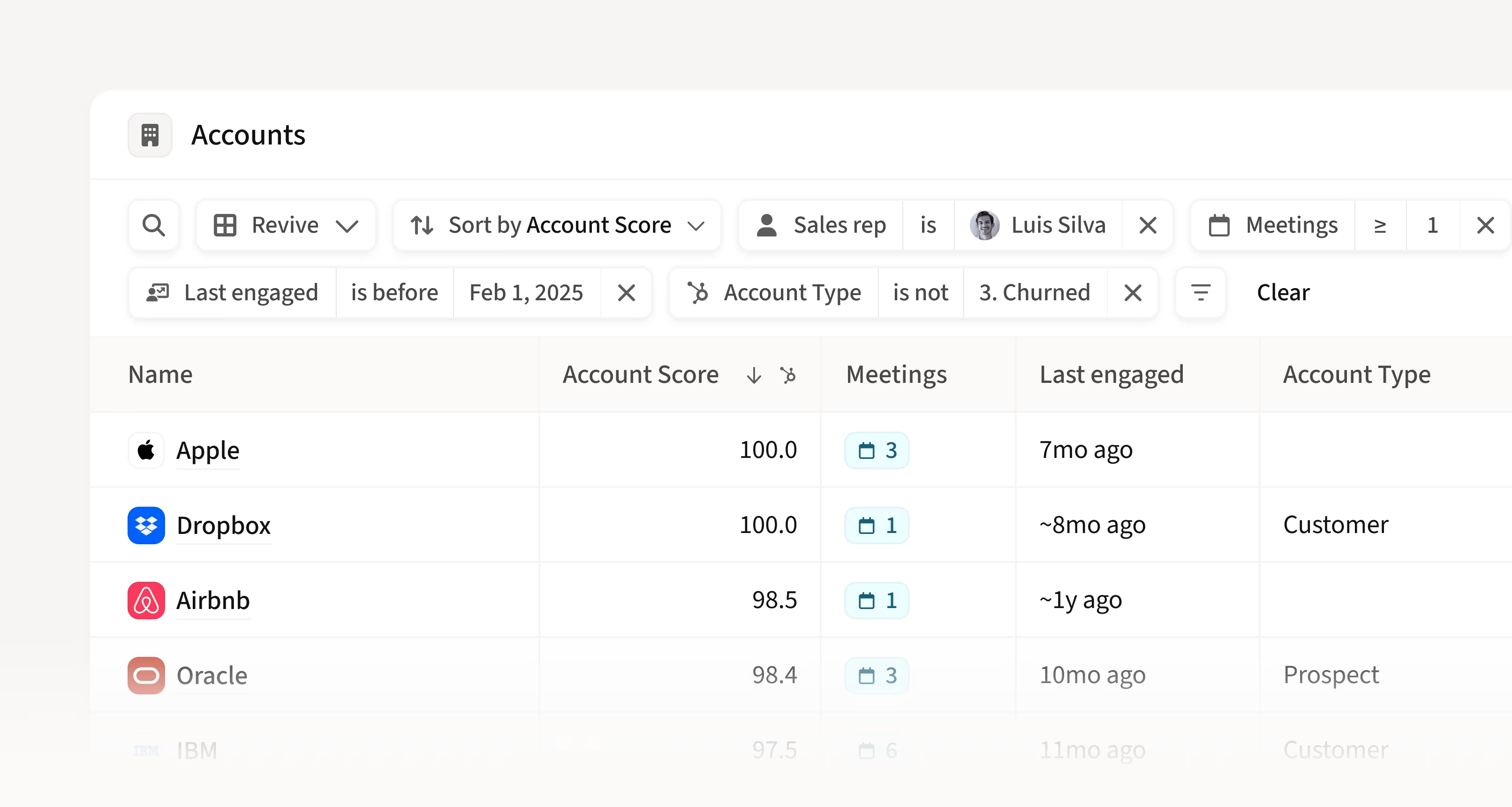
This play reviews accounts with prior engagement and no recent activity to determine whether re-engagement is appropriate. Historical activity is context, not proof of current intent.
How to Play:
- Filter for accounts with previous meeting activity or engaged contacts, but no outbound or inbound engagement in the past six months.
- Exclude churned customers and past prospects using CRM data and Amplemarket filters.
- Sort by account score (also CRM data) to prioritize the highest-value opportunities for re-engagement.
- Save the view and name “Rekindle missed opportunities sort by account score”
- Add stakeholders back into targeted sequences. Mention previous conversations or touchpoints to spark renewed interest.
The workflow can assemble prior engagement, CRM state, and current contacts for seller review. Re-engage only when ownership, exclusions, relationship context, and a defensible reason for contact are current.
When account-based selling may not fit
Account-based selling adds coordination work. It is less useful when deal values are low, one person can make the purchase without a buying group, the team has no reliable account ownership or CRM data, or sales and marketing cannot agree on target-account criteria.
Amplemarket is also unlikely to be the right fit when a team only needs a standalone contact database or a single-channel email sender.
Its account workflow is designed for teams that will use signals, CRM context, stakeholder coverage, and multichannel engagement together. Before automating a play, define the source event, target-account rule, owner, exclusions, approved channels, and review step.
Why this matters and what’s next
The operational benefit of account-based selling is shared context: a rep can see why an account was prioritized, which stakeholders are already engaged, which roles are missing, and what action has been approved.
That can reduce duplicated outreach and single-threaded account coverage, but it does not guarantee a meeting or a closed deal.
Results depend on target-account selection, source-data quality, relevance, timing, and seller judgment.
Mica, Co-founder & CRO of Amplemarket says,
"Account-based selling isn't just a nice-to-have - it's now a must have. Sales is about timing and trust, and when you combine buyer signals with precisely-timed outreach, you're empowering reps to sell exactly how prospects buy. You're building authentic relationships across the buying committee and turning timing into your competitive advantage."
Launch your account-based sales motion in Amplemarket today
If you’re new to Amplemarket, start a free trial and experience how you can orchestrate all your accounts and sales conversations in one place and run deals based on real-time intent signals coming from your own CRM and product data today.
Opportunities don’t wait. Neither should your sales team.
See the moment. Orchestrate the account. Win the deals.
Try Amplemarket for Account-based Selling today.
.jpg)
.png)