
Published
We hope you’re kicking off 2026 strong. We wrapped up the year with a set of product improvements focused on speed, clarity, and control across your workflow.
Here’s what we shipped in December:
Introducing Duo Inbox: AI reply drafts for email and social
Duo Inbox now generates AI-powered reply drafts directly inside the Unibox, with expanded support for both email and social conversations and improved controls for managing reply scenarios.
How this helps you:
- Reply to prospect emails and social messages from one unified inbox
- Stay consistent with clearer, easier-to-manage reply scenarios
- Move faster on inbound conversations without losing control or context
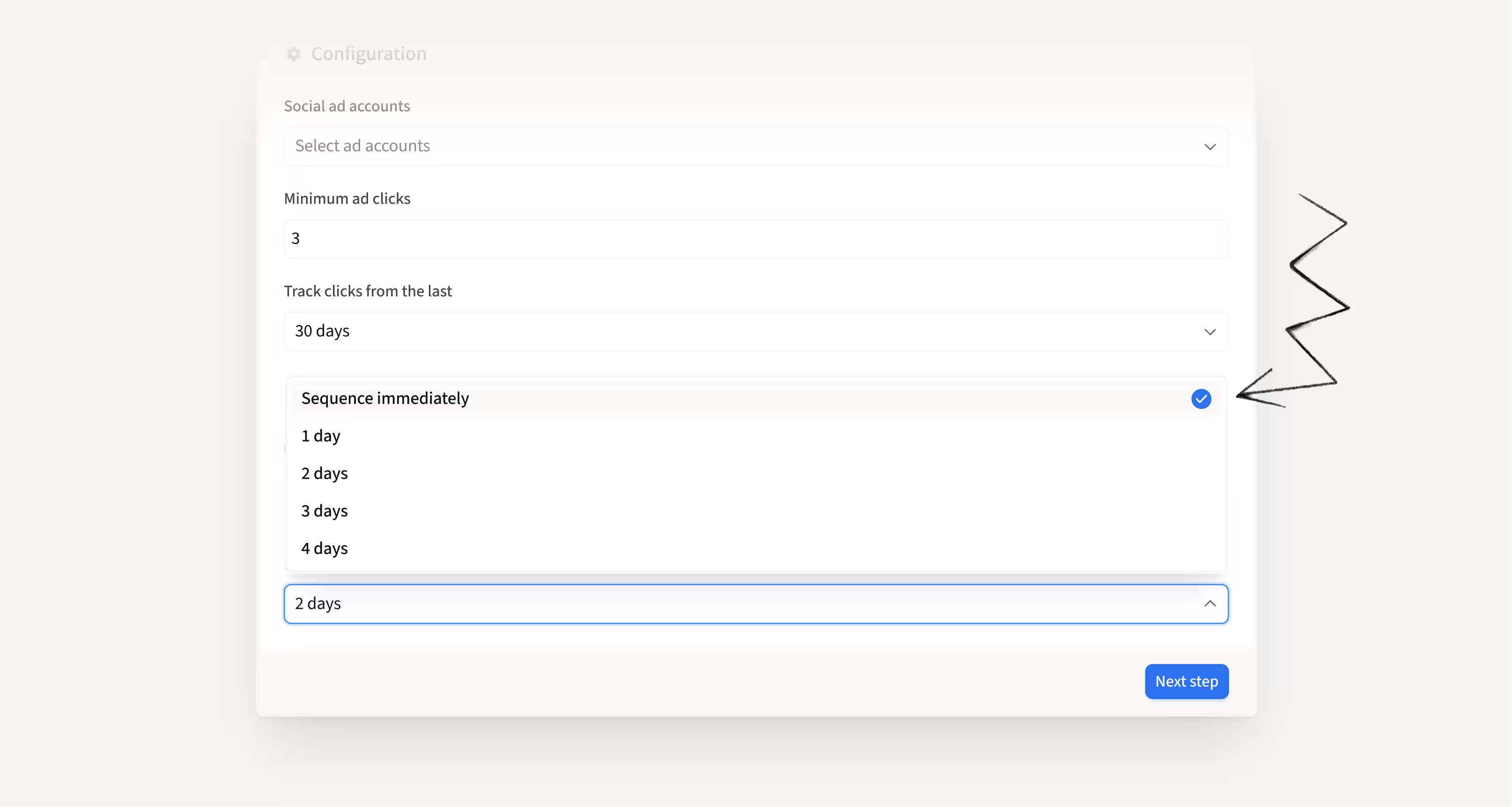
Autopilot can now sequence leads instantly
Previously, autopilot mode in Duo acted on signals after a review window, giving teams time to assess them.
You can now configure autopilot to immediately enroll Duo Copilot leads into sequences as soon as a qualifying signal is detected.
How this helps you:
- Engage high-intent leads at the exact moment intent is highest
- Remove delays caused by review windows for trusted signals
- Respond faster to buying signals without adding manual work
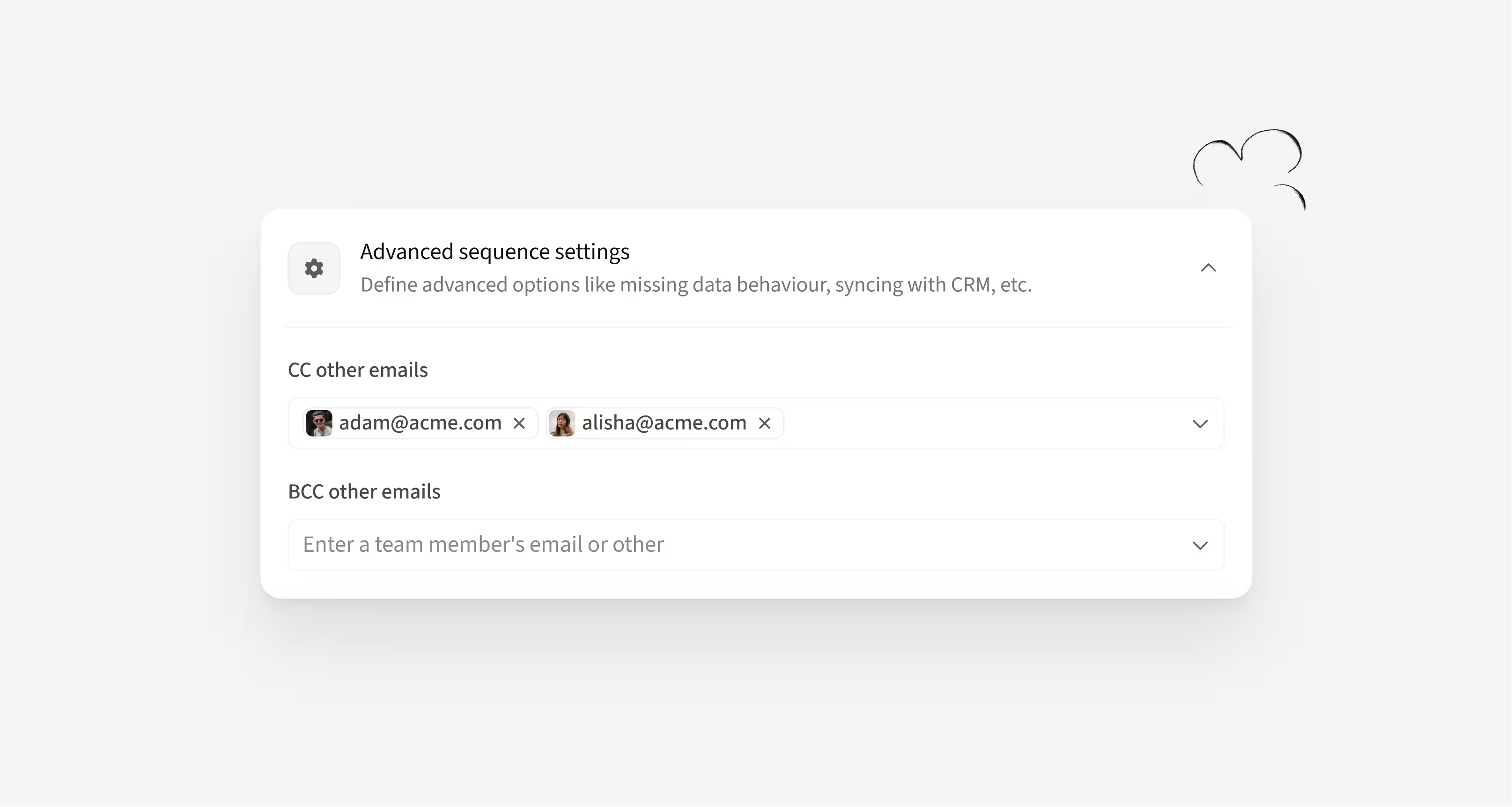
CC and BCC the right people in your sequences
You can now add CC and BCC recipients directly in sequence settings so they’re automatically included on every email across the sequence with no manual effort required.
How this helps you:
- Keep teammates, shared inboxes, and partners consistently included in outreach
- Automatically loop in AEs so they never miss critical first replies
- Maintain visibility across multi-step workflows without relying on manual CCs
Remove sequence contacts directly from Tasks
You can now remove contacts from active sequences right from the Tasks table using individual or bulk actions without breaking your workflow.
How this helps you:
- End outreach for specific contacts when tasks become outdated or irrelevant
- React faster to non-responses, status changes, or priority shifts
- Keep your workflow clean by managing sequences without extra navigation

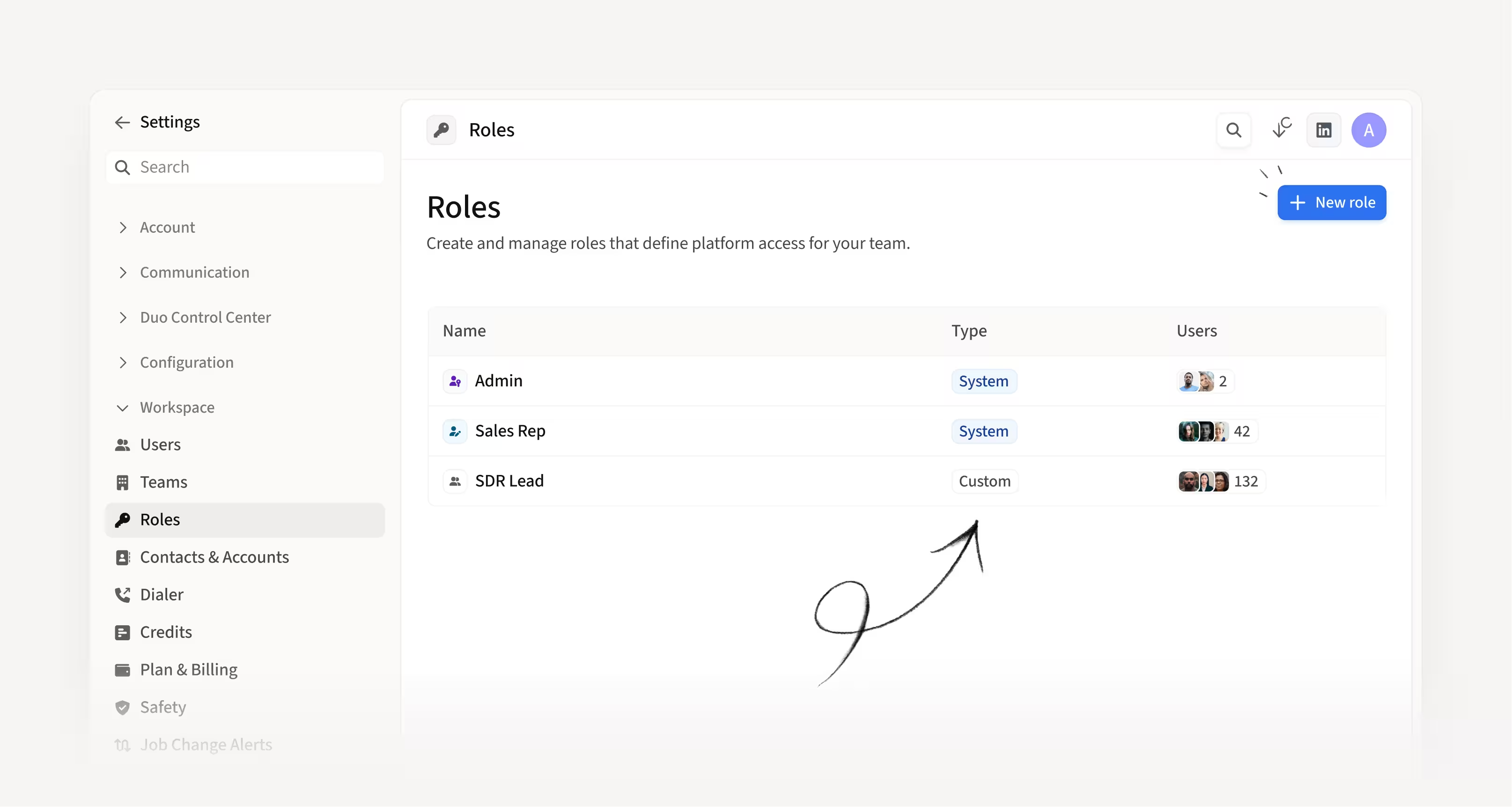
Grant the right permissions with Custom Roles
You can now create Custom Roles to give teammates exactly the permissions they need without granting full admin access to the platform.
How this helps you:
- Grant advanced permissions without exposing billing, users, or API access
- Support senior reps and managers with more control, minus admin risk
- Adjust access instantly as responsibilities change
Real-time CRM phone number sync
Phone numbers now sync from your CRM in near real time, so updates made in Salesforce or HubSpot appear in Amplemarket within minutes instead of waiting days for the next sync.
How this helps you:
- Reach contacts using the most up-to-date phone numbers
- Eliminate delays caused by outdated or incorrect contact data
- Rely on your CRM as the single source of truth for phone fields
Hope these updates make your experience with Amplemarket even better!
Have feedback? Submit it here.
Questions? You can always reach out to support@amplemarket.com
Don't miss our upcoming product webinar!
Join us live to explore the newest Amplemarket updates, see them in action, and get your questions answered.