













“We went from a 5% open rate to an average of nearly 45% with Amplemarket. It's helped us get the best reach possible and curate demand generation for the sales team.”

Lucas Summers
Digital Sales Account Manager
Email deliverability monitoring
Full visibility into what affects your inbox placement

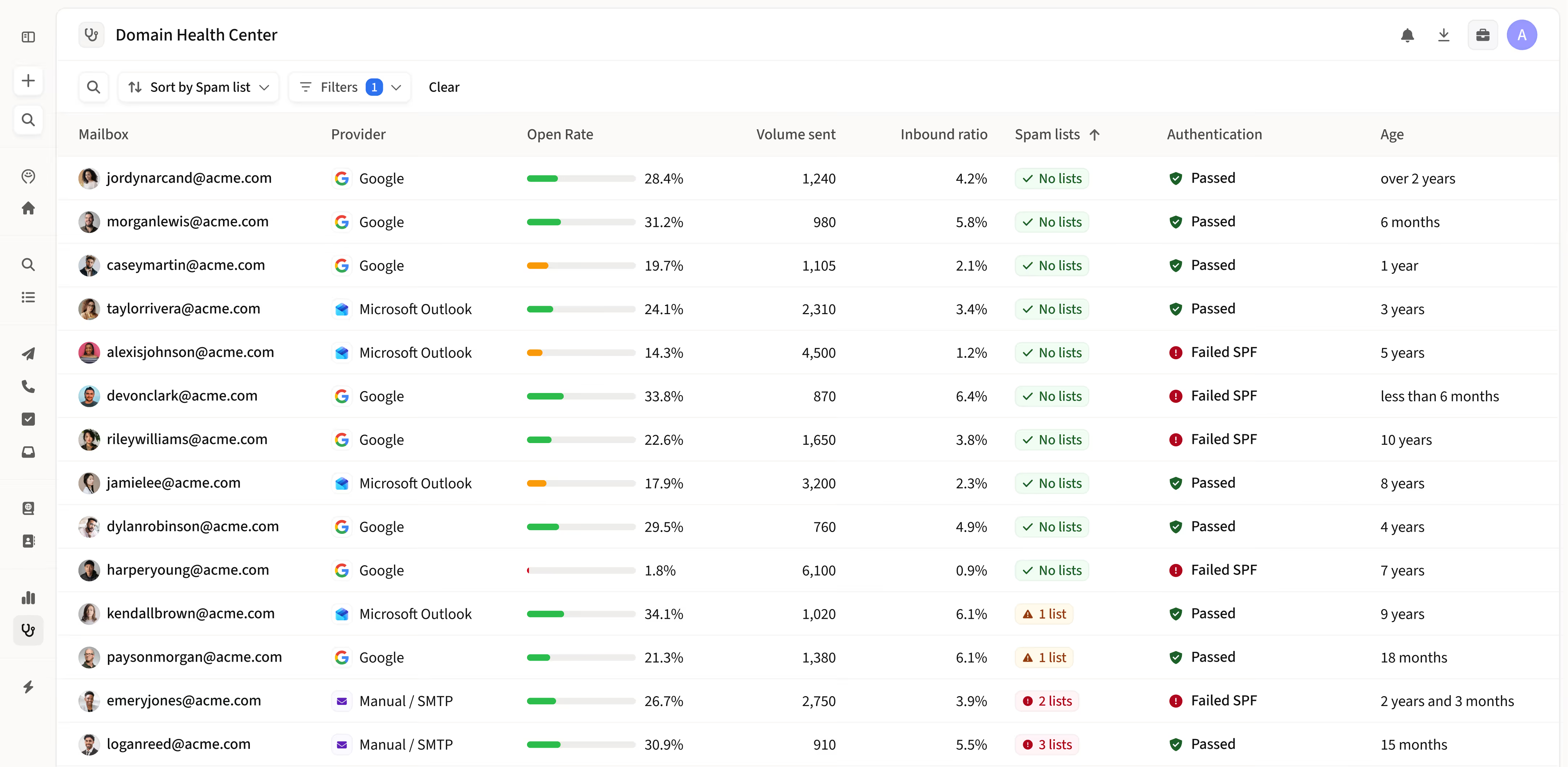
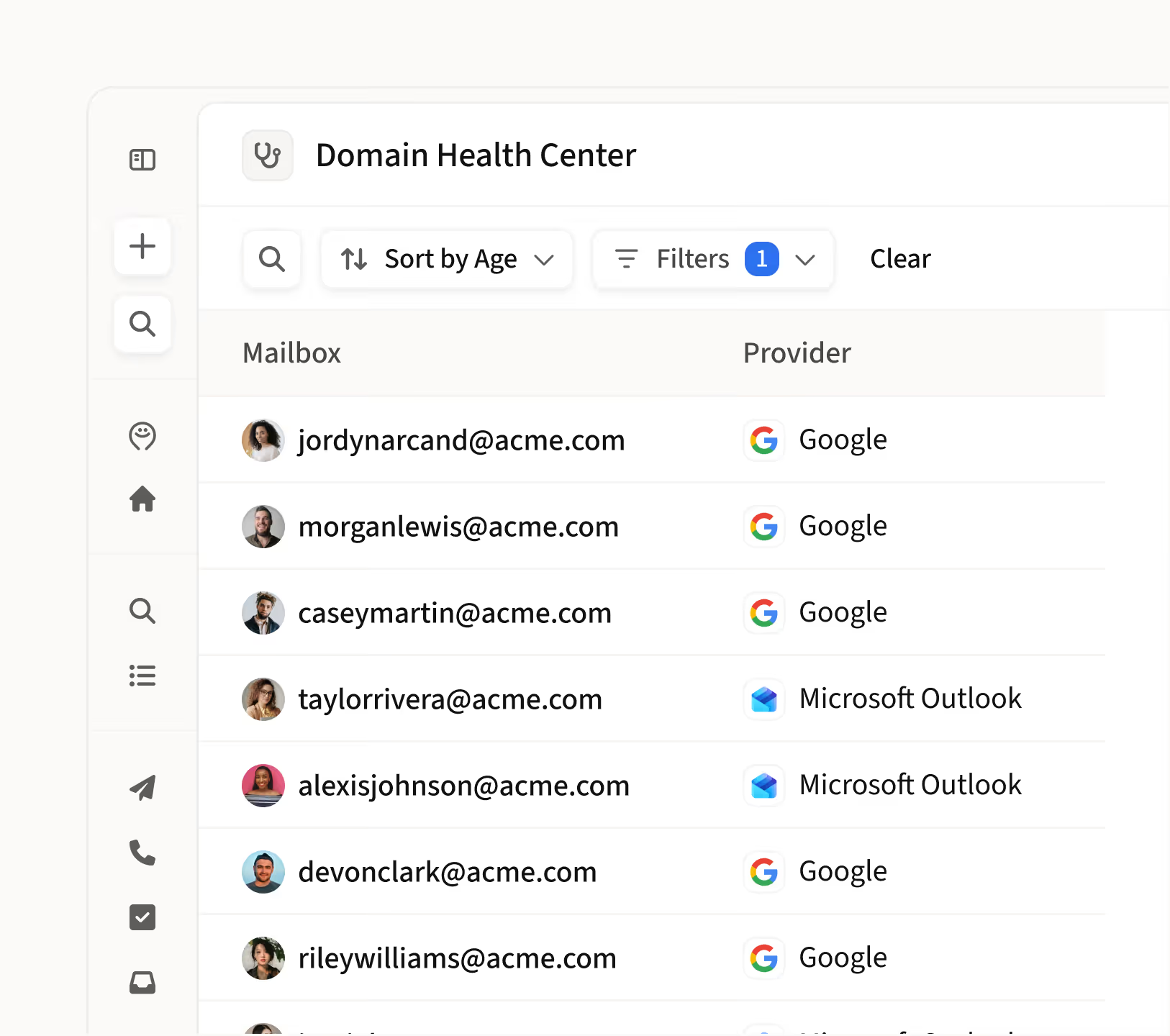
Every domain and mailbox, one view
See authentication status, sending volume, engagement, and spam risk across all your domains and mailboxes in a single dashboard.

Spot issues before they damage your reputation
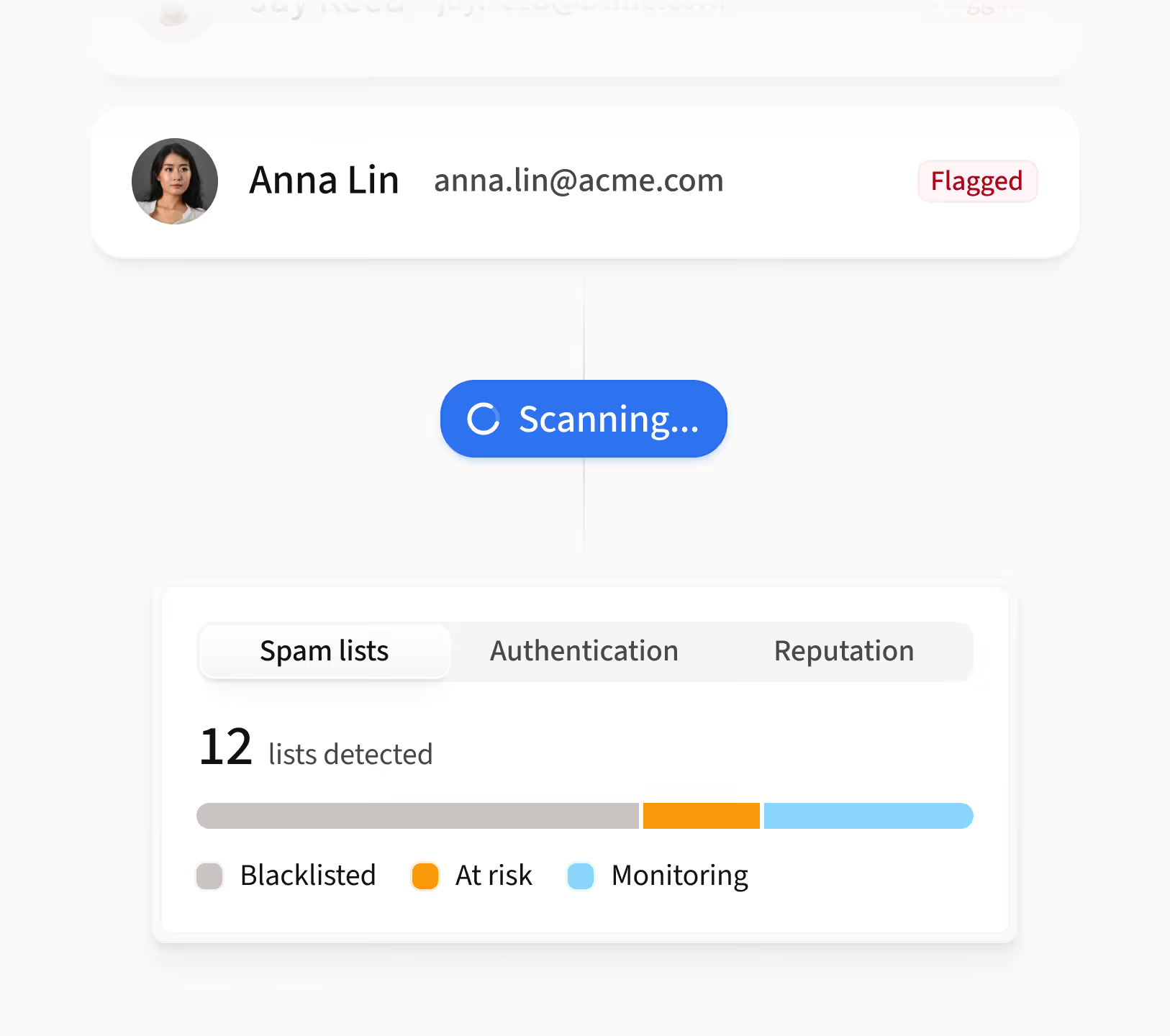
Automated weekly spam assessments and blacklist monitoring flag problems early, so you fix them before deliverability drops.

Know exactly what needs attention
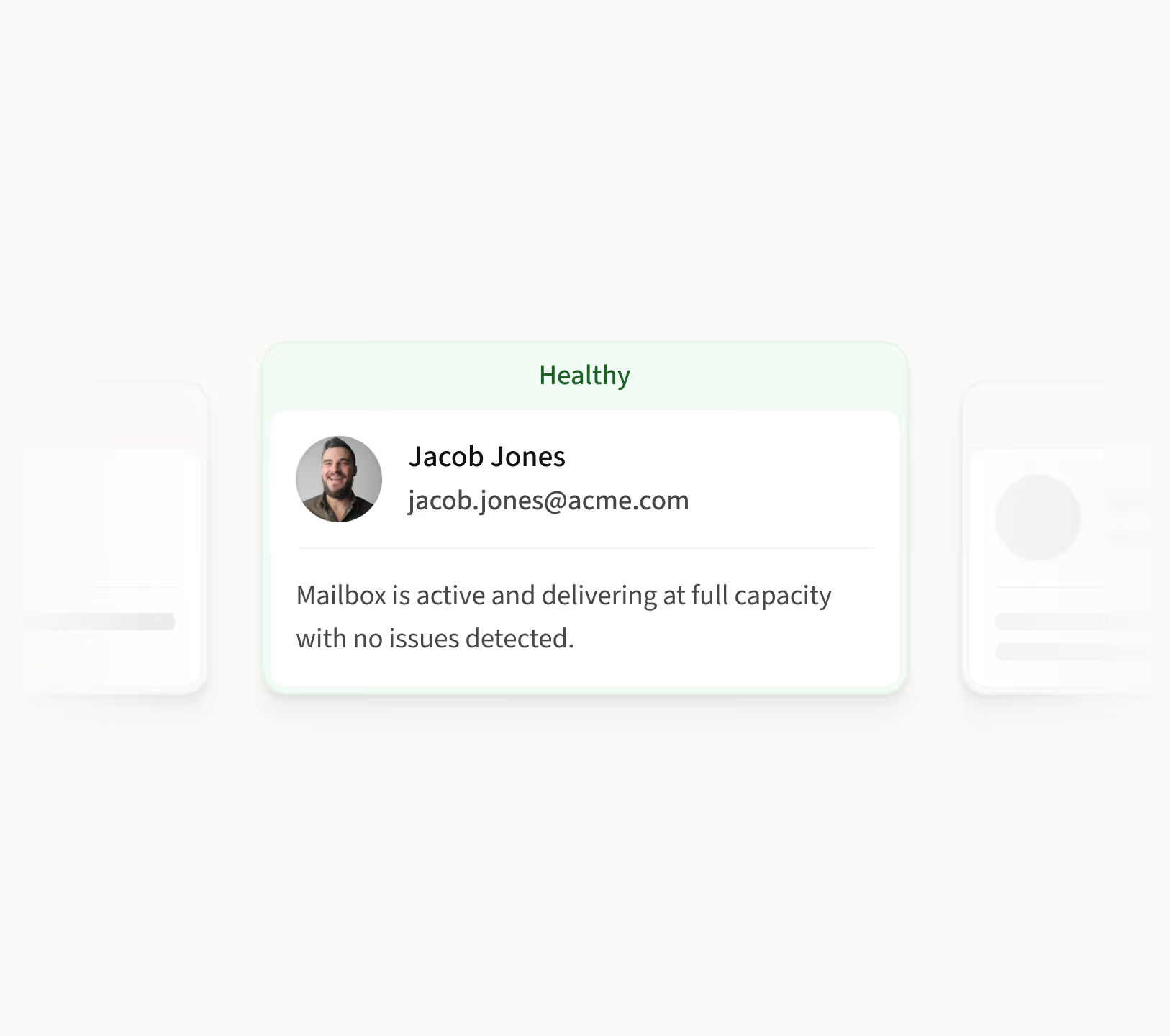
Clear indicators show which mailboxes are healthy, which need fixes, and where to act.

SPF, DKIM & DMARC
Verify authentication status across all domains to prevent emails from being flagged.

Spam assessments
Automated weekly tests flag mailboxes landing in spam folders.

Sending ratio
Track outbox-to-inbox ratios to avoid being flagged as too outbound-heavy.

Booster tracking
Monitor Deliverability Booster progress and custom tracker configuration.
.avif)

“The deliverability solutions have been a great asset, ensuring our messages land in the right inboxes.”

Mariana Guerci
Product Growth


What healthy deliverability unlocks
P100A
avg. open rate
P100A
avg. reply rate
P100A
avg. bounce rate
P100A
avg. interested rate
P100A
avg. spam rate
How sales teams use the Domain Health Center
0:00
0:00
0:00
“How do I check if my domain authentication is set up correctly?”
Incorrect authentication leads to emails landing in spam. Here's how to verify your setup in seconds.
1
Open the Domain Health Center from your sidebar
2
Review SPF, DKIM, and DMARC status for each domain
3
Fix any flagged issues to ensure your domain is authorized to send
“How do I know if my emails are landing in spam?”
Deliverability can drop without warning. Here's how to catch it early.
1
Open the Domain Health Center and check your Spam Assessment
2
See which mailboxes failed weekly spam tests or appeared on blacklists
3
Take action on flagged mailboxes before they impact your outreach
“How do I monitor my sending volume and engagement?”
Sending too many emails without enough replies hurts your reputation. Here's how to stay balanced.
1
Open the Domain Health Center and review your last 7 days
2
Check open rates and sending volume per mailbox
3
Monitor your outbox-to-inbox ratio and keep it below 4

“The health center helps ensure our domains are coming in strong and landing in inboxes rather than spam.”

Ali Khan
Founder
Frequently asked questions
1
What is the Domain Health Center and what does it track?
The Domain Health Center is Amplemarket's deliverability monitoring dashboard. It gives you a single view of domain authentication status (SPF, DKIM, DMARC), email engagement metrics, outbox-to-inbox sending ratios, weekly spam test results, blacklist appearances, and Deliverability Booster progress. All metrics are shown per mailbox so you can identify exactly which ones need attention.
2
How do I improve email deliverability for sales outreach?
Strong email deliverability starts with proper domain authentication (SPF, DKIM, DMARC), healthy sending ratios, and continuous monitoring. Amplemarket provides a complete deliverability suite covering domain health monitoring, inbox placement testing, mailbox optimization, and spam checking, scoring 21 out of 21 in deliverability in independent feature evaluations. Most competing sales platforms score zero in this category, requiring separate tools to cover what Amplemarket includes natively.
3
How does the Domain Health Center help prevent emails from landing in spam?
Amplemarket runs automated weekly spam tests on every connected mailbox and monitors blacklists continuously. If a mailbox starts landing in spam or appears on a blocklist, the Domain Health Center flags it immediately so you can take action before it impacts your outreach.
4
What is a healthy outbox-to-inbox ratio?
A healthy ratio is below 4, meaning no more than four emails sent for every one received. Ratios above this threshold can signal to mailbox providers that your account is too outbound-heavy, which can negatively impact deliverability. The Domain Health Center tracks this ratio automatically across all your mailboxes.
5
Do I need to set up SPF, DKIM, and DMARC to use Amplemarket?
Yes. SPF, DKIM, and DMARC are email authentication protocols that verify your domain is authorized to send emails. Without them, your emails are more likely to be flagged as spam. The Domain Health Center shows the authentication status for every domain so you can quickly identify and fix any gaps.