
Published
You have great data, sharp copy, and a full sequence ready to go, but then the replies never come.
Open rates slide, prospects say they never saw your email, and you start to wonder if outbound even works anymore.
Most of the time, the problem is not your message. It is that your emails are quietly landing in spam, and nothing in your stack is telling you why.
That is what this guide is for.
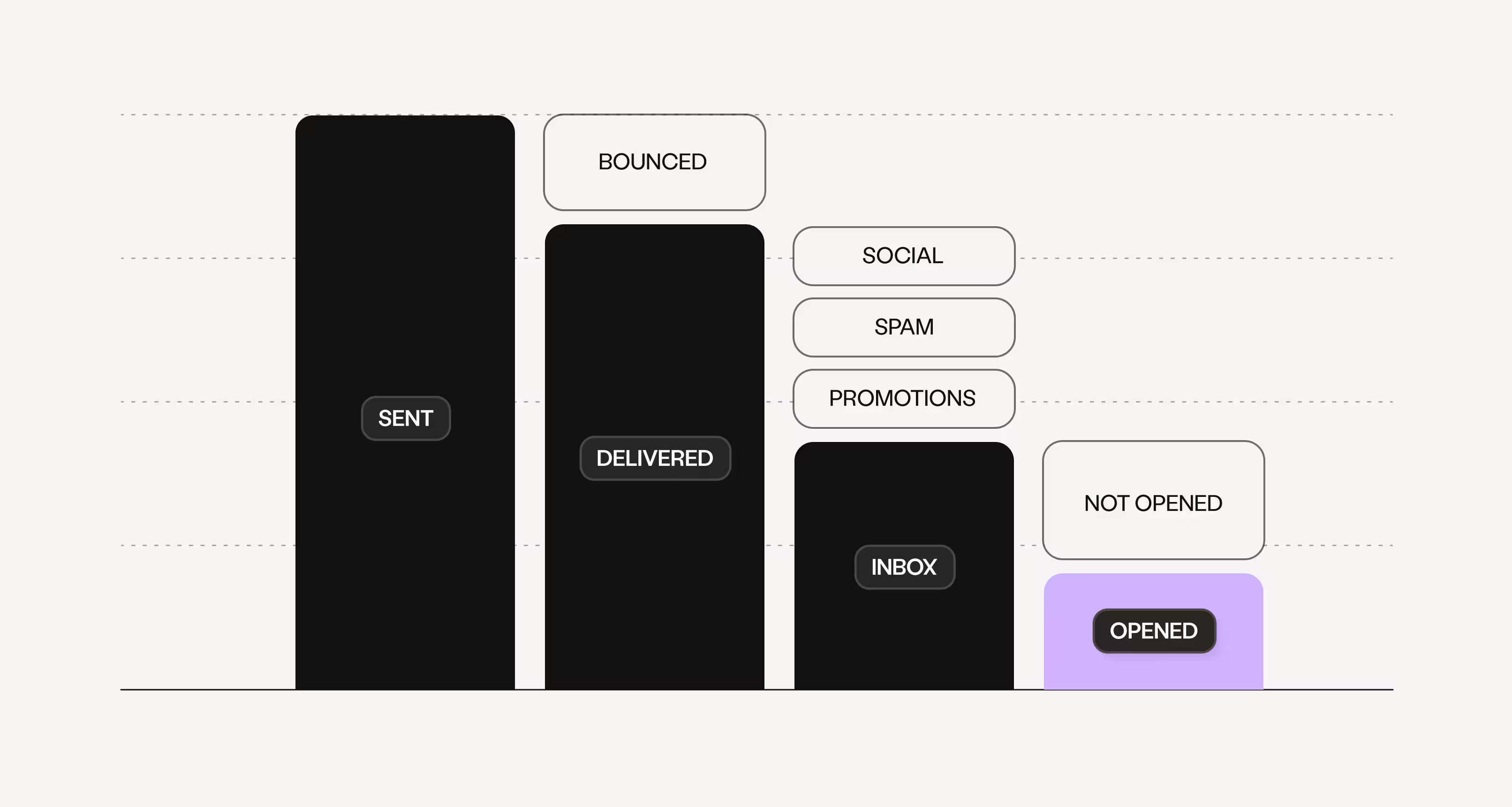
What is email deliverability?
Email deliverability is the ability of your emails to reach a recipient's primary inbox instead of the spam folder or promotions tab. It depends on sender reputation, authentication (SPF, DKIM, and DMARC), the quality of your contact data, your sending volume and patterns, and the content of your emails.
- Strong deliverability means the people you email actually see your message.
- Weak deliverability means you are sending into a void, no matter how good the outreach is.
Amplemarket is an all-in-one AI sales platform with a complete, native deliverability solution built into the outbound workflow, scoring 21 out of 21 on deliverability coverage in its own feature audit, while most sales tools score zero. Instead of stitching together a warmup app, a spam tester, and a monitoring tool, everything lives in one place and talks to your data and your sequences.
Here is what that solution includes, and why each piece matters.
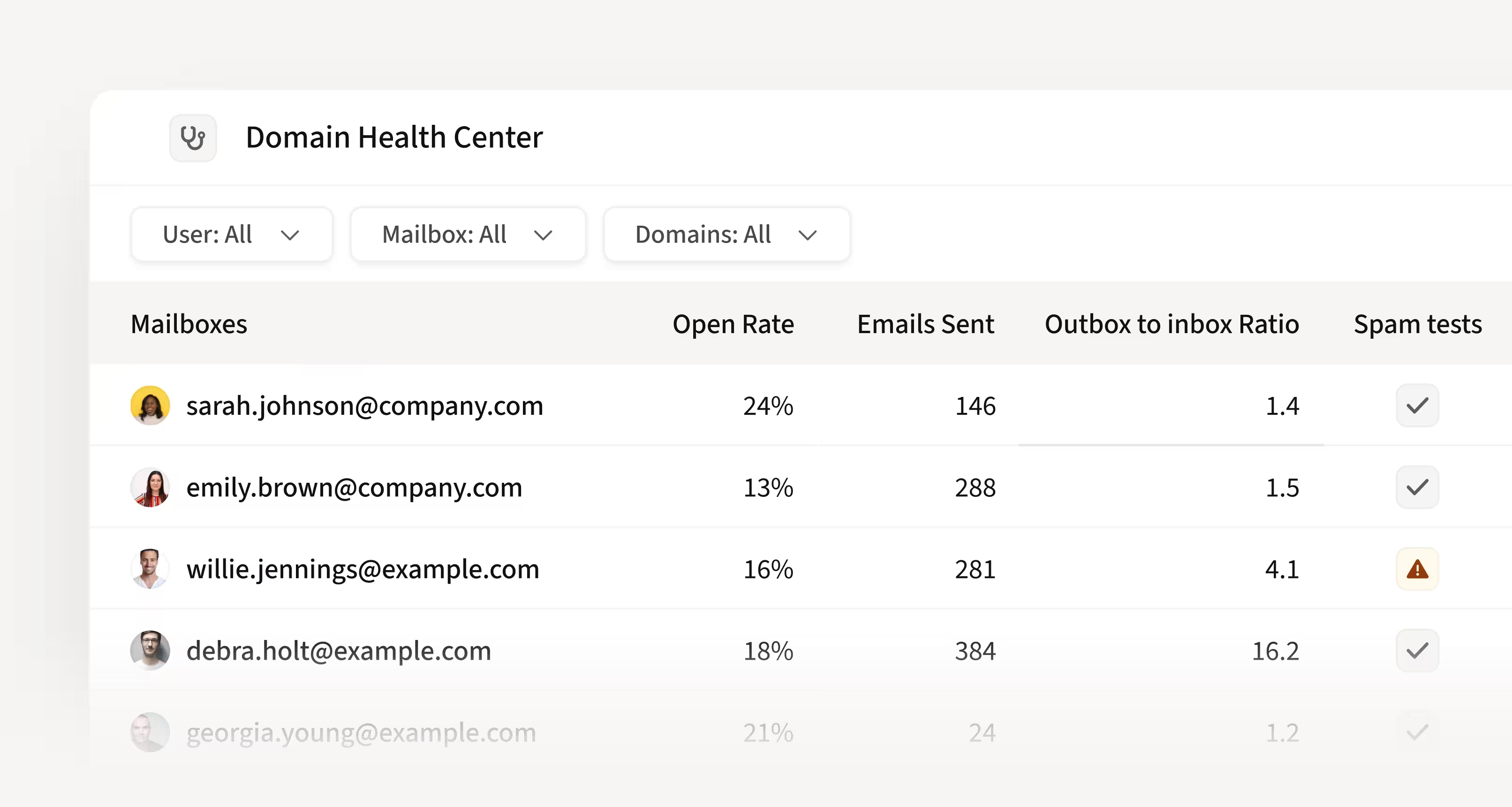
Domain Health Center: your single source of truth
The Domain Health Center is one dashboard for the health of every mailbox and domain you send from. It tracks authentication status (SPF, DKIM, and DMARC), inbox-to-outbox ratios, weekly spam test results, blacklist appearances, open rates, sending volume, and warmup progress, all broken down per mailbox so you can see exactly which one needs attention.
Because misconfiguration is silent, this visibility is the difference between catching a problem in hours versus discovering it weeks later. When Deel switched to Amplemarket and leaned on the Domain Health Center and warmup, their open rate climbed from around 35% to about 62%.
As Benjamin Guigui, SDR Manager at Deel, put it:
"If your emails don't get opened, you're not having conversations or booking demos."
What is email warmup?
Email warmup is the process of gradually building a positive sending reputation for a new or recovering mailbox. A warmup system sends and receives natural, engaged email activity over time, signaling to providers like Google and Microsoft that the mailbox belongs to a real, trustworthy sender.
Warmup is one layer of deliverability, not the whole answer. Reputation, authentication, data quality, and sending discipline all have to work together.
Deliverability Booster: automatic email warmup
The Deliverability Booster is Amplemarket's built-in email warmup. It automatically starts and replies to healthy email threads within a controlled network, building sender reputation in the background with no manual effort.
The Deliverability Booster does three jobs:
- It gets new mailboxes ready to send by building reputation from scratch.
- It keeps established mailboxes healthy by balancing your sent-to-received ratio as you scale.
- It helps recover mailboxes that have been flagged, by re-establishing positive engagement patterns. It works across Google Workspace and Microsoft Outlook, and progress is tracked right inside the Domain Health Center.
Why cold emails land in spam?
Providers score every email before deciding where it lands. A handful of factors do most of the damage: a domain with low or damaged reputation, broken authentication records, high bounce rates from stale data, sudden spikes in sending volume, and content that trips spam filters.
The tricky part is that failure is silent. Your emails still say "sent," so without the right visibility, you only discover the problem when your pipeline dries up. Amplemarket's deliverability solution is designed to catch these issues before they cost you meetings.
For the full technical breakdown, see Amplemarket's complete guide to email deliverability.
Email Spam Checker: know where you land before you send
The Email Spam Checker runs automated weekly inbox placement tests on every connected mailbox, across all major providers. It tells you whether a mailbox is landing in the inbox or heading to spam, and labels each one "healthy" or "unhealthy" so there is no guesswork.
If a mailbox is flagged, the recommended play is simple: pause it, stop adding new leads, turn on the Deliverability Booster to rebuild reputation, and reactivate once it passes again.
As Tiffany Wong, Co-Founder at Pry Financials, shared:
"I've tried other tools out there, but my emails kept going to spam. With Amplemarket, we've been getting over 70% open rate consistently."
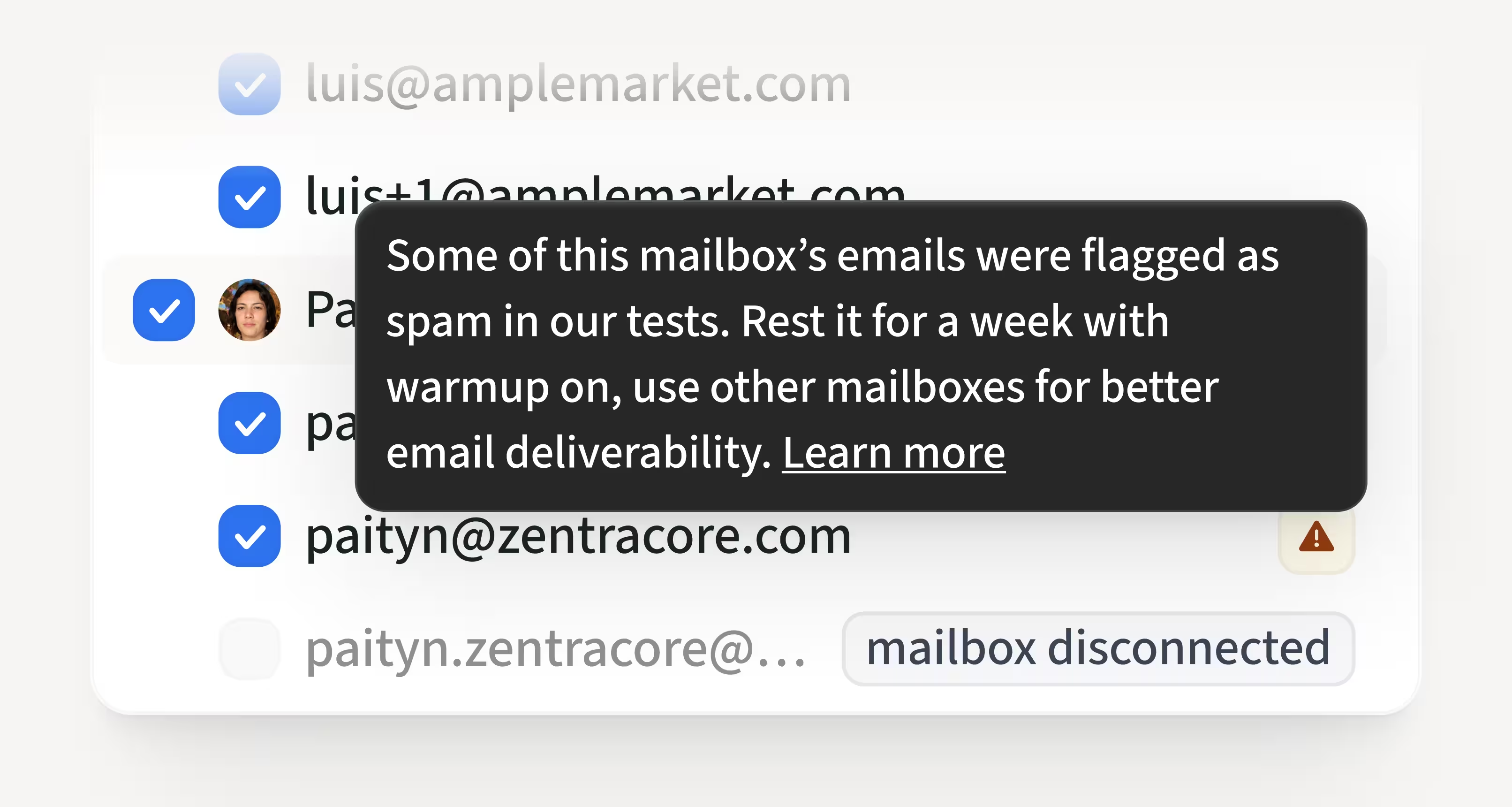
Mailbox Recommendation: always send from a healthy mailbox
Mailbox Recommendation uses those weekly placement tests to pick the best mailbox for each send. It weighs domain health, recent volume, reputation, and the recipient's domain, so your outreach always goes out from a mailbox that can actually reach the inbox.
With Amplemarket's Duo Copilot, this rotation can run automatically, as Duo cross-checks mailbox health and decides which mailbox to start a sequence from.
Johannes Höglund, Digital Marketing Consultant at Digimii, highlights its importance:
"Amplemarket's integrated email warm-up and support for multiple inboxes help ensure that my messages reach recipients' inboxes rather than being filtered as spam."
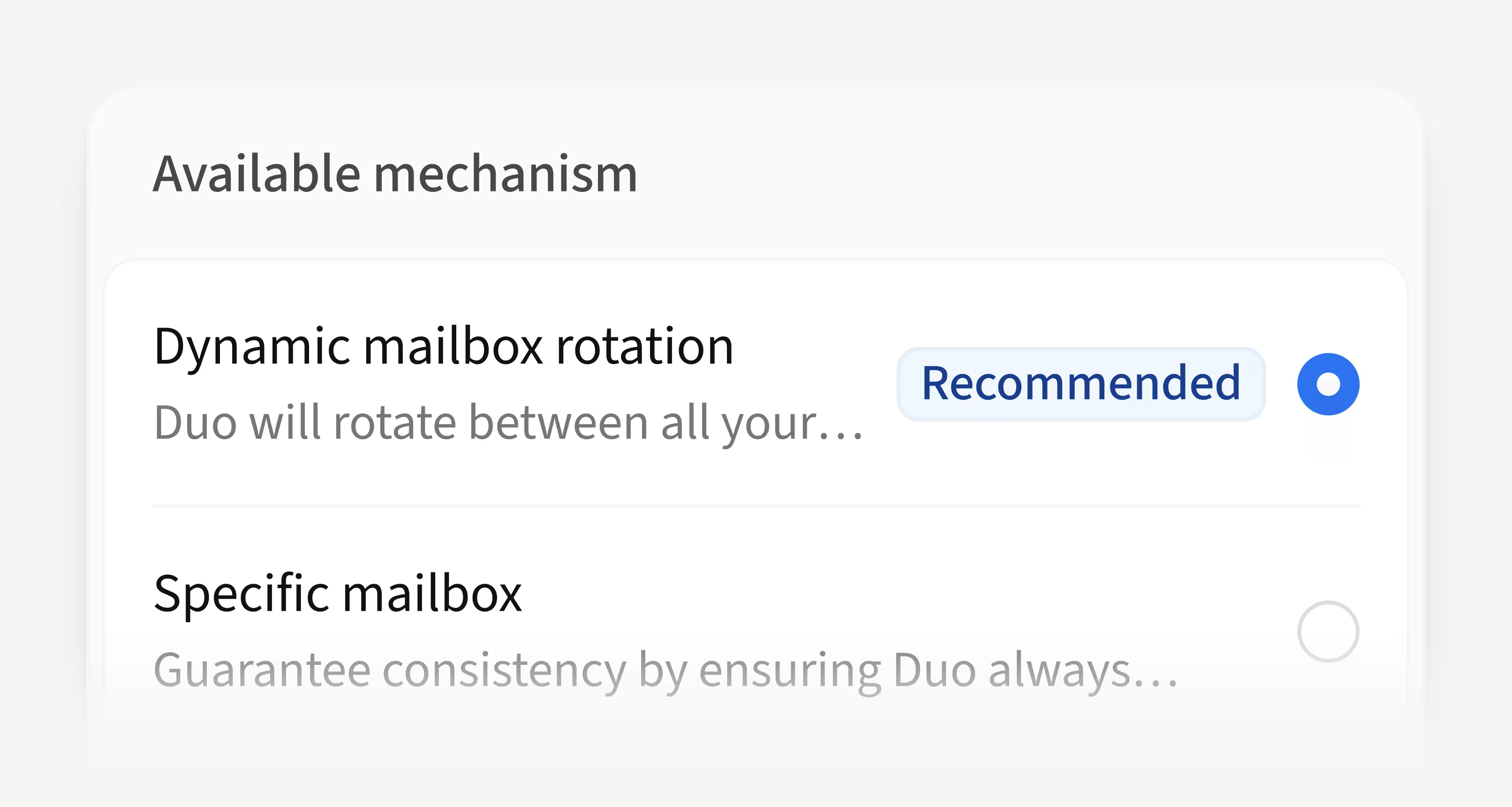
Mailbox rotation and automatic ramp-up: volume without the risk
Sending everything from one address concentrates all your risk on one mailbox. Amplemarket automatically rotates sends across your connected mailboxes to spread volume and protect reputation.
New mailboxes are the most fragile, so Amplemarket handles them with automatic ramp-up.
When you connect a new mailbox, it sets a low daily sending limit and gradually increases it over several weeks, following a safe volume roadmap. You will see a "ramping up" label in your mailbox settings while this runs. You can always set limits manually, though doing so turns the automatic ramp-up off, so the safest path is to let it do the work.
This is what lets teams onboard new reps without burning fresh domains. At Clara, every new hire's domains and warm-up are configured before day one, so reps ramp safely and are booking meetings by their second week.
Aline Louzada, Sales Operations Specialist at Clara, shared that:
"Every time we have a new account executive, we already create all the domains. We set the first sequence and can start lead generation from day one."

Beyond the core suite: features that protect your deliverability
Deliverability does not end at warmup and monitoring. A few adjacent features quietly do a lot to keep your sender reputation intact and your outreach manageable.
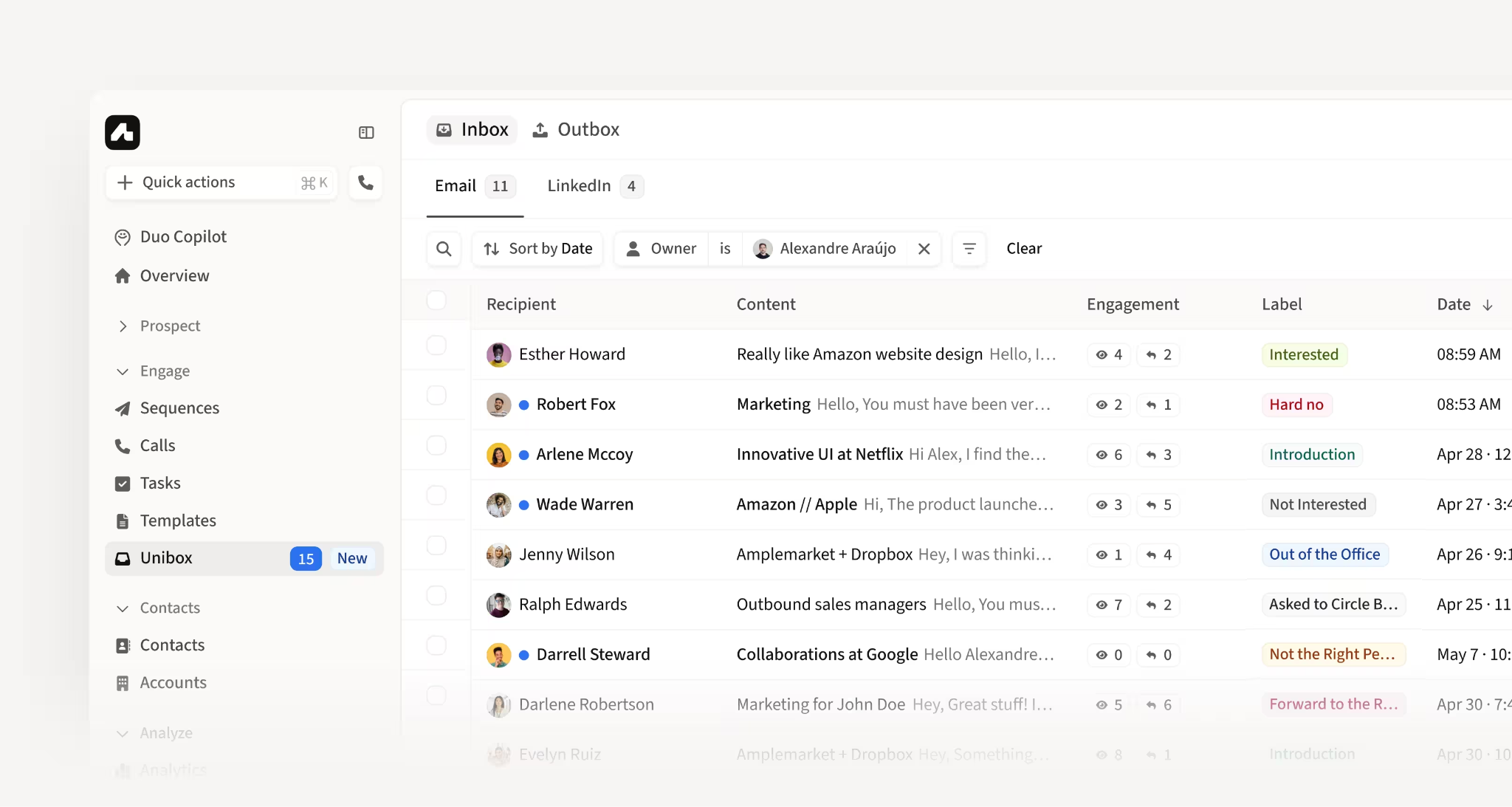
Unibox: one inbox for every domain you rotate across
Rotating across multiple domains is great for deliverability, but it scatters your replies across several inboxes.
Unibox solves that by centralizing every reply, across every mailbox and domain, into one view, automatically tagged with labels like "interested," "meeting booked," and "out of office."
For Clara, whose account executives each run six separate sending domains, this is the feature that makes the whole setup work. As their sales ops lead put it:
"One thing that it's impossible for us to live without right now is the Unibox. We have multiple domains, and to be able to get all the replies from the six domains, we need to use Unibox."
Workflows: protect your reputation on autopilot
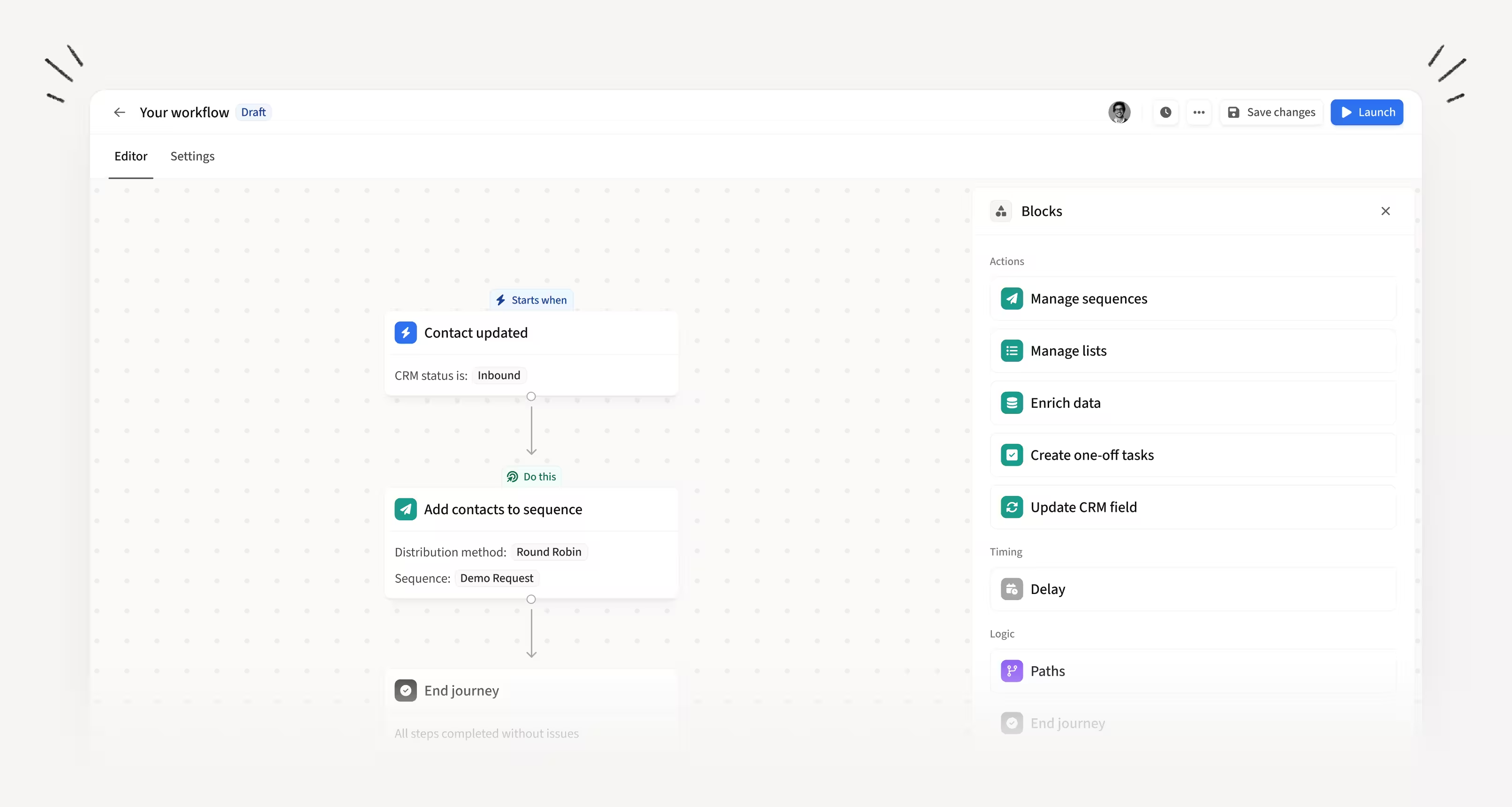
Workflows let you automate the housekeeping that keeps a domain healthy. A common one: automatically move any lead that bounces or hits spam onto an exclusion list, so you never email a bad address twice.
At Clara, workflows like this helped cut spam rates from above 15% to 0.6%, roughly a 25 times reduction, while bounce rates dropped to 1.7%.
Email Validation: stop bounces before they happen
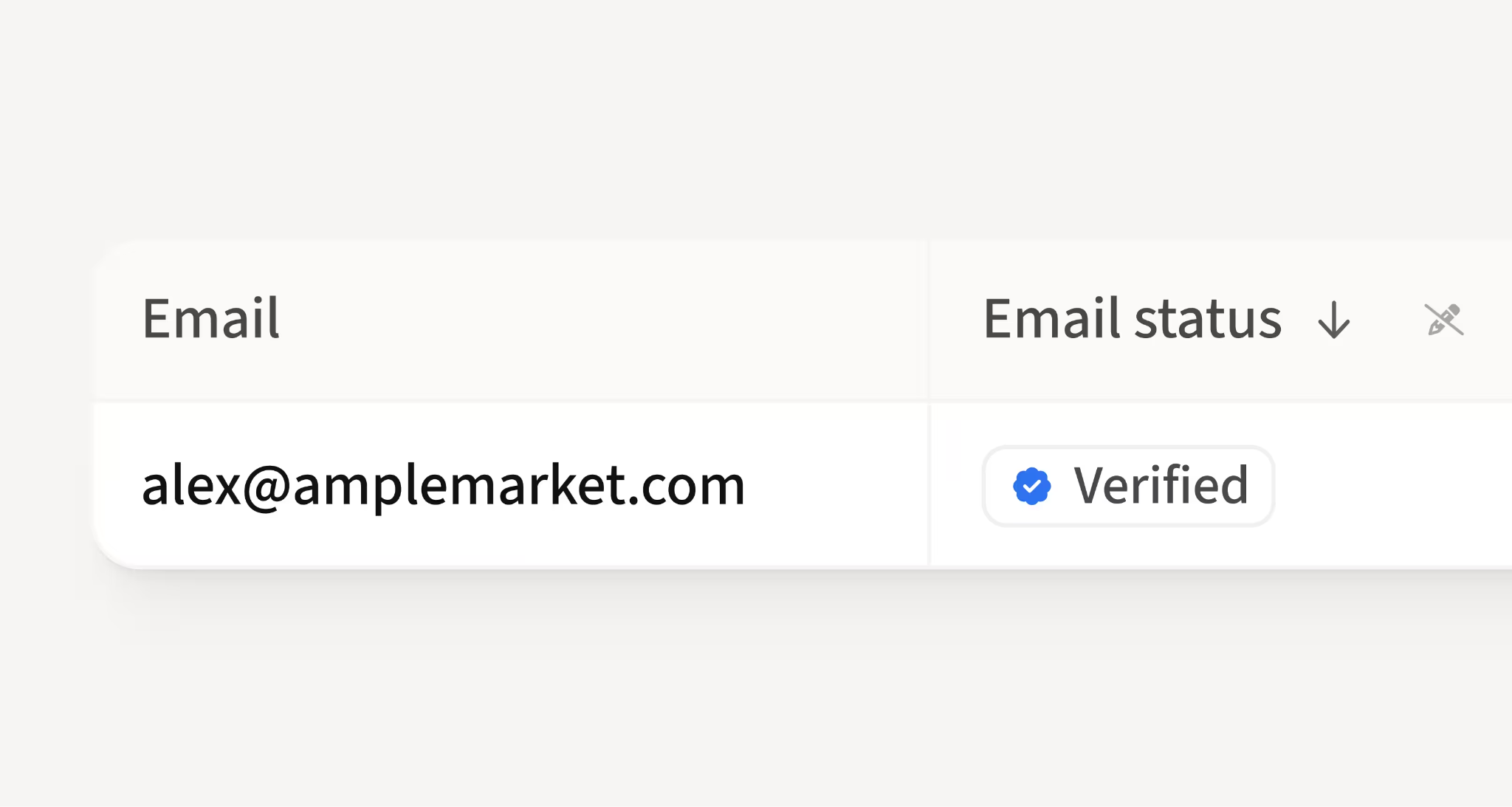
Bad data is the root cause of most deliverability problems, because every bounce chips away at your reputation. Email Validation verifies addresses in real time, with AI typo detection, before they ever enter a sequence. It is a big reason Amplemarket maintains a platform-wide bounce rate under 3%, versus the 10 to 35% that is common in cold outreach.
Deel's Business Expansion CEE, Atanas Baev, highlights this as a favourite feature:
"I especially love the seamless workflow integrations and real-time email validation, which have significantly boosted our outreach success rate."
What healthy deliverability looks like in practice
Sendoso learned the hard way what happens without it. After moving off Amplemarket to another tool, their deliverability collapsed. In their words: "It was like flipping a switch. One day, we had healthy pipeline. The next, we were going straight to spam."
Once they returned, "our inbox placement and reply rates rebounded. It was night and day." Today, they run at a 78% open rate, under 3% bounce, and 3.2 times more replies.
The pattern repeats across customers:
- Lucas Summers, Digital Sales Account Manager at Hewlett Packard Enterprise, put it plainly: "I went from a 5% open rate to an average of nearly 45% with Amplemarket. The open rate is very high compared to other tools I have used, and the email addresses are very accurate."
- As one G2 reviewer summed it up, "Deliverability is the silent killer of outbound. Amplemarket treats it as a first-class feature, not an afterthought. That's rare."
When deliverability is treated as infrastructure rather than an afterthought, the same sequences and copy suddenly perform.
How many emails is it safe to send per day?
There is no magic number, and anyone who gives you a hard cap is guessing. Deliverability depends more on quality, engagement, and consistency than on raw volume.
As a rough guide, new mailboxes should start very slowly, in the range of 5 to 10 emails per day, and ramp up gradually. Aged, healthy mailboxes are typically safe in the 30 to 50 cold emails per day range.
If you need more volume, add more mailboxes and domains rather than pushing a single mailbox harder. With Amplemarket, automatic ramp-up and intelligent throttling handle most of this for you, so you are protected even if you do not want to think about the numbers.
The bottom line
Deliverability is not a single setting you flip on: it is a system of reputation, authentication, data quality, sending discipline, and monitoring working together.
Amplemarket brings all of it into one platform: warmup, health monitoring, spam testing, smart mailbox selection, rotation, and the adjacent tools that keep it all running, so landing in the inbox stops being a fire drill and becomes the default.
If your open rates are sliding or your domains feel fragile, that is a solvable problem. See how Amplemarket can rebuild your sender reputation with a 14-day free trial.
.jpg)